Texture packsBedrock
Azull's Minimal Armor Textures
Bedrock texture pack listed for Minecraft 1.21. File opened and checked on 19 Oct 2026; installs from the MC Bedrock Mods app on Android.
Skins are a special method of self-expression in Minecraft used by crafters around the world. When you buy or install a cool model, you want everyone to…
⬇ Download
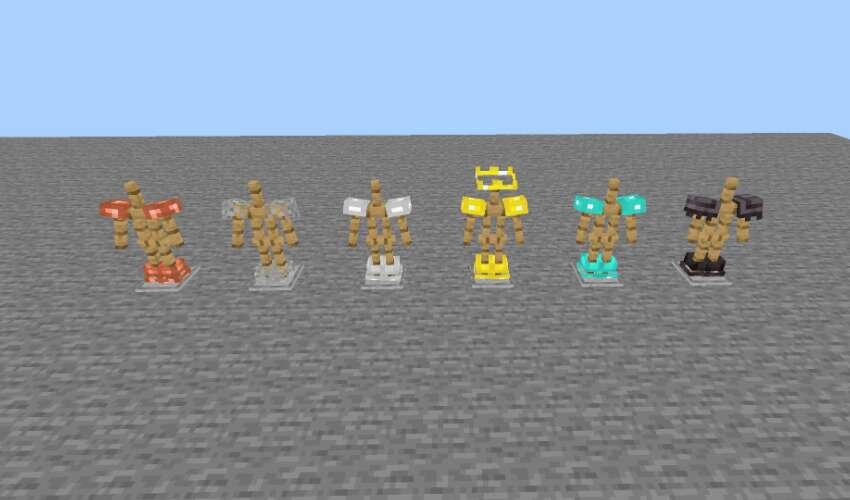
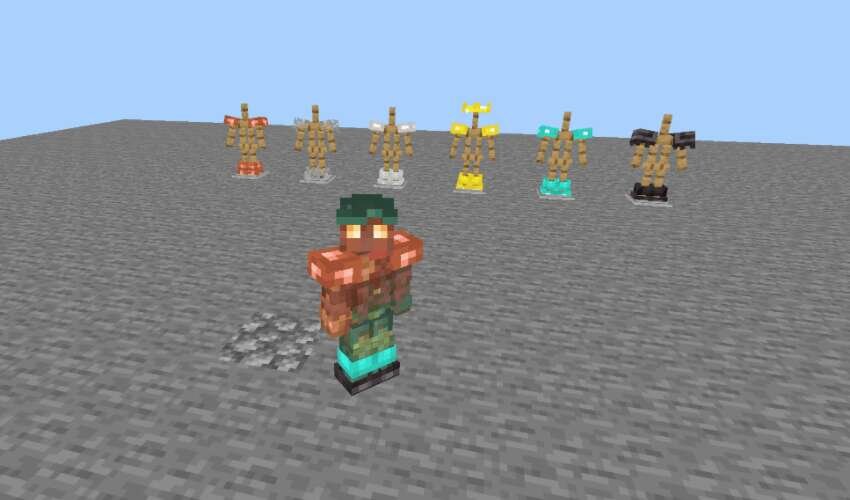
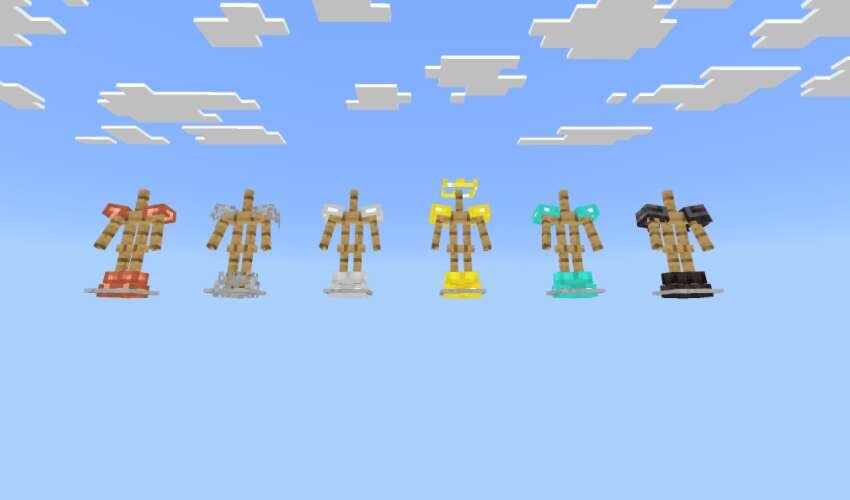

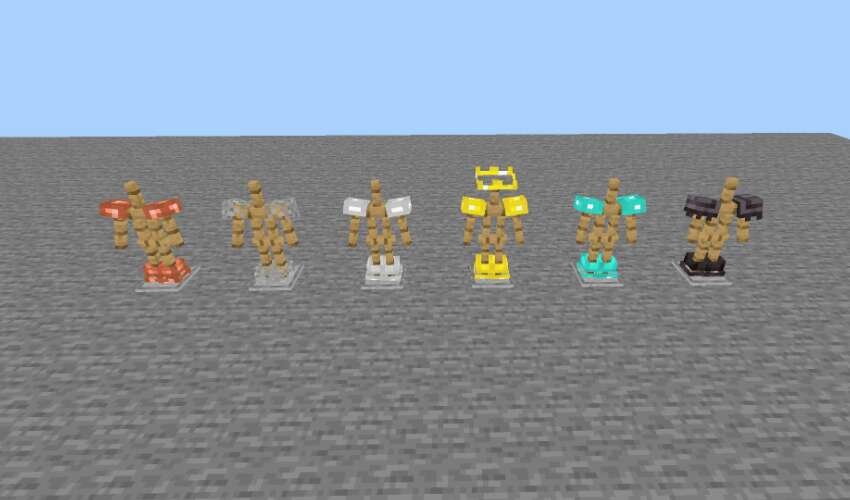
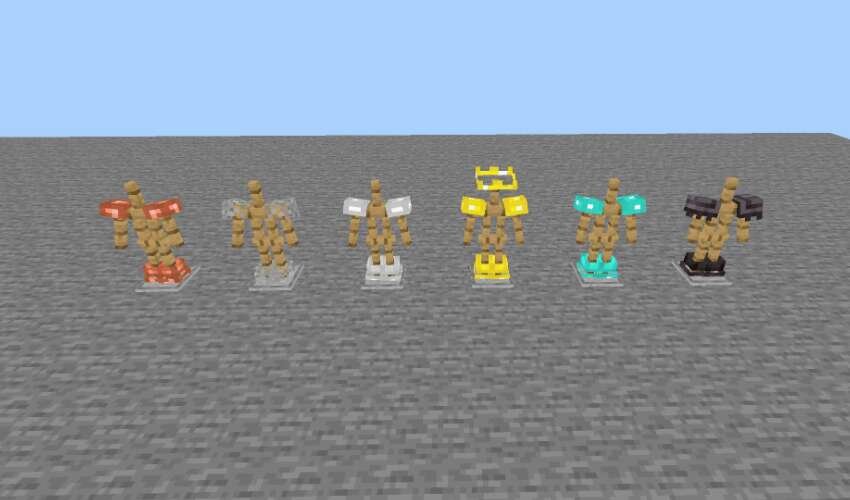
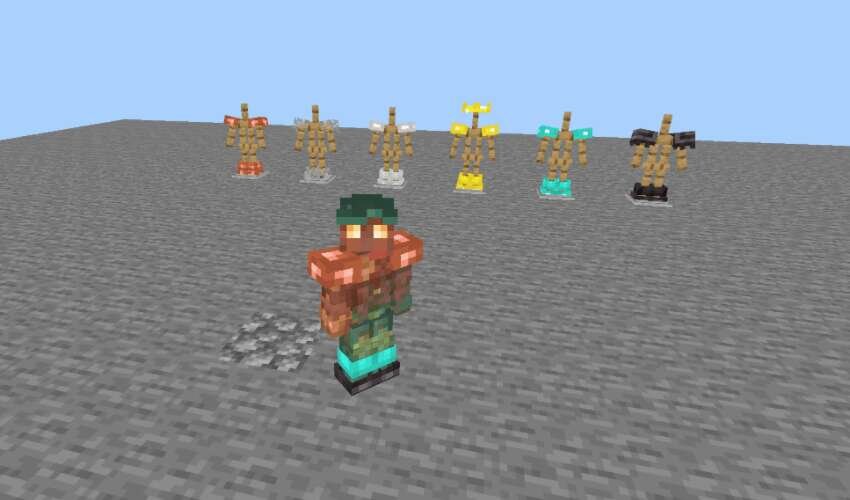
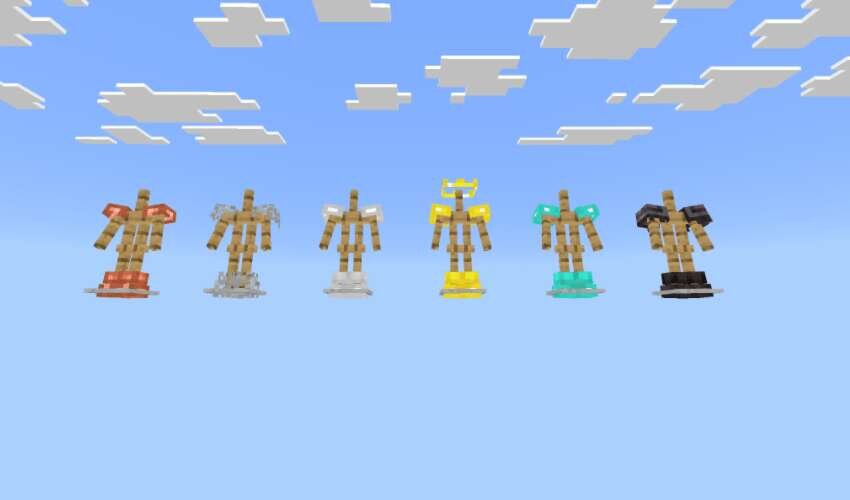
Скины — это особый метод самовыражения в Minecraft, который используют крафтеры по всему миру. При покупке или установке какой-нибудь крутой модельки, хочется сделать так, чтобы каждый смог увидеть твой шедевр. Но как только ты натягиваешь броню, все это пропадает. Для решения проблемы помогут текстуры Azull's Minimal Armor, которые сделают вид Брони минималистичным.
Теперь все виды Брони будут отображаться лишь частично, чтобы твой скин всегда можно было как следует рассмотреть.
Теперь все виды Брони будут отображаться лишь частично, чтобы твой скин всегда можно было как следует рассмотреть.
Quick facts
- Edition: Minecraft Bedrock
- File type: .mcpack
- Minecraft version listed: 1.21
- How to install: Download the .mcpack. → Open it — Minecraft imports it under Resource Packs. → Activate it in Global Resources, or for one world under Resource Packs → Available.
- Where to get it: In MCModsHub, or directly above on this page.
Install steps are the general flow for this file type — How to install Minecraft Bedrock texture packs walks through it step by step.
File checked by MCModsHub
- Save it as 186093.mcaddon before opening — it downloads as .mcpack, but it is a .mcaddon pack
- Manifest requires Minecraft 1.21.100 or newer
- Complete pack — everything it depends on is inside the file
- Download size: 14 KB
- Download link checked 6 Jul 2026 — working
- Mirrored on our own servers — the download does not depend on the original host
These come from our own check of the pack file, not from the source page.