
Texture packsBedrock
Ore Info Viewer Textures
Bedrock texture pack listed for Minecraft 1.20–1.21. File opened and checked on 9 Oct 2026; installs from the MC Bedrock Mods app on Android.
If you're new to Minecraft, you probably struggled to find ores and their locations. Even experienced players forget which levels have Diamonds. Ore Info…
⬇ Download

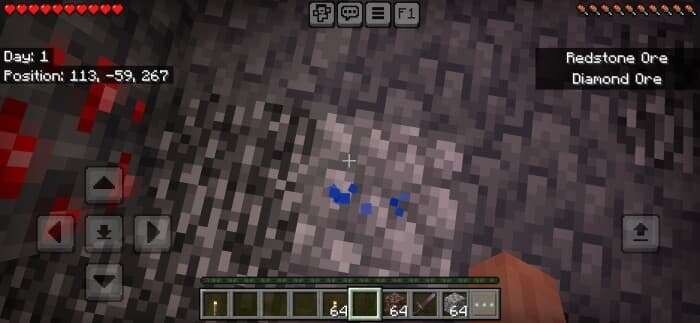
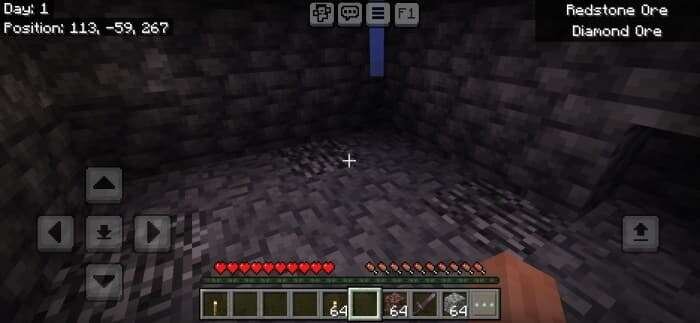


Если ты только начинаешь играть в Майнкрафт, то наверняка сталкивался с проблемой, когда не знаешь, какую Руду и где можно найти. Даже опытные игроки порой забывают, на каких уровнях находятся любимые всеми Алмазы. Поэтому текстуры Ore Info Viewer помогут тебе при выживании. В игре появится отображение информации о высоте Руды прямо в интерфейсе.
Необходимо включить эту настройку.В правом верхнем углу ты увидишь, на каких уровнях можно найти нужные материалы — всё удобно и без переключения вкладок.
Необходимо включить эту настройку.
Quick facts
- Edition: Minecraft Bedrock
- File type: .mcpack
- Minecraft version listed: 1.21
- How to install: Download the .mcpack. → Open it — Minecraft imports it under Resource Packs. → Activate it in Global Resources, or for one world under Resource Packs → Available.
- Where to get it: In MCModsHub, or directly above on this page.
Install steps are the general flow for this file type — How to install Minecraft Bedrock texture packs walks through it step by step.
File checked by MCModsHub
- Save it as 186186.mcaddon before opening — it downloads as .mcpack, but it is a .mcaddon pack
- Manifest requires Minecraft 1.20.0 or newer
- Complete pack — everything it depends on is inside the file
- Download size: 13 KB
- Download link checked 6 Jul 2026 — working
- Mirrored on our own servers — the download does not depend on the original host
These come from our own check of the pack file, not from the source page.