Texture packsBedrock
Saturated Nature Textures
Bedrock texture pack listed for Minecraft 1.19. File opened and checked on 28 Sep 2026; installs from the MC Bedrock Mods app on Android.
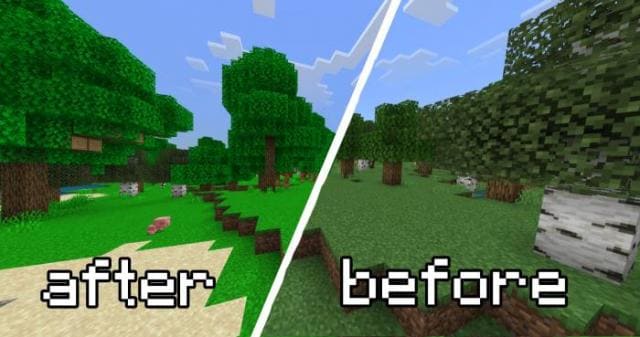
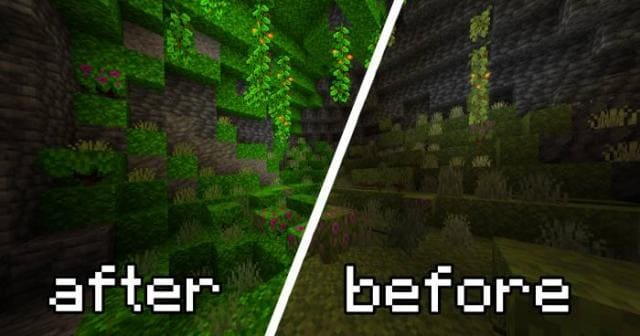
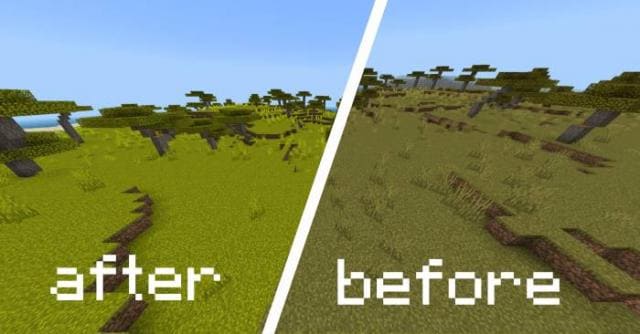
More saturated and pleasant nature will appear immediately after installing Saturated Nature textures in Minecraft. Previously the author only updated…
⬇ Download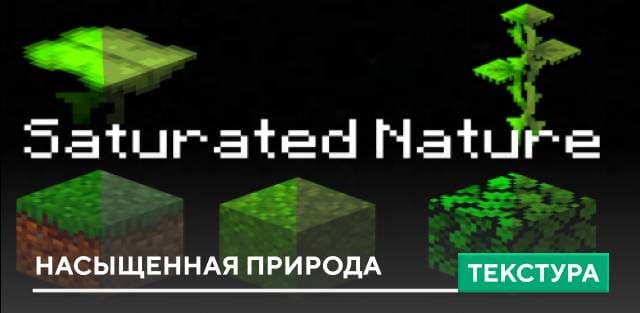
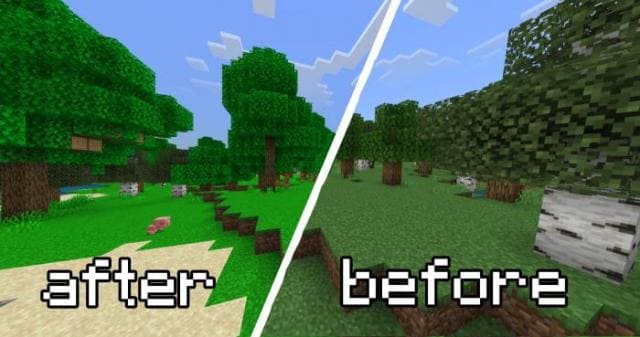
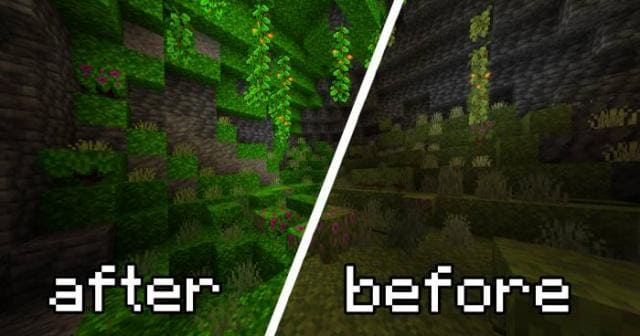
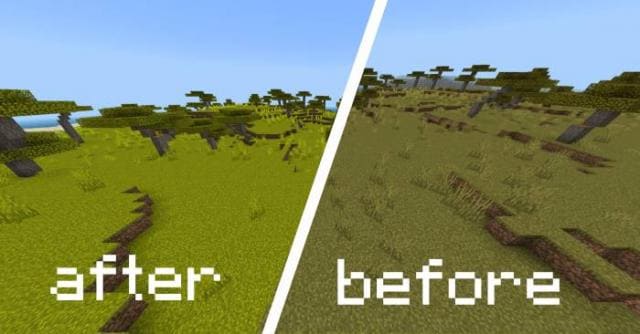
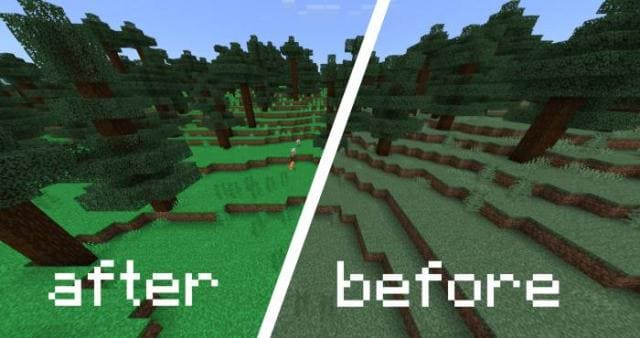
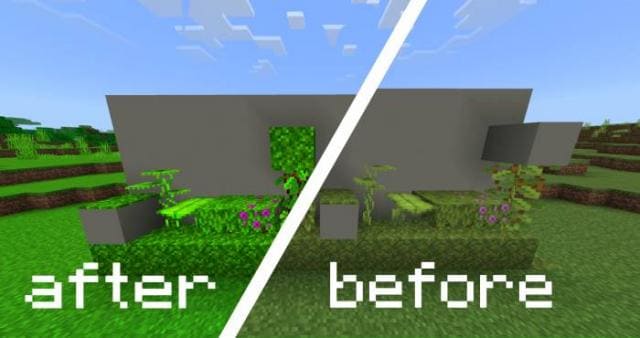

Более насыщенная и приятная для глаз природа появится сразу после установки текстур Saturated Nature в Майнкрафт. Ранее автор обновлял только траву, а теперь изменения получат все растения, блоки и лесные биомы. Мох, Азалия, Твердолист и прочие блоки растений будут выглядеть более реалистичными и красивыми. Если ты любишь более насыщенные оттенки и яркий вид, то используй эту сборку.
Лес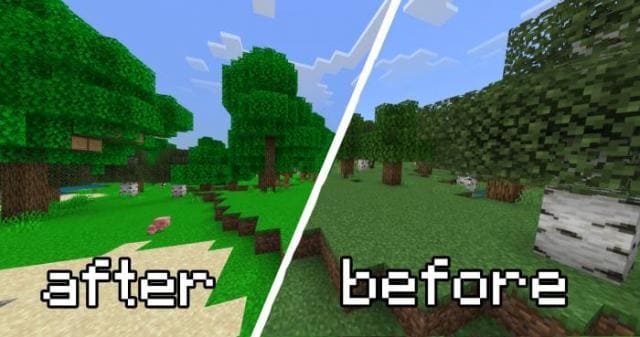 Растения
 Саванна
 Тайга
Тайга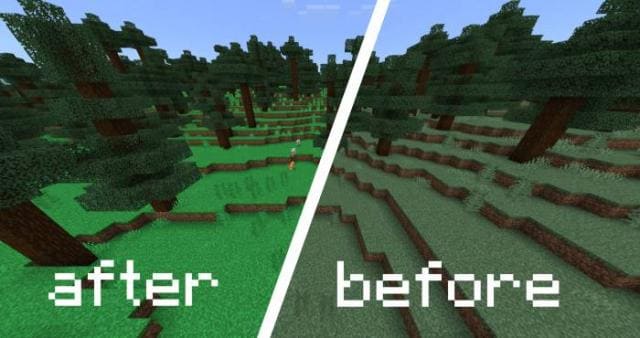 Блоки
Блоки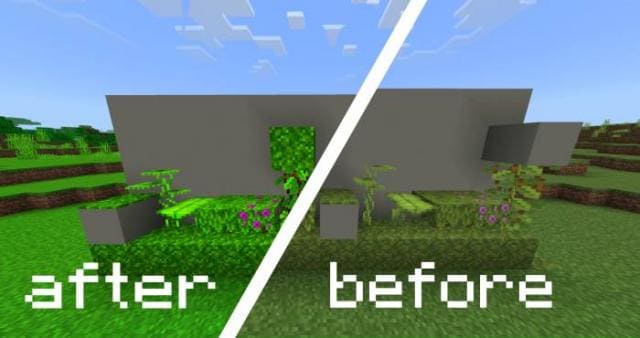 Изменения в новой версии
Лес
- Обновили функции
Quick facts
- Edition: Minecraft Bedrock
- File type: .mcpack
- Minecraft versions listed: 1.19.50, 1.19
- How to install: Download the .mcpack. → Open it — Minecraft imports it under Resource Packs. → Activate it in Global Resources, or for one world under Resource Packs → Available.
- Where to get it: In MCModsHub, or directly above on this page.
Install steps are the general flow for this file type — How to install Minecraft Bedrock texture packs walks through it step by step.
File checked by MCModsHub
- Save it as 186450.mcaddon before opening — it downloads as .mcpack, but it is a .mcaddon pack
- Complete pack — everything it depends on is inside the file
- Download size: 899 KB
- Download link checked 6 Jul 2026 — working
- Mirrored on our own servers — the download does not depend on the original host
These come from our own check of the pack file, not from the source page.