Texture packsBedrock
Zed's Vanilla Textures
Bedrock texture pack listed for Minecraft 1.16–1.17. File opened and checked on 10 Oct 2026; installs from the MC Bedrock Mods app on Android.
The author searched for many textures to use in their worlds but couldn't find anything meeting their standards. So they created Zed's Vanilla to improve…
⬇ Download
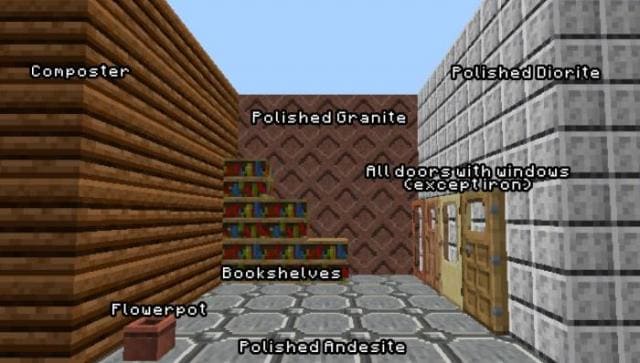
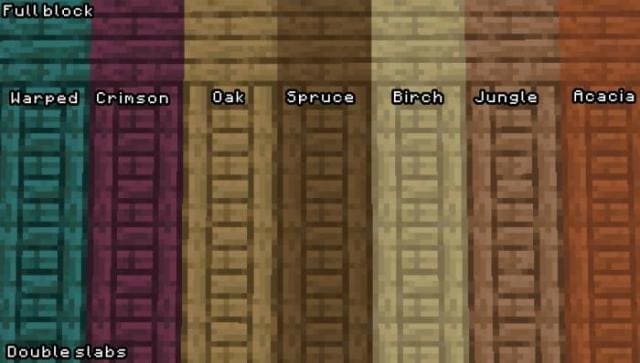
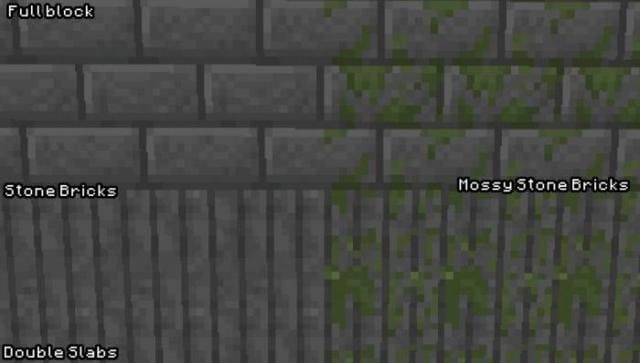

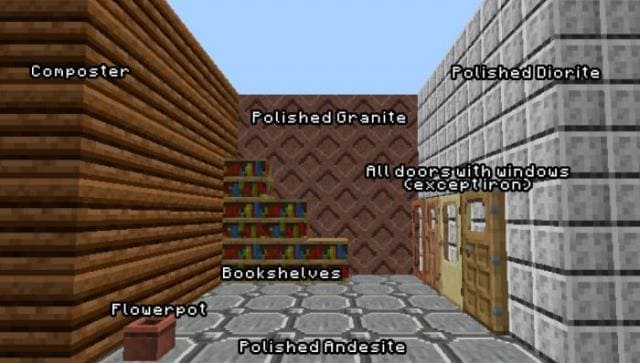
Автор искал множество текстур, чтобы применять в своих мирах. Но не смог найти ничего, что соответствовало бы его условиям. Поэтому он взял и создал свое дополнение Zed's Vanilla, чтобы улучшить Майнкрафт ПЕ. Будьте как автор этой сборки: если хотите сделать хорошо, то сделайте сами. Изменениям подверглось множество блоков, инструментов, досок и даже камней.
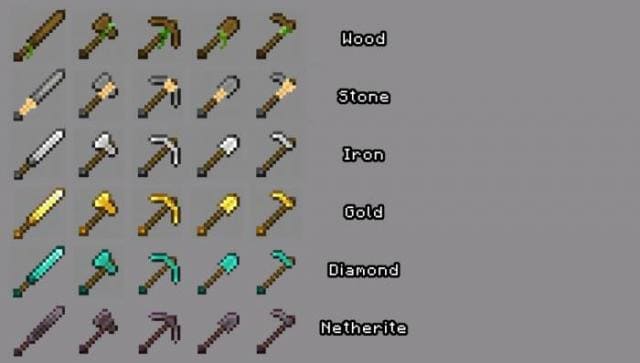
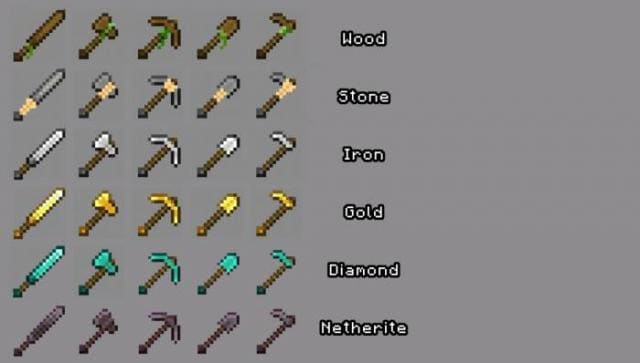
Книжные полки теперь связываются, блоки стали чище, двери получили большие окна, а цветочный горшок стал детализованнее.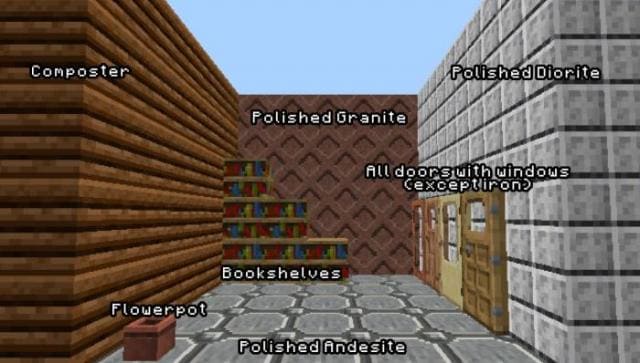 Деревянные инструменты получили листву, каменные — веревки, а прочие стали чуточку лучше.
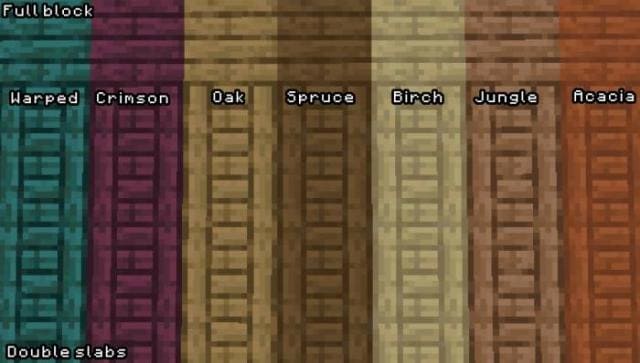
 Двойные деревянные плиты дадут уникальный дизайн.
 Каменные кирпичи получили новый вид.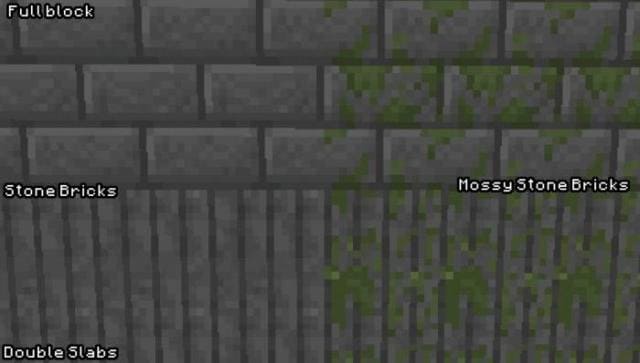
Книжные полки теперь связываются, блоки стали чище, двери получили большие окна, а цветочный горшок стал детализованнее.
Quick facts
- Edition: Minecraft Bedrock
- File type: .mcpack
- Minecraft versions listed: 1.17, 1.16
- How to install: Download the .mcpack. → Open it — Minecraft imports it under Resource Packs. → Activate it in Global Resources, or for one world under Resource Packs → Available.
- Where to get it: In MCModsHub, or directly above on this page.
Install steps are the general flow for this file type — How to install Minecraft Bedrock texture packs walks through it step by step.
File checked by MCModsHub
- Save it as 186891.mcaddon before opening — it downloads as .mcpack, but it is a .mcaddon pack
- Manifest requires Minecraft 1.16.0 or newer
- Complete pack — everything it depends on is inside the file
- Download size: 30 KB
- Download link checked 6 Jul 2026 — working
- Mirrored on our own servers — the download does not depend on the original host
These come from our own check of the pack file, not from the source page.