Texture packsBedrock
Better World Settings Screen Textures
Bedrock texture pack listed for Minecraft 1.17. File opened and checked on 25 Sep 2026; installs from the MC Bedrock Mods app on Android.
Many Minecraft Pocket Edition users think the in-game settings need significant improvements. This requires waiting for updates or using Better World…
⬇ Download
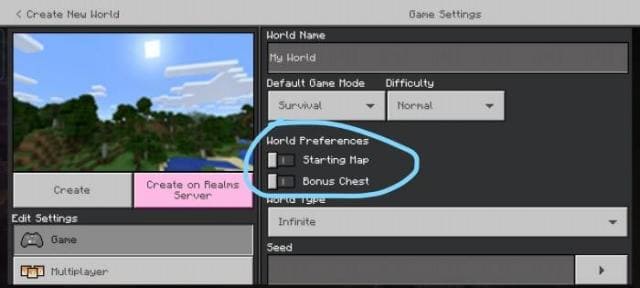
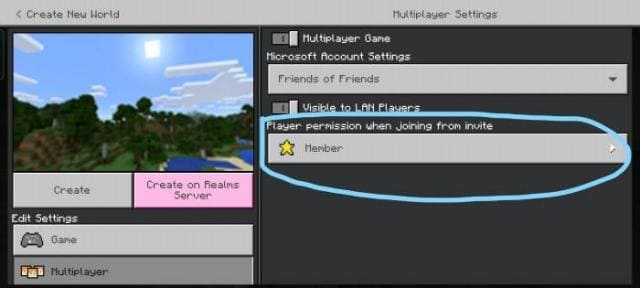
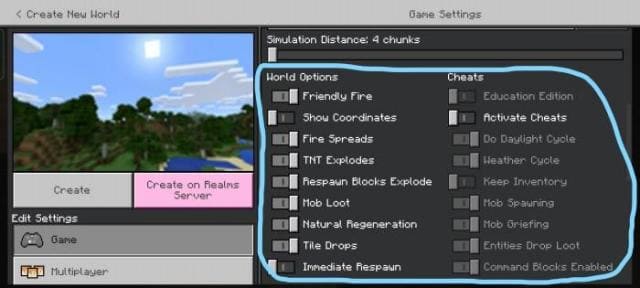
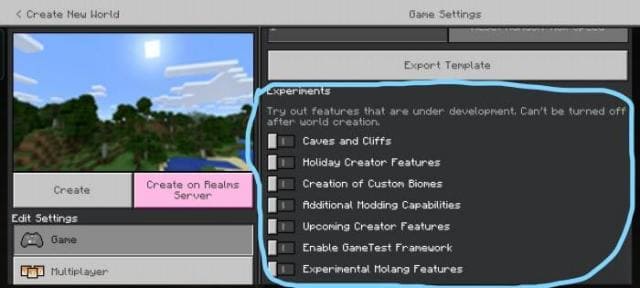

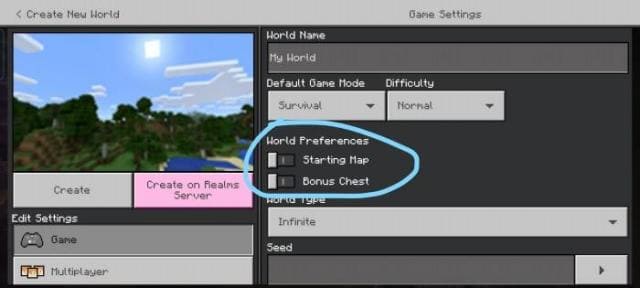
Многие пользователи Майнкрафт Покет Эдишн считают, что настройки в игре требуют существенных улучшений. Для этого придется ждать обновления или применять текстуры Better World Settings Screen. Сборка автоматически улучшит все виды меню в настройках. Все пункты параметров будут оптимизированы и обновлены.
Настройки бонусного сундука и стартовой карты
Эти опции будут появляться только при создании мира.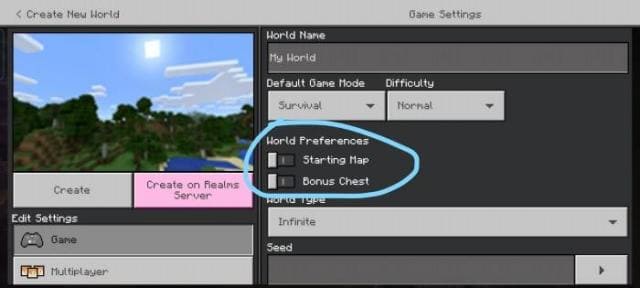 Выбор статуса нового пользователя
Параметр перенесли в раздел мультиплеера.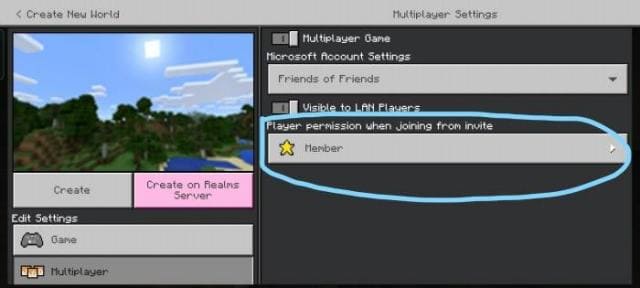 Опции мира и читы
Параметры находятся друг против друга. Экспериментальные настройки
Опции находятся ниже.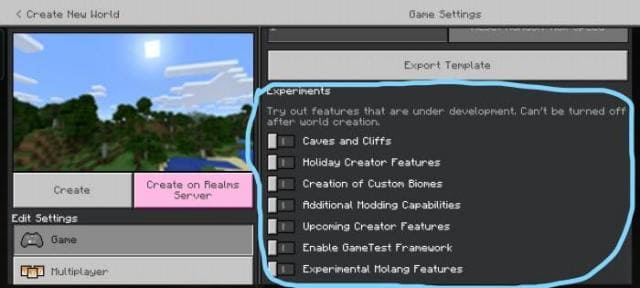
Настройки бонусного сундука и стартовой карты
Эти опции будут появляться только при создании мира.
Параметр перенесли в раздел мультиплеера.
Параметры находятся друг против друга.
Опции находятся ниже.
Quick facts
- Edition: Minecraft Bedrock
- File type: .mcpack
- Minecraft version listed: 1.17.30
- How to install: Download the .mcpack. → Open it — Minecraft imports it under Resource Packs. → Activate it in Global Resources, or for one world under Resource Packs → Available.
- Where to get it: In MCModsHub, or directly above on this page.
Install steps are the general flow for this file type — How to install Minecraft Bedrock texture packs walks through it step by step.
File checked by MCModsHub
- Pack type: .mcpack — a single pack
- Complete pack — everything it depends on is inside the file
- Download size: 147 KB
- Download link checked 6 Jul 2026 — working
- Mirrored on our own servers — the download does not depend on the original host
These come from our own check of the pack file, not from the source page.