Texture packsBedrock
Onix UI Textures
Bedrock texture pack listed for Minecraft 1.2–1.16. File opened and checked on 7 Oct 2026; installs from the MC Bedrock Mods app on Android.
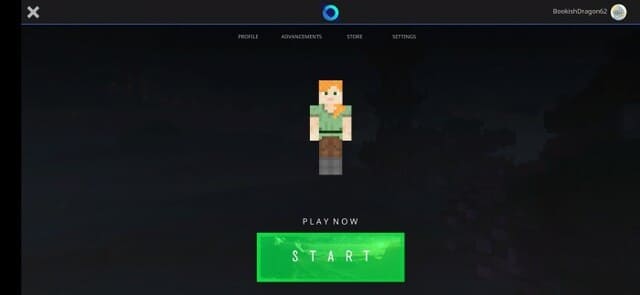
Onix UI textures will present a new look at the Minecraft menu. The pack offers a unique and beautiful main menu option. In the future, the author…
⬇ Download
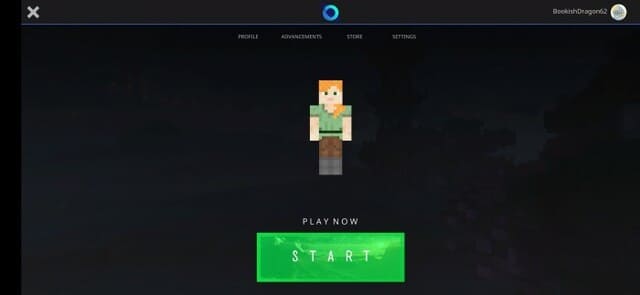
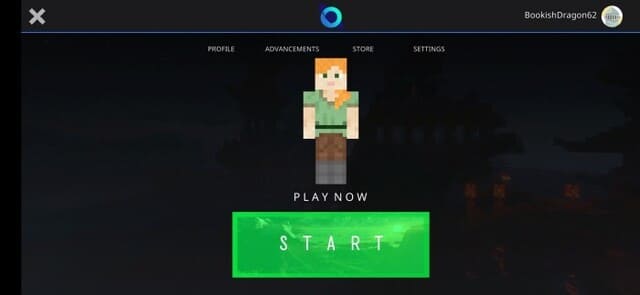

Текстуры Onix UI представят новый вид на меню Майнкрафт. Сборка предлагает уникальный и красивый вариант главного меню. В будущем, автор обещает работать над ним еще больше и улучшить дизайн. Ниже представлены скриншоты с меню - оцени их и скорее устанавливай дополнение в свою игру.
Основное меню
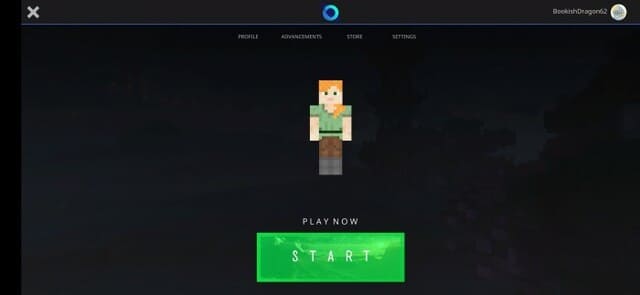 Основное меню с масштабированием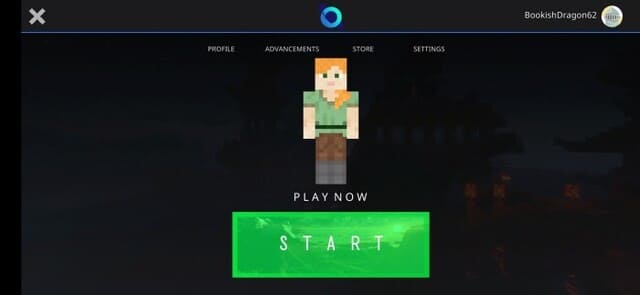
Основное меню
- Пользовательская кнопка запуска (меняет внешний вид при наведении курсора)
- Статическая модель игрока
- Чистый дизайн главного меню
Quick facts
- Edition: Minecraft Bedrock
- File type: .mcpack
- Minecraft version listed: 1.16
- How to install: Download the .mcpack. → Open it — Minecraft imports it under Resource Packs. → Activate it in Global Resources, or for one world under Resource Packs → Available.
- Where to get it: In MCModsHub, or directly above on this page.
Install steps are the general flow for this file type — How to install Minecraft Bedrock texture packs walks through it step by step.
File checked by MCModsHub
- Save it as 187018.mcaddon before opening — it downloads as .mcpack, but it is a .mcaddon pack
- Manifest requires Minecraft 1.2.6 or newer
- Complete pack — everything it depends on is inside the file
- Download size: 4.1 MB
- Download link checked 6 Jul 2026 — working
- Mirrored on our own servers — the download does not depend on the original host
These come from our own check of the pack file, not from the source page.