Texture packsBedrock
Move Your Inventory Hotbar On Top Of The Screen Textures
Minecraft Bedrock texture pack. File opened and checked on 23 Sep 2026; installs from the MC Bedrock Mods app on Android.
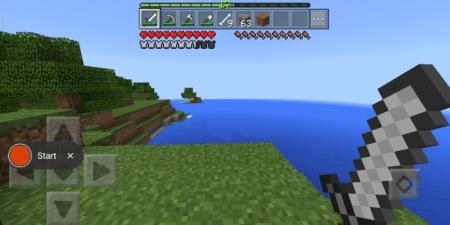
These textures move the classic player hotbar to the top of the screen. The inventory will be positioned above health, armor and hunger bars, with the…
⬇ Download

Текстуры Move Your Inventory Hotbar On Top Of The Screen полностью перемещают классическую панель игрока наверх. Возможно, кому-то это пригодится, хотя сначала будет казаться неудобным. Инвентарь игрока будет выше полосок здоровья, брони и голода, а полоска опыта будет расположена на самом верху. Необычная сборка для Minecraft PE. При этом кнопки паузы и чата будут невидимы.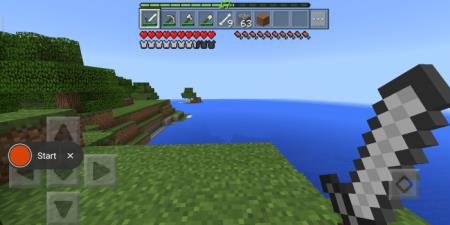 Дополнение можно объединять с другими текстурами. Работает с всеми версиями игры.
Quick facts
- Edition: Minecraft Bedrock
- File type: .mcpack
- How to install: Download the .mcpack. → Open it — Minecraft imports it under Resource Packs. → Activate it in Global Resources, or for one world under Resource Packs → Available.
- Where to get it: In MCModsHub, or directly above on this page.
Install steps are the general flow for this file type — How to install Minecraft Bedrock texture packs walks through it step by step.
File checked by MCModsHub
- Pack type: .mcpack — a single pack
- Complete pack — everything it depends on is inside the file
- Download size: 904 KB
- Download link checked 10 Jul 2026 — working
- Mirrored on our own servers — the download does not depend on the original host
These come from our own check of the pack file, not from the source page.