Texture packsBedrock
Head Tools Texture Pack
Minecraft Bedrock texture pack. File opened and checked on 30 Sep 2026; installs from the MC Bedrock Mods app on Android.
No, we didn't make a mistake in the name - tools and weapons will really be in users' heads after installing Head Tools textures. The sight is extremely…
⬇ Download
Нет, мы не ошиблись в названии - инструменты и оружие действительно будут в голове пользователей после установки текстур Head Tools. Зрелище крайне жуткое и вовсе не годится для детей. Рекомендуется использовать сборку для хоррор-карт или для мультиплеера в Майнкрафт: повеселитесь с друзьями с мечами прямо в голове.
Предметы будут доступны в творческом режиме. Чтобы разместить мечи или иные орудия на голове, попросту оденьте их в слот головы.
Виды голов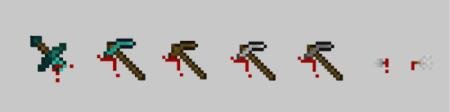
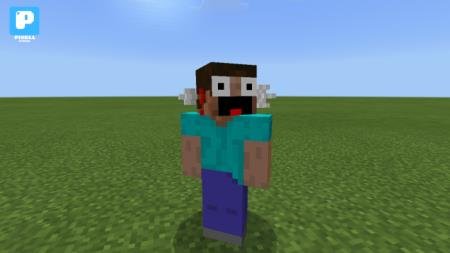
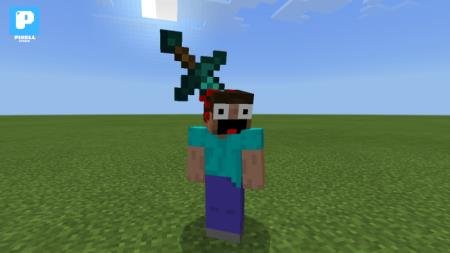
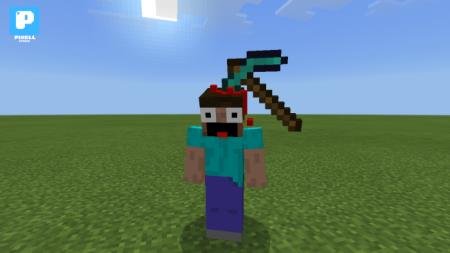
Предметы будут доступны в творческом режиме. Чтобы разместить мечи или иные орудия на голове, попросту оденьте их в слот головы.
Виды голов
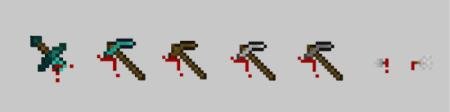
- Алмазный меч
- Алмазная кирка
- Деревянная кирка
- Железная кирка
- Каменная кирка
- Стрела
Quick facts
- Edition: Minecraft Bedrock
- File type: .mcpack
- How to install: Download the .mcpack. → Open it — Minecraft imports it under Resource Packs. → Activate it in Global Resources, or for one world under Resource Packs → Available.
- Where to get it: In MCModsHub, or directly above on this page.
Install steps are the general flow for this file type — How to install Minecraft Bedrock texture packs walks through it step by step.
File checked by MCModsHub
- Save it as 187238.mcaddon before opening — it downloads as .mcpack, but it is a .mcaddon pack
- Complete pack — everything it depends on is inside the file
- Download size: 7.2 MB
- Download link checked 6 Jul 2026 — working
- Mirrored on our own servers — the download does not depend on the original host
These come from our own check of the pack file, not from the source page.