Texture packsBedrock
Better Backgrounds
Minecraft Bedrock texture pack. File opened and checked on 27 Sep 2026; installs from the MC Bedrock Mods app on Android.
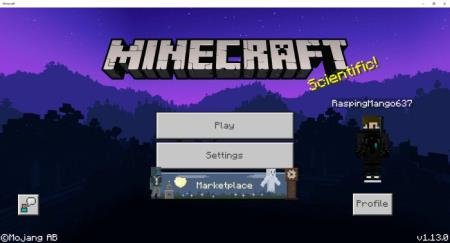
Bright and vibrant menu views are available to every user with Better Backgrounds textures. The mod only changes the main menu appearance without…
⬇ Download
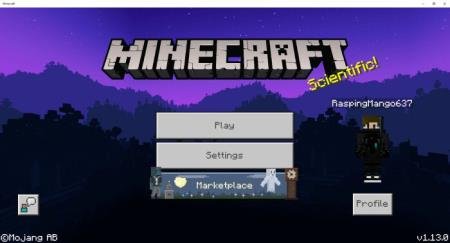
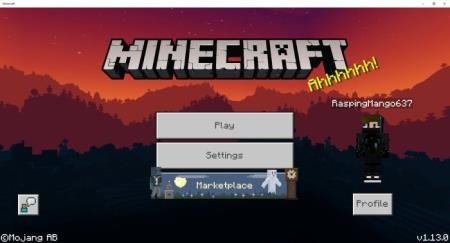
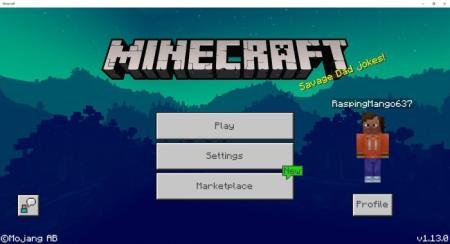



Яркий и насыщенный цветами вид меню доступен для каждого пользователя с текстурами Better Backgrounds. Дополнение изменяет только основной вид меню, не затрагивая блоки или иные текстуры. Игрокам предоставят выбор из множества прекрасных обоев для главного меню. Тема для картинок выбрана ночная. Всего доступно четыре вида фона, которые представлены на скриншотах ниже. Способы изменения фона так же представлены на картинках под скриншотами.
Возможно, для работы текстур придется перезапустить Minecraft Bedrock.
Возможно, для работы текстур придется перезапустить Minecraft Bedrock.
Quick facts
- Edition: Minecraft Bedrock
- File type: .mcpack
- How to install: Download the .mcpack. → Open it — Minecraft imports it under Resource Packs. → Activate it in Global Resources, or for one world under Resource Packs → Available.
- Where to get it: In MCModsHub, or directly above on this page.
Install steps are the general flow for this file type — How to install Minecraft Bedrock texture packs walks through it step by step.
File checked by MCModsHub
- Pack type: .mcpack — a single pack
- Complete pack — everything it depends on is inside the file
- Download size: 2.0 MB
- Download link checked 6 Jul 2026 — working
- Mirrored on our own servers — the download does not depend on the original host
These come from our own check of the pack file, not from the source page.