![Custom Damage Colors [128x]](https://mcpeaddons.com/wp-content/uploads/2020/09/custom-damage-colors_01-300x169.jpg)
![Custom Damage Colors [128x] — screenshot 1](https://mcpeaddons.com/wp-content/uploads/2020/09/custom-damage-colors-128x-1024x306.png)
![Custom Damage Colors [128x] — screenshot 2](https://mcpeaddons.com/wp-content/uploads/2020/09/custom_damage_colors_5.jpg)
![Custom Damage Colors [128x] — screenshot 3](https://mcpeaddons.com/wp-content/uploads/2020/09/custom_damage_colors_2.jpg)
![Custom Damage Colors [128x] — screenshot 4](https://mcpeaddons.com/wp-content/uploads/2020/09/custom_damage_colors_4.jpg)
![Custom Damage Colors [128x] — screenshot 5](https://mcpeaddons.com/wp-content/uploads/2020/09/download-button-3-2-1-2.png)
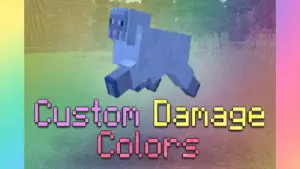
The old red damage overlay when you lose health that makes you feel bored? That’s a great resource pack for you. You will see the damage overlay color off all entities with a wide array of different colors
Cre: ambient, Youtube
Custom Damage Colors
You can choose between either default: Red – Orange – Yellow – Green – Blue – Purple – Black – White – Rainbow or No damage color
This resource pack works both in your own world and in others. It includes realm and servers
Here has some example:
Pink Overlay
Yellow overlay
Green Overlay
Note from Creator
- To change the subpacks, you likely have to reload your game.
- The render controllers for the Ender Dragon, Squids, and Horses are hardcoded. it means the creator doesn’t have the ability to edit how they render in-game on the client.
- The damage overlay will always be the default red color for the entities
- Only works on Bedrock Edition 1.16.0+
- Contact:
- xbox: ambiennt
- discord: ambient#2309

- DOWNLOAD
- You can get . Zip file here: Custom Damage Colors
If you want more texture packs, you can refer below:
- Edition: Minecraft Bedrock
- File type: .mcpack
- How to install: Download the .mcpack. → Open it — Minecraft imports it under Resource Packs. → Activate it in Global Resources, or for one world under Resource Packs → Available.
- Where to get it: In MCModsHub, or directly above on this page.
Install steps are the general flow for this file type — How to install Minecraft Bedrock texture packs walks through it step by step.
- Pack type: .mcpack — a single pack
- Manifest requires Minecraft 1.16.0 or newer
- Complete pack — everything it depends on is inside the file
- Download link checked 17 Jun 2026 — working
- Mirrored on our own servers — the download does not depend on the original host
These come from our own check of the pack file, not from the source page.