

Time to let you should forget the torches to lit your world up because you now have a Night Vision Texture Pack MCPE. Once you apply the pack to the Minecraft world, it pretty much removes darkness from the game but not affect other parts of the game in any way. That’s great to use this pack to explore the adventure underground with caves during the night!!!
Cre: LinusDev
How does Minecraft Night Vision Texture Pack work?
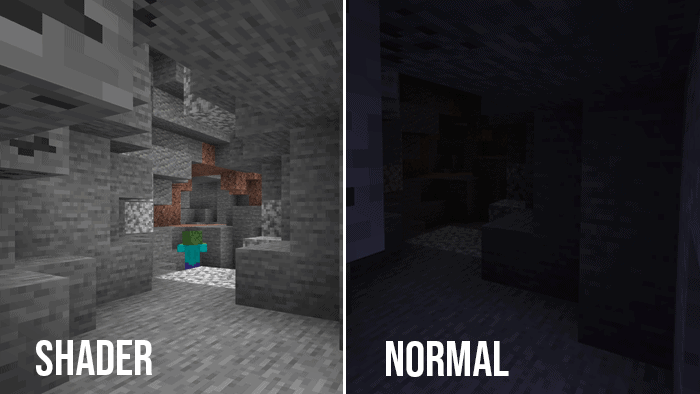
This is a good comparison of the difference underground
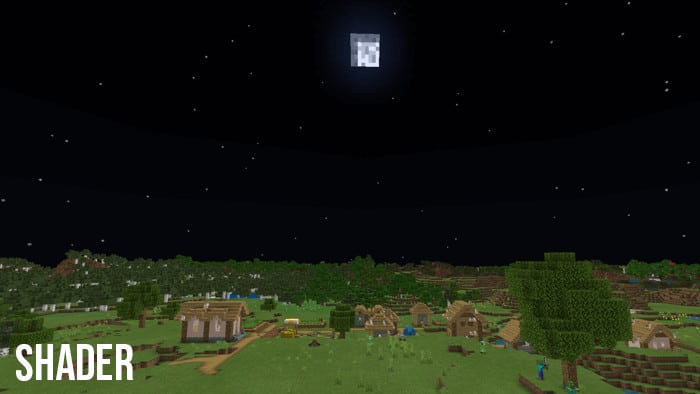
All the terrain and structure blocks look like in the daylight but the sky still is dark.
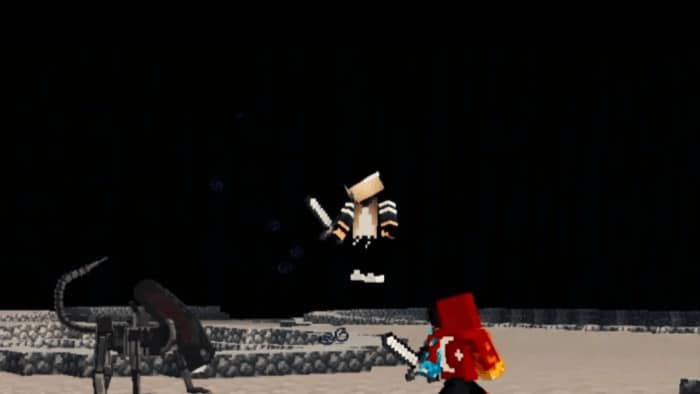
Mobs and players remain dark during the night
Let try Energy Shader the player can feel the water and lighting are so much nice!!!
Changelog:
| – Added + Support for Minecraft 1.16 + Bug fixes + Being amazing |
📥Download Minecraft Night Vision Texture Pack MCPE
🤳🏼You can easily get all trending shaders and edit your own texture packs with our app:
📱Android: https://play.google.com/store/apps/details?id=co.pamobile.mcpe.texture.shader
📱iOS: https://apps.apple.com/us/app/shaders-texture-packs-for-mcpe/id1589934068
Browse for more Minecraft Shaders with us!
MCPEADDONS.COM
- Edition: Minecraft Bedrock
- File type: .mcpack
- Minecraft versions listed: 1.19, 1.20
- How to install: Download the .mcpack. → Open it — Minecraft imports it under Resource Packs. → Activate it in Global Resources, or for one world under Resource Packs → Available.
- Where to get it: In MCModsHub, or directly above on this page.
Install steps are the general flow for this file type — How to install Minecraft Bedrock texture packs walks through it step by step.
- Pack type: .mcpack — a single pack
- Manifest requires Minecraft 1.13.0 or newer
- Complete pack — everything it depends on is inside the file
- Download link checked 17 Jun 2026 — working
- Mirrored on our own servers — the download does not depend on the original host
These come from our own check of the pack file, not from the source page.