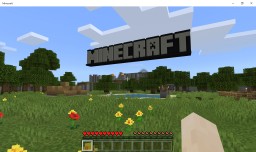
The original world was provided by JustinTDML on planetminecraft.
I have downloaded that world and ported it to bedrock edition. This is tested on version 1.20.0
If you don't have java edition and you want go through the old TU7 tutorial then this is for you!! If this port is broken in anyway type it in the comments and I will figure out what is wrong. Anyways enjoy!!!
Some things may have not ported properly this may include things like doors so just replace them or break them. I just figured that out after publishing
I have downloaded that world and ported it to bedrock edition. This is tested on version 1.20.0
If you don't have java edition and you want go through the old TU7 tutorial then this is for you!! If this port is broken in anyway type it in the comments and I will figure out what is wrong. Anyways enjoy!!!
Some things may have not ported properly this may include things like doors so just replace them or break them. I just figured that out after publishing
Quick facts
- Edition: Minecraft Bedrock
- File type: .mcworld
- How to install: Download the .mcworld file. → Open it — Minecraft imports it as a new world. → Find it in your Worlds list and play.
- Where to get it: In MCModsHub, or directly above on this page.
Install steps are the general flow for this file type — How to install Minecraft Bedrock maps walks through it step by step.
Verified by MCModsHub
- Pack type: .mcworld — a ready-made world
- Download size: 8.5 MB
- Download link checked 19 Aug 2026 — working
- Mirrored on our own servers — the download does not depend on the original host
These come from our own check of the pack file, not from the source page.