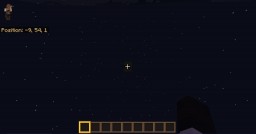
This is done in Windows 10 Edition Minecraft version 1.2.12
Note - This is a ".mcworld" file for Windows 10 Edition, will not work for normal Minecraft!
Hey there! I've noticed Windows 10 Edition Minecraft lacks a lot of world generation options so I've done a bit of tinkering to generate a - almost - completely empty world!
By "almost" I mean there's one single grass block at "0, 50, 0" allowing for constructions in this world such as SkyBlocks for Windows 10 Edition :D
This map isn't exactly massively complex or anything but I think it could be very useful for map makers to use as a template.
How to install the map?
1 - Download
2 - Save the file anywhere (I don't think it matters)
3 - Open up Windows 10 Edition Minecraft
4 - Go to where you saved to file
5 - Open the ".zip" file
6 - Open the ".mcworld" file (Double click on it) and Windows 10 Edition Minecraft will start to install the map
7 - You're set!
For anyone thinking this is easy to do (create an empty map) you must remember this is on Windows 10 Edition Minecraft which limits your tools dramatically. I had to edit the save file which many don't know how to do.
Wondering how to do this on normal Minecraft?
Simple! When you generate a world choose the flat option and go into the presets tab. When in there change the blocks you see to air blocks (spawns in air blocks when generating the map means it spawns in nothing). You can use the "/setblock" command to spawn in a block at your location to build off of. Remember to disable generated structures if that is necessary.
Note - This is a ".mcworld" file for Windows 10 Edition, will not work for normal Minecraft!
Hey there! I've noticed Windows 10 Edition Minecraft lacks a lot of world generation options so I've done a bit of tinkering to generate a - almost - completely empty world!
By "almost" I mean there's one single grass block at "0, 50, 0" allowing for constructions in this world such as SkyBlocks for Windows 10 Edition :D
This map isn't exactly massively complex or anything but I think it could be very useful for map makers to use as a template.
How to install the map?
1 - Download
2 - Save the file anywhere (I don't think it matters)
3 - Open up Windows 10 Edition Minecraft
4 - Go to where you saved to file
5 - Open the ".zip" file
6 - Open the ".mcworld" file (Double click on it) and Windows 10 Edition Minecraft will start to install the map
7 - You're set!
For anyone thinking this is easy to do (create an empty map) you must remember this is on Windows 10 Edition Minecraft which limits your tools dramatically. I had to edit the save file which many don't know how to do.
Wondering how to do this on normal Minecraft?
Simple! When you generate a world choose the flat option and go into the presets tab. When in there change the blocks you see to air blocks (spawns in air blocks when generating the map means it spawns in nothing). You can use the "/setblock" command to spawn in a block at your location to build off of. Remember to disable generated structures if that is necessary.
Quick facts
- Edition: Minecraft Bedrock
- File type: .mcworld
- How to install: Download the .mcworld file. → Open it — Minecraft imports it as a new world. → Find it in your Worlds list and play.
- Where to get it: In MCModsHub, or directly above on this page.
Install steps are the general flow for this file type — How to install Minecraft Bedrock maps walks through it step by step.
Verified by MCModsHub
- Download size: 113 KB
- Download link checked 19 Aug 2026 — working
- Mirrored on our own servers — the download does not depend on the original host
These come from our own check of the pack file, not from the source page.