Home›Bedrock›Maps›Custom Terrain Brush Tools in Vanilla Minecraft Bedrock | World Edit Command Block Creation
MapsBedrock
Custom Terrain Brush Tools in Vanilla Minecraft Bedrock | World Edit Command Block Creation
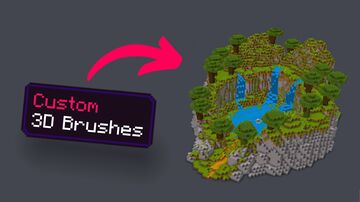
I created this TERRAIN BRUSH TOOL, which works similarly to World Edit for creating custom terrain/landscapes. It was made entirely in Vanilla Minecraft using command blocks. This is the third version of the project, so it is still in the developmental stages.
Check out the video on my YouTube channel to learn more
If you want to download the BETA version of the map, check out the links below, and if you find any bugs/glitches or just have ideas for improving it, please let me know.
See More of my Content 🎥:
YT: @TheCommandsMan
TikTok: tiktok.com/@thecommandsman
Discord: @no4hboat
Check out the video on my YouTube channel to learn more
If you want to download the BETA version of the map, check out the links below, and if you find any bugs/glitches or just have ideas for improving it, please let me know.
See More of my Content 🎥:
YT: @TheCommandsMan
TikTok: tiktok.com/@thecommandsman
Discord: @no4hboat
Quick facts
- Edition: Minecraft Bedrock
- File type: .mcworld
- How to install: Download the .mcworld file. → Open it — Minecraft imports it as a new world. → Find it in your Worlds list and play.
- Where to get it: In MCModsHub, or directly above on this page.
Install steps are the general flow for this file type — How to install Minecraft Bedrock maps walks through it step by step.
Verified by MCModsHub
- Pack type: .mcworld — a ready-made world
- Download size: 139 KB
- Download link checked 19 Aug 2026 — working
- Mirrored on our own servers — the download does not depend on the original host
These come from our own check of the pack file, not from the source page.