Home›Bedrock›Maps›Redstone Clock v3.2 - Java AND Bedrock compatible, tiny and survival friendly, in-game time digital clock with auto-sync
MapsBedrock
Redstone Clock v3.2 - Java AND Bedrock compatible, tiny and survival friendly, in-game time digital clock with auto-sync
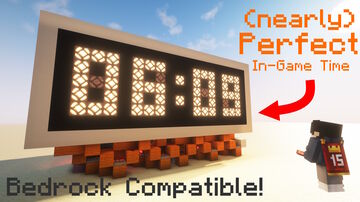
After over 2 years since my last redstone clock, I present an updated version of my tiny in-game time redstone clock that works for both Java edition and Bedrock edition. You do not want to know the pains I went through to get a design that worked on Bedrock. This design also features:
Block-by-block tutorial in the Youtube video linked above.
- Some of the smoothest digit transitions on any redstone-lamp based 7 segment display
- Completely silent operation, except for Villager noises and tripwire during sunrise and sunset
- Much more precise auto-syncing using a Villager, works even if raining. Villager idea inspired by Youtuber JazziiRed
- A 12h version of the clock for my North American friends
- A 100% silent Villager-less edition that uses classic daylight detectors (does not work if it rains in the morning)
- Extremely reliable, build and leave running forever (I don't know if this is true for Bedrock edition because Bedrock redstone is weird)
Block-by-block tutorial in the Youtube video linked above.
Material List
Redstone Dust x348
Redstone Torch x216
Redstone Repeater x148
Redstone Lamp x58
Redstone Comparator x44
Target Block x37
Observer x13
Hopper x11 (Any hopper that isn't on a dropper can be replaced with a note block in Java edition)
Slab x8
Barrel x6
Cake x4
Glazed Terracotta (or Obsidian) x2
Dropper x2
Slime Block x1
Sticky Piston x1
Glass x1
Black Concrete x99
White Concrete x64
And a crap ton of building blocks
Redstone Torch x216
Redstone Repeater x148
Redstone Lamp x58
Redstone Comparator x44
Target Block x37
Observer x13
Hopper x11 (Any hopper that isn't on a dropper can be replaced with a note block in Java edition)
Slab x8
Barrel x6
Cake x4
Glazed Terracotta (or Obsidian) x2
Dropper x2
Slime Block x1
Sticky Piston x1
Glass x1
Black Concrete x99
White Concrete x64
And a crap ton of building blocks
Quick facts
- Edition: Minecraft Bedrock
- File type: .mcworld
- How to install: Download the .mcworld file. → Open it — Minecraft imports it as a new world. → Find it in your Worlds list and play.
- Where to get it: In MCModsHub, or directly above on this page.
Install steps are the general flow for this file type — How to install Minecraft Bedrock maps walks through it step by step.
Verified by MCModsHub
- Save it as 192769.mcworld before opening — it downloads as .zip, but it is a .mcworld pack
- Download size: 2.2 MB
- Download link checked 19 Aug 2026 — working
- Mirrored on our own servers — the download does not depend on the original host
These come from our own check of the pack file, not from the source page.