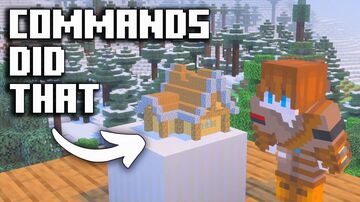
I built a WORKING SHRINK RAY in Vanilla Minecraft Bedrock Edition using only command blocks. This creation uses FMBE entities or "Bedrock Blocks Display Entities" to scan anything you can build and turn it into a miniature scale model. I used many commands and techniques, but if you want to learn more about how I did it, then go check out the video I made on my YouTube Channel.
This creation is super cool and fun to play around with, Check out the map download below to test it yourself:
(the world download was too big for PlanetMC, I'm working on getting the file size down, but until then, use the google drive download)
Map updated as of 8/23/25
See More of my Content 🎥
YT: @TheCommandsMan
TikTok: tiktok.com/@thecommandsman
X: x.com/TheCommandsMan
Discord: discord.gg/xbJhAuUMGJ
This creation is super cool and fun to play around with, Check out the map download below to test it yourself:
(the world download was too big for PlanetMC, I'm working on getting the file size down, but until then, use the google drive download)
Map updated as of 8/23/25
See More of my Content 🎥
YT: @TheCommandsMan
TikTok: tiktok.com/@thecommandsman
X: x.com/TheCommandsMan
Discord: discord.gg/xbJhAuUMGJ
Quick facts
- Edition: Minecraft Bedrock
- File type: .mcworld
- How to install: Download the .mcworld file. → Open it — Minecraft imports it as a new world. → Find it in your Worlds list and play.
- Where to get it: Opens on the file's original source — not every file is mirrored on our own servers.
Install steps are the general flow for this file type — How to install Minecraft Bedrock maps walks through it step by step.
These Commands Can Turn ANYTHING Tiny is a free Minecraft Bedrock map. Downloaded 818 times. Download it and open it directly in the game.