MapsBedrock
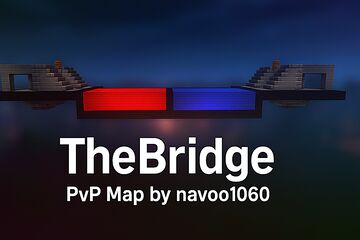
TheBridge bedrock map by navoo1060
--- 🌉 TheBridge – PvP Bedrock Map by navoo1060 > 🔥 A fully working competitive PvP map – made for Bedrock 1.21.81 on Android & iOS! Welcome to…
⬇ Download---
🌉 TheBridge – PvP Bedrock Map by navoo1060
> 🔥 A fully working competitive PvP map – made for Bedrock 1.21.81 on Android & iOS!
Welcome to TheBridge, a fast-paced custom PvP experience built for intense 1v1 or 2v2 bridge battles. With advanced command block mechanics, instant gear loadouts, map reset systems, and cinematic polish, this map gives you everything you need for smooth, competitive dueling right on your mobile device.---
🎮 Features
✅ Team Selection System (Red vs. Blue)
✅ Instant Equipment (Iron Sword, Bow, Colored Blocks)
✅ Respawn & Inventory Keep System
✅ Beautiful Arena Design (Built in red & blue sides)
✅ Cinematic Welcome Message when spawning
✅ No Addons or Behavior Packs needed
----📦 Download Link
www.mediafire.com/file/so8tx18sjwo8plr/TheBridge_bedrock_map_by_navoo1060.rar/file---
📲 How to Install (Bedrock 1.21.81 – Android & iOS)
1️⃣ Download the .rar file from MediaFire.
2️⃣ Extract it using:
Android: Use ZArchiver (from Play Store)
iOS: Use iZip or the Files app
You will get a folder called:
TheBridge_bedrock_map_by_navoo1060
Make sure it contains level.dat, db, and region folders.
---
3️⃣ Move the Folder to Your Minecraft Worlds:
📱 Android:Use a file manager that allows access to /Android/data/.Go to:
Internal Storage > Android > data > com.mojang.minecraftpe > files > games > com.mojang > minecraftWorlds
Paste the folder there.
🔐 If you can't access that path:
Use ZArchiver or File Manager Plus
Or connect your phone to a PC with a USB cable, and browse to the path on the PC.
📱 iOS:Move the folder into:
On My iPhone > Minecraft > games > com.mojang > minecraftWorlds
---
✅ Open Minecraft. The world should now appear in your list as:“TheBridge_bedrock_map_by_navoo1060”
---
🧠 Credits
Map Created By: navoo1060Tested On: Minecraft Bedrock v1.21.81Platform: Android & ios
---
🌉 TheBridge – PvP Bedrock Map by navoo1060
> 🔥 A fully working competitive PvP map – made for Bedrock 1.21.81 on Android & iOS!
Welcome to TheBridge, a fast-paced custom PvP experience built for intense 1v1 or 2v2 bridge battles. With advanced command block mechanics, instant gear loadouts, map reset systems, and cinematic polish, this map gives you everything you need for smooth, competitive dueling right on your mobile device.---
🎮 Features
✅ Team Selection System (Red vs. Blue)
✅ Instant Equipment (Iron Sword, Bow, Colored Blocks)
✅ Respawn & Inventory Keep System
✅ Beautiful Arena Design (Built in red & blue sides)
✅ Cinematic Welcome Message when spawning
✅ No Addons or Behavior Packs needed
----📦 Download Link
www.mediafire.com/file/so8tx18sjwo8plr/TheBridge_bedrock_map_by_navoo1060.rar/file---
📲 How to Install (Bedrock 1.21.81 – Android & iOS)
1️⃣ Download the .rar file from MediaFire.
2️⃣ Extract it using:
Android: Use ZArchiver (from Play Store)
iOS: Use iZip or the Files app
You will get a folder called:
TheBridge_bedrock_map_by_navoo1060
Make sure it contains level.dat, db, and region folders.
---
3️⃣ Move the Folder to Your Minecraft Worlds:
📱 Android:Use a file manager that allows access to /Android/data/.Go to:
Internal Storage > Android > data > com.mojang.minecraftpe > files > games > com.mojang > minecraftWorlds
Paste the folder there.
🔐 If you can't access that path:
Use ZArchiver or File Manager Plus
Or connect your phone to a PC with a USB cable, and browse to the path on the PC.
📱 iOS:Move the folder into:
On My iPhone > Minecraft > games > com.mojang > minecraftWorlds
---
✅ Open Minecraft. The world should now appear in your list as:“TheBridge_bedrock_map_by_navoo1060”
---
🧠 Credits
Map Created By: navoo1060Tested On: Minecraft Bedrock v1.21.81Platform: Android & ios
---
Quick facts
- Edition: Minecraft Bedrock
- File type: .mcworld
- How to install: Download the .mcworld file. → Open it — Minecraft imports it as a new world. → Find it in your Worlds list and play.
- Where to get it: Opens on the file's original source — not every file is mirrored on our own servers.
Install steps are the general flow for this file type — How to install Minecraft Bedrock maps walks through it step by step.
TheBridge bedrock map by navoo1060 is a free Minecraft Bedrock map. Downloaded 599 times. Download it and open it directly in the game.