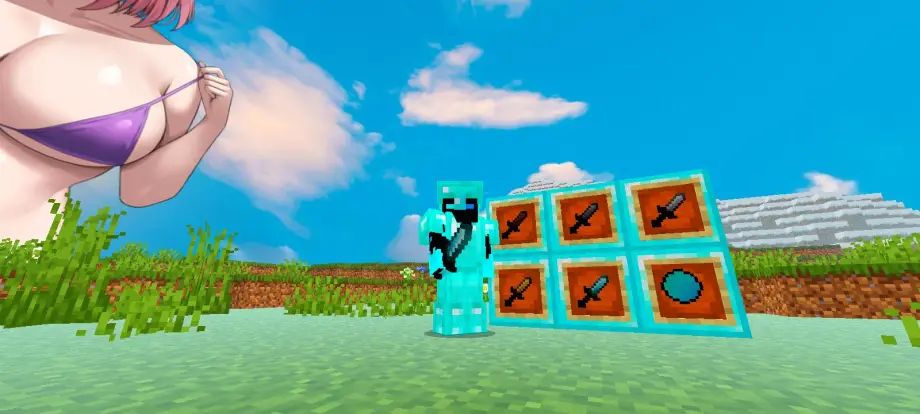
Nino Nakano Anime Sky Texture Pack for MCPE 26.50
Bedrock texture pack listed for Minecraft 1.21. File opened and checked on 20 Sep 2026; installs from the MC Bedrock Mods app on Android.
High-resolution Nino Nakano anime skybox for MCPE/Bedrock with stylized day/night panoramas, mobile-optimized and compatible with popular texture and UI…
⬇ DownloadTransform your MCPE/Bedrock world with a high-resolution Nino Nakano anime skybox—stylized day/night panoramas, optimized for mobile, compatible with popular texture and UI packs.
🦋 Nino Nakano Custom Anime Sky (MCPE / Bedrock)
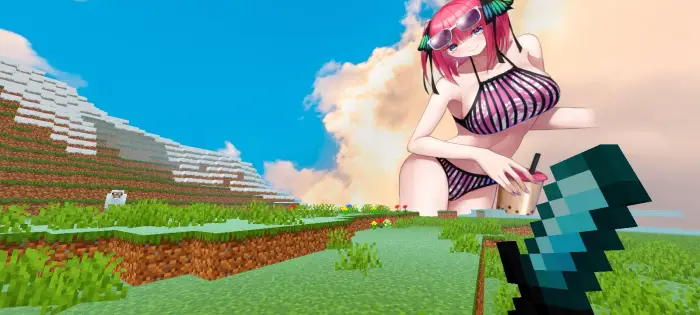
Transform your Minecraft world with the ultimate sky override dedicated to the boldest and most confident Nakano quintuplet! This aesthetic resource pack replaces the default Minecraft sky with high-resolution custom panoramas of Nino Nakano from The Quintessential Quintuplets.
Whether you're building, playing survival, or dueling in PvP, Nino will be watching over your world.
🌟 Key Features
- Stunning High-Resolution Visuals: Crisp, clear custom sky textures that look great on mobile screens and tablets.
- Dynamic Time Transitions: Seamless skybox blending across day, sunset, and night cycles.
- Aesthetic Color Palette: Rich purples, soft pinks, and dreamy pastel hues tuned to Nino's theme.
- Lag-Free Performance: Optimized for MCPE (Bedrock Edition) to minimize FPS impact.
- Cross-Version Support: Compatible with recent Minecraft Pocket Edition / Bedrock releases.
🌓 Day and Night Cycle Breakdown
Morning / Day: Clear horizons featuring Nino’s iconic look to keep daytime play visually motivating.
Sunset / Dusk: Warm pink and violet gradients capturing an emotional, dramatic anime aesthetic.
Nighttime: Dreamy, star-filled skies with cozy visuals of Nino under the stars.
🛠️ Installation Instructions
- Download the .mcpack file directly to your device.
- Open the file using Minecraft Pocket Edition; the game will import the pack automatically.
- Go to Settings > Global Resources > My Packs.
- Select Nino Nakano Anime Sky and click Activate.
- Ensure the "Beautiful Skies" option is toggled ON in video settings.
📦 Compatibility & Recommendations
Works well alongside plastic, faithful, or PvP texture packs. Recommended to use with a clean UI pack for the best anime-themed look.
Optimized for lower-end devices—1 GB RAM can handle this pack.
- Edition: Minecraft Bedrock
- File type: .mcpack
- How to install: Download the .mcpack. → Open it — Minecraft imports it under Resource Packs. → Activate it in Global Resources, or for one world under Resource Packs → Available.
- Where to get it: In MCModsHub, or directly above on this page.
Install steps are the general flow for this file type — How to install Minecraft Bedrock texture packs walks through it step by step.
- Pack type: .mcpack — a single pack
- Manifest requires Minecraft 1.21.0 or newer
- Complete pack — everything it depends on is inside the file
- Download link checked 10 Jul 2026 — working
- Mirrored on our own servers — the download does not depend on the original host
These come from our own check of the pack file, not from the source page.