
Minecraft Java Launcher: (Minecraft: Java Version selector for Bedrock Edition)
Bedrock texture pack listed for Minecraft 1.21. Download on the author's site.
⬇ Download on MCPEDLNote:
AgentMindStorm the creator of Java Aspects has gave me permission to release this texture pack
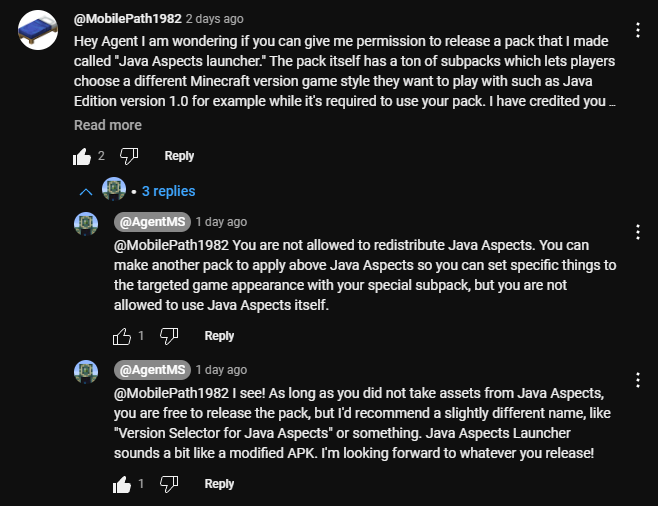
There are a lot of subpacks to choose from
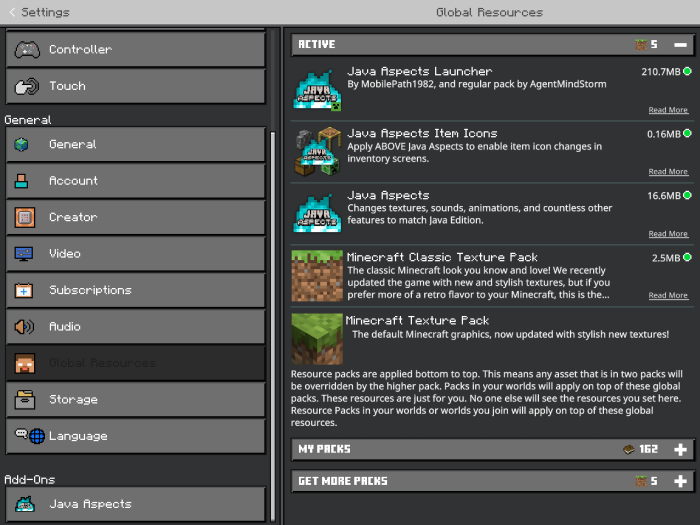
This is the order you need to put the packs in for it to work properly. Minecraft Classic texture pack is optional depending if you want to play with the old textures or a game version prior to 1.14. For compatibility mode set the texture pack beneath whatever marketplace texture pack you want to play with. Ex using the Plastic Texture pack.
Pack with the other packs:
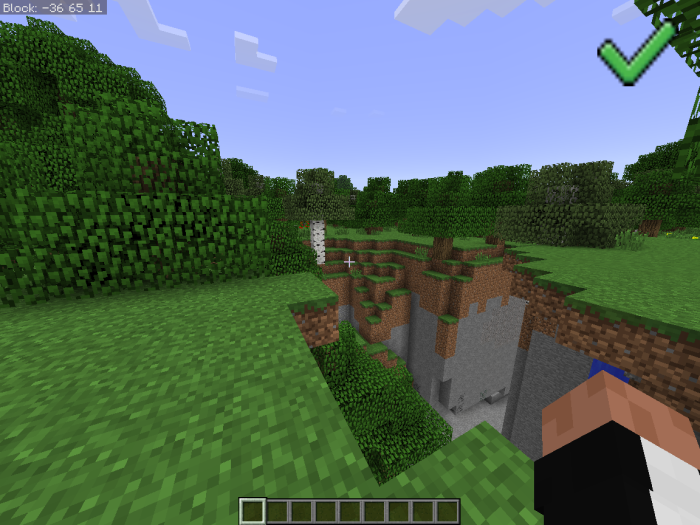
Pack by itself:
This is a comparison between 1.0 and 1.21.
Another comparison but between 1.5 and 1.12
Comparison between 1.21.4 and 1.5
Recommended video settings:
1.0:
- Smooth Lighting Off
- Anti-Aliasing 1
- Enchantment Glint Speed 50
- Enchantment Glint Strength 75
- Fancy Bubbles Off
1.1-1.6:
- Anti-Aliasing 1
- Enchantment Glint Speed 50
- Enchantment Glint Strength 75
- Fancy Bubbles Off
1.7-1.13
- Fancy Bubbles Off
- Edition: Minecraft Bedrock
- File type: .mcpack
- Minecraft version listed: 1.21.50
- How to install: Download the .mcpack. → Open it — Minecraft imports it under Resource Packs. → Activate it in Global Resources, or for one world under Resource Packs → Available.
- Where to get it: Opens on MCPEDL — not every file is mirrored on our own servers.
Install steps are the general flow for this file type — How to install Minecraft Bedrock texture packs walks through it step by step.
Minecraft Java Launcher: (Minecraft: Java Version selector for Bedrock Edition) is a free Minecraft Bedrock texture pack. Compatible with Minecraft 1.21.50. Available via MCPEDL. Download it and open it directly in the game.