World export button
Bedrock texture pack listed for Minecraft 26.x. Download on the author's site.
⬇ Download on CurseForge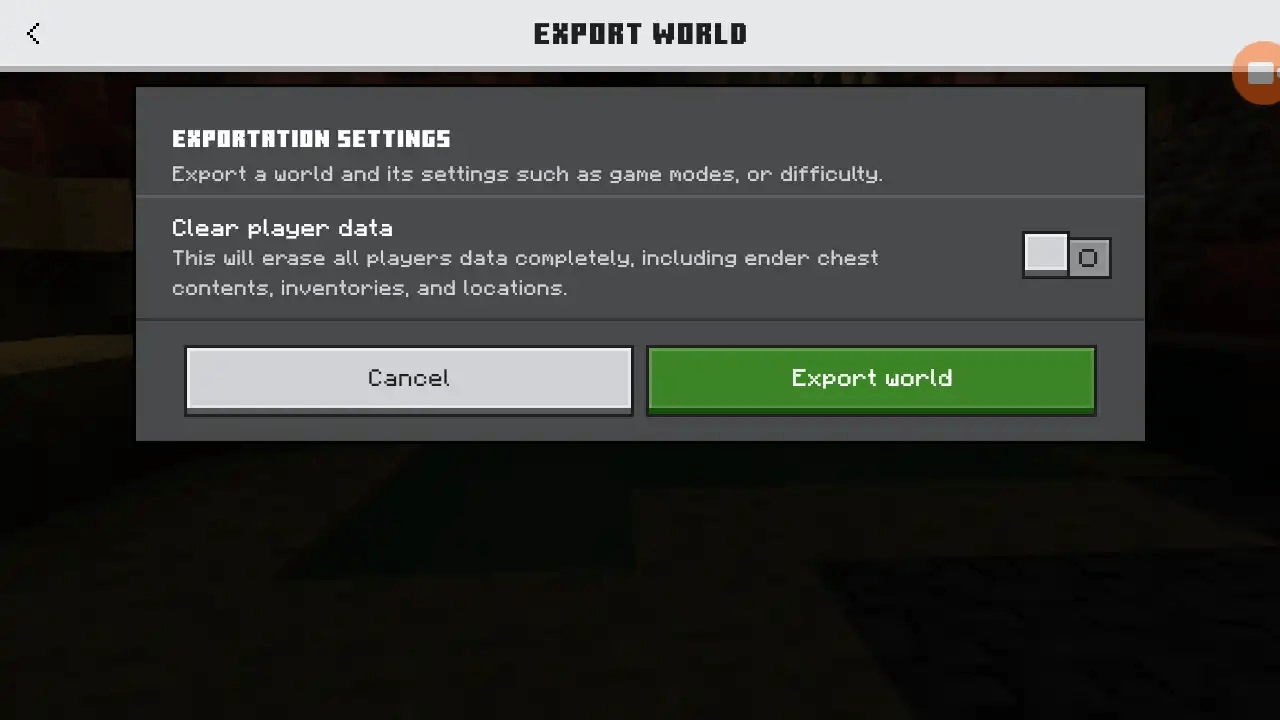
🌍 World Export Enabler (MCPE / Bedrock 26.32
The World Export Enabler is a lightweight custom UI resource pack designed for Minecraft Bedrock/MCPE (versions 26.32) It unhides the native, desktop-exclusive World Export button right inside your mobile world settings menu.
Tutorial
https://youtu.be/Rj9ZDSca4Oc?si=xcCWZENdefZ__IE2
No scripts, no heavy add-ons, and no experimental toggles required. Just pure JSON UI injection.
✨ Features
-
🔓 Desktop Functionality on Mobile: Unlocks the hidden native export feature.
-
📂 Direct File Manager Integration: Exports your worlds directly into your device's native file manager as a standard
.mcworldfile. -
⚡ Ultra-Lightweight: Modifies only the required UI layout files. Zero impact on game performance.
-
🎮 Global Activation: Activate it in your Global Resources, and it works across all single-player worlds instantly.
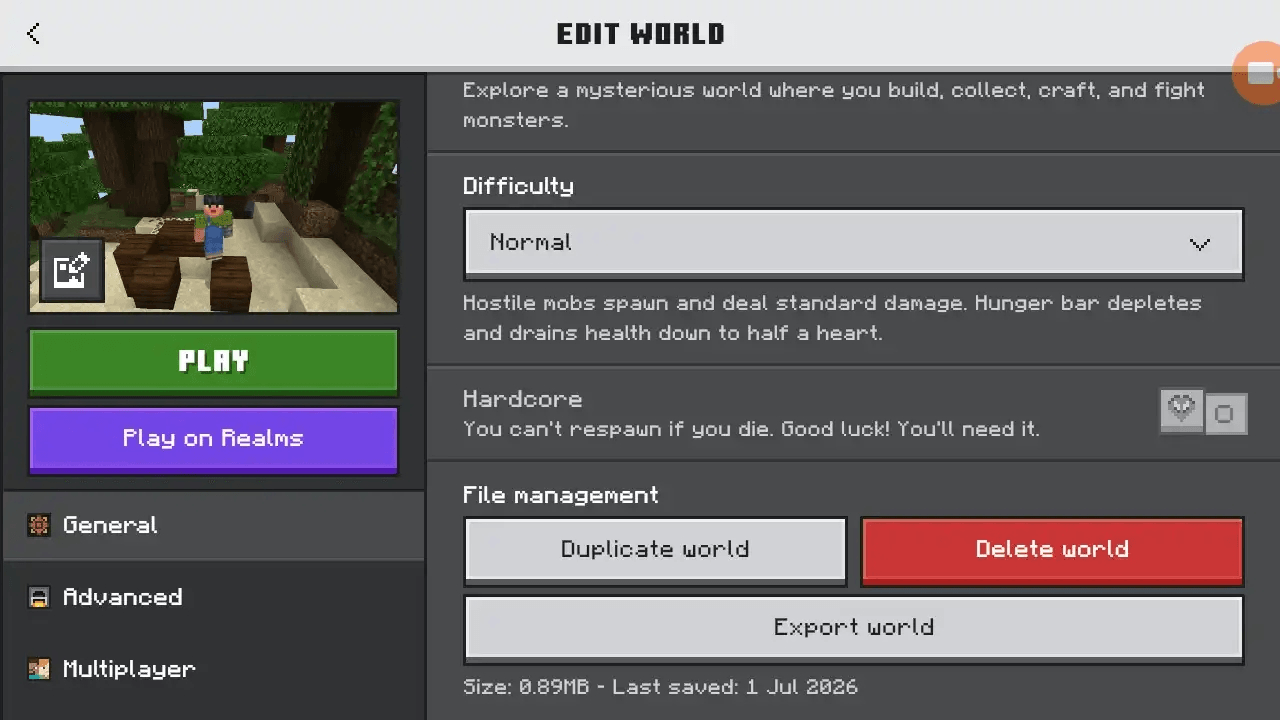
📍 Where is the button?
-
Open Minecraft and click Play.
-
Tap the Edit (Pencil Icon) next to the world you want to backup.
-
On the Game Settings tab, scroll all the way down to the very bottom.
-
Your brand new Export World button will appear cleanly right under the vanilla "Delete World" option.
⚙️ Installation Guide
-
Download the
.mcpackfile from the Files tab. -
Open your mobile file manager, locate the downloaded pack, and select Open with Minecraft.
-
Once the game imports it successfully, navigate to Settings > Global Resources.
-
Find World Export Enabler, click it, and tap Activate.
-
Go manage your worlds and start exporting.
- Edition: Minecraft Bedrock
- File type: .mcpack
- Minecraft versions listed: 26.3, 26.10, 26.11
- How to install: Download the .mcpack. → Open it — Minecraft imports it under Resource Packs. → Activate it in Global Resources, or for one world under Resource Packs → Available.
- Where to get it: Opens on CurseForge — not every file is mirrored on our own servers.
Install steps are the general flow for this file type — How to install Minecraft Bedrock texture packs walks through it step by step.
World export button is a free Minecraft Bedrock texture pack. Compatible with Minecraft 26.3, 26.10, 26.11, 26.12 and newer. Downloaded 254 times (via CurseForge). Download it and open it directly in the game.