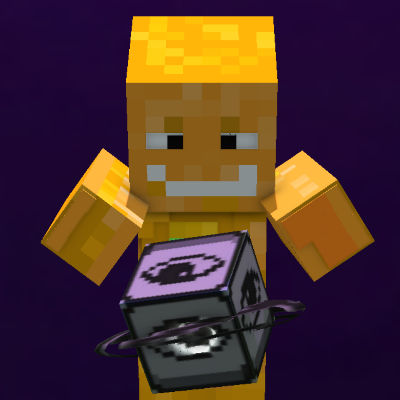
NoNzenS Transparency. New clear Transparent buttons for Pocket
This resources pack makes all the buttons clear transparent. Including inventory, perspective button and pick block button. Gives a premium PC look and…
⬇ Download on CurseForge


Enhance your gameplay with a minimal, unobstructed view. Designed by NoNzenSYT (AKA Zen Spetra), this project completely revamps your in-game interface to deliver a seamless, PC-like experience that keeps your focus entirely on the game.
Whether you are recording high-quality videos for YouTube, surviving in intensive worlds, or looking for a cleaner competitive edge, this pack gives you the perfect visual layout.
✨ Key Features
Transparent HUD: Say goodbye to bulky, opaque overlays. Enjoy a beautifully clean, transparent heads-up display that maximizes your screen real estate.
Optimized Inventory UI: A sleek and refined inventory design that perfectly complements the minimalist aesthetic.
Quick Perspective Button: Swap your camera views instantly without digging through complex pause menus.
Dedicated Pick Block Button: Duplicate the exact block you're looking at straight into your hand with a single click—perfect for builders.
Déesse UI Compatibility: Fully compatible and optimized to run flawlessly alongside Déesse UI for an even more premium look.
🎥 Recommended For
Content Creators: Perfect for video recording, streaming, and cinematic gameplay where a cluttered HUD ruins the immersion.
PC-Style Experience: Brings the clean, precise visual layout of high-end PC gaming straight to your device.
Enhanced Visibility: Spot threats, resources, and terrain changes instantly with an unblocked field of view.
🛠️ Credits & Support
Developer: Created with 💡 by NoNzenSYT / Zen Spetra
Feedback: Found a bug or have a suggestion? Let me know in the comments section below!
If you enjoy the pack, don't forget to leave a download and share it with your friends!
- Edition: Minecraft Bedrock
- File type: .mcpack
- Minecraft versions listed: 1.15, 1.19.23, 1.18.31
- How to install: Download the .mcpack. → Open it — Minecraft imports it under Resource Packs. → Activate it in Global Resources, or for one world under Resource Packs → Available.
- Where to get it: Opens on CurseForge — not every file is mirrored on our own servers.
Install steps are the general flow for this file type — How to install Minecraft Bedrock texture packs walks through it step by step.
- Save it as NoNzenS Transparency V1.1.mcaddon before opening — it downloads as .mcpack, but it is a .mcaddon pack
- Manifest requires Minecraft 1.16.100 or newer
- Complete pack — everything it depends on is inside the file
- Download size: 225 KB
- Download link checked 24 Aug 2026 — working
These come from our own check of the pack file, not from the source page.