
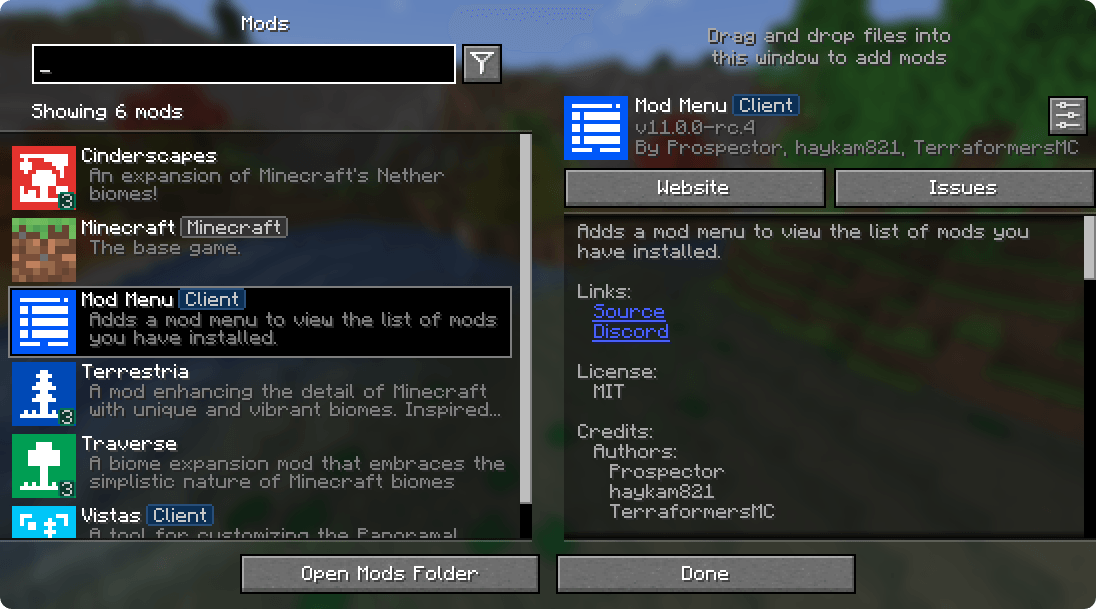
Menu lets you view the mods you have installed and, if supported by the mod, enables quick and easy access to the mod's config screens.
Mod Menu also supports some more advanced features, such as translatable mod names and descriptions, support for QuickText formatting in mod descriptions thanks to Patbox's Text Placeholder API, filters library mods out from regular mods, a mod update checker for mods hosted on Modrinth or that provide their own update sources, and deep configuration for all the features we provide.
Snapshot, Pre-release, and RC versions CurseForge has stopped allowing us to tag these versions, which effectively prevents us from uploading them (if we did, then folks would get breakage in their modpacks...). If you are looking for ModMenu for any kind of pre-release, please visit Modrinth instead of CurseForge.
Supported Platforms Mod Menu is currently available for Fabric or Quilt on Minecraft: Java Edition 1.14 or newer.
Developers Mod Menu includes a number of APIs for developers to improve how their mod appears in Mod Menu. These come in the form of language keys, JSON metadata, and even a Java API.
Translation API You can translate your mod's name, summary, and description all without touching any Java code. Simply add translation keys in the supported format to any language you'd like.
<details> <summary>Translation API Documentation</summary>Here's an example of Mod Menu's translations into Pirate Speak. To create your own, simply replace modmenu at the end (NOT the one in the beginning) of the translation key with your own mod ID, for example modmenu.descriptionTranslation.traverse.
en_pt.json
"modmenu.nameTranslation.modmenu": "Menu o' mods!", "modmenu.descriptionTranslation.modmenu": "Menu o' mods ye installed matey!", "modmenu.summaryTranslation.modmenu": "Menu o' mods ye installed matey!" The summary translation is redundant here and does not need to be included because it's the same as the description, but it was included to show that you may translate the summary (a short, one-sentence description of the mod) separately from the description, even in English!
</details>Fabric Metadata API There's a number of things you can add just with metadata in your fabric.mod.json.
All of these are added to a custom block in your fabric.mod.json for Mod Menu's metadata. Here's an example usage of many of the features this API provides:
- Edition: Minecraft Bedrock
- File type: .mcpack
- Minecraft versions listed: 26.0.02, 26.0, 26.3
- How to install: Download the .mcpack. → Open it — Minecraft imports it under Resource Packs. → Activate it in Global Resources, or for one world under Resource Packs → Available.
- Where to get it: Opens on CurseForge — not every file is mirrored on our own servers.
Install steps are the general flow for this file type — How to install Minecraft Bedrock texture packs walks through it step by step.
- Pack type: .mcpack — a single pack
- Manifest requires Minecraft 1.17.0 or newer
- Complete pack — everything it depends on is inside the file
- Download size: 5 KB
- Download link checked 12 Sept 2026 — working
These come from our own check of the pack file, not from the source page.