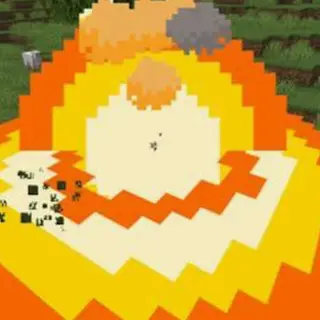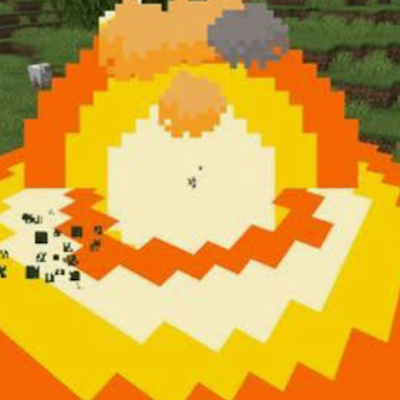
The core idea: it replaces Minecraft's plain explosion visuals with a more dramatic multi-part effect, applied automatically to every explosion in the game — TNT, creepers, beds/respawn anchors going off in the wrong dimension, wither skulls, end crystals, ghast fireballs, all of it. (Wind charges are the one deliberate exception — left untouched.) There are no new blocks, items, or crafting recipes; it's purely a "how explosions look" overhaul.
On a normal explosion, four things happen at once:
- A glowing blast-wave ring flashes outward and dissipates over about a second
- A bright fireball flares at the center and burns out over roughly half a second
- About two-thirds of the way through the fireball's life, it bursts into a handful of embers/sparks that fall and fade
- A mushroom-cloud-style puff of smoke billows up — several puffs radiate outward from the blast center in a rough cross pattern while a couple stay put near the middle — and lingers for a few seconds before dissipating
Underwater, it swaps in a water-appropriate version:
- A blue-toned underwater blast wave
- A shockwave effect standing in for the fireball (with the same ember-burst trick at 65% through its life, off by default)
- A burst of rising bubbles (50 by default) drifting up from the blast point
Scaling and control: every effect's size and duration scale with how powerful the actual explosion is, so a creeper's blast looks smaller than TNT, which looks smaller than a charged creeper or a wither. That scaling can be switched off so everything always renders at a fixed "standard TNT" size instead. By default it also fully replaces vanilla's plain explosion puff rather than showing both at once. Roughly 20 config toggles let you flip any individual piece on/off, adjust spark size/opacity, change the bubble count, or disable underwater handling entirely.
- Edition: Minecraft Bedrock
- File type: .mcpack
- Minecraft versions listed: 26.11, 26.12, 26.20
- How to install: Download the .mcpack. → Open it — Minecraft imports it under Resource Packs. → Activate it in Global Resources, or for one world under Resource Packs → Available.
- Where to get it: In MCModsHub, or directly above on this page.
Install steps are the general flow for this file type — How to install Minecraft Bedrock texture packs walks through it step by step.
- Pack type: .mcaddon — behaviour and resource pack in one file
- Manifest requires Minecraft 1.26.0 or newer
- Complete pack — everything it depends on is inside the file
- Download size: 21 KB
- Download link checked 13 Jul 2026 — working
These come from our own check of the pack file, not from the source page.