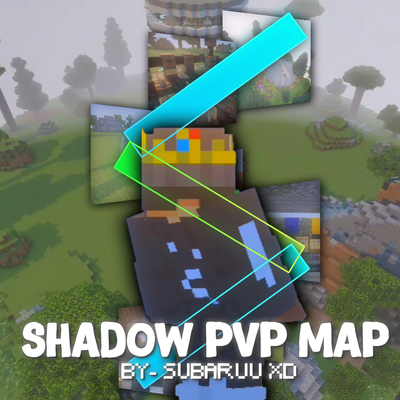
Shadow PvP Map By-SubaruuXD
Bedrock map listed for Minecraft 26.x. File opened and checked on 19 Sep 2026; installs from the MC Bedrock Mods app on Android.
SHADOW PvP Map is an all-in-one Minecraft Bedrock PvP practice world featuring 10+ PvP kits, PvP bots, dedicated practice arenas, and multiplayer…
⬇ Download on CurseForge


📌 IMPORTANT INFORMATION,
YOU NEED TO DOWNLOAD THE PVP PRACTICE BOT MOD TO SPAWN BOTS IN THE MAP TO PRACTICE,
THIS MOD DOESN'T BELONGS TO ME, SO I CAN'T PUT IT INSIDE MY MAP, SORRY BUT YOU NEED TO DOWNLOAD
CREDIT OF THE PVP PRACTICE BOT MOD -
petstorebuffet
YOU CAN DOWNLOAD THE MOD FROM HERE-
https://mcpedl.com/pvp-practice-bots/
SHADOW PvP Map
Welcome to SHADOW PvP Map, the ultimate all-in-one PvP practice world for Minecraft Bedrock Edition. Designed for both beginners and experienced players, this map provides a complete environment to train, improve, and master different PvP styles—all within a single, organized world.
Instead of downloading multiple practice maps, SHADOW PvP Map brings everything together in one place. Whether you want to sharpen your mechanics, practice against friends, or train with PvP bots, this map delivers a smooth and enjoyable experience.
Every system has been carefully designed to make practicing fast and convenient. With dedicated practice arenas, automated arena reset systems, and you can spend less time setting up and more time improving your PvP skills.
✨ Features
⚔️ 10+ Unique PvP Kits
Master different combat styles using 10+ unique PvP kits, each designed to provide a different challenge and improve specific combat skills.
Available Kits:
💎 Crystal PvP
❤️ UHC
🔨 Mace
🛡️ Spear & Mace
🪓 Axe
☠️ Poison
🌿 Vanilla
🏹 SMP
🔥 Nether Pot
💠 Dia Pot
🎯 Bow
🤖 PvP Bot Training
Practice against PvP bots and improve your combat skills even when you're playing alone.
💥 Dedicated Practice Arenas
Each PvP mode is designed with its own practice area to provide the best possible training experience.
🔄 Arena Reset System
Restore damaged arenas quickly and continue practicing without rebuilding.
👀 Spectator Mode
Watch ongoing battles and observe other players without interrupting the fight.
👥 Multiplayer Support
Challenge your friends and enjoy PvP practice together in the same world.
⚡ Clean & Optimized Design
A well-organized lobby with quick access to every PvP mode and practice area.
🎯 Why Choose SHADOW PvP Map?
✔ All popular PvP practice modes in one world.
✔ Quick and easy access to every kit.
✔ Perfect for solo practice or multiplayer training.
✔ Beginner-friendly while still offering advanced practice options.
✔ Built specifically for Minecraft Bedrock Edition.
✔ More content and improvements planned for future updates.
📌 Important Information
Please read the following before playing:
• The PvP Bot Training feature requires the separate "PvP Practice Bots" add-on.
• The add-on is NOT included with this map. You must download and install it separately.
• Official Download: (https://mcpedl.com/pvp-practice-bots/)
• Credits: petstorebuffet. Full credit for the add-on goes to them.
• Without the required add-on installed and enabled, PvP bots will not spawn. All other features of SHADOW PvP Map will continue to function normally.
🚀
• ✨More features, improvements, and quality-of-life updates.
❤️ Thank You
Thank you for downloading SHADOW PvP Map!
This project was created with the goal of providing one of the most complete PvP practice experiences for Minecraft Bedrock Edition. Every arena, command, and feature has been carefully built to make practicing smooth, fun, and accessible for every player.
If you enjoy the map, please consider leaving a review and sharing it with your friends. Your feedback and suggestions are greatly appreciated and will help shape future updates.
Good luck, have fun, and become the ultimate PvP master! ⚔️
- Edition: Minecraft Bedrock
- File type: .mcworld
- Minecraft versions listed: 26.0, 26.10, 26.20
- How to install: Download the .mcworld file. → Open it — Minecraft imports it as a new world. → Find it in your Worlds list and play.
- Where to get it: Opens on CurseForge — not every file is mirrored on our own servers.
Install steps are the general flow for this file type — How to install Minecraft Bedrock maps walks through it step by step.
- Pack type: .mcworld — a ready-made world
- Complete pack — everything it depends on is inside the file
- Download size: 212 KB
- Download link checked 25 Oct 2026 — working
These come from our own check of the pack file, not from the source page.