Scripture Splashes
Bedrock texture pack listed for Minecraft 1.19–26.x. File opened and checked on 6 Oct 2026; installs from the MC Bedrock Mods app on Android.
⬇ Download on CurseForge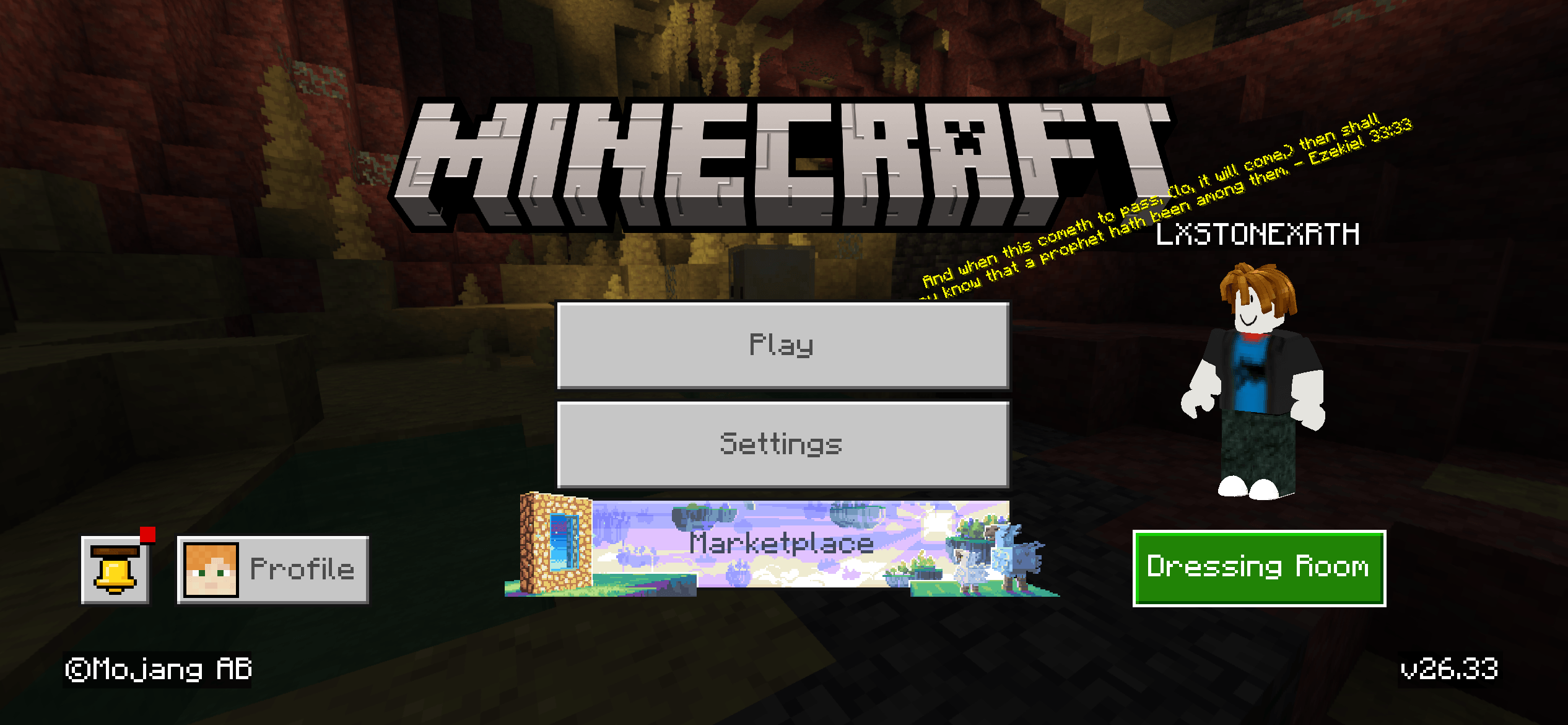
If you're tired of seeing the same random yellow splash texts spinning on the Minecraft title screen, I put together this simple pack. It completely replaces the default vanilla messages with a handpicked list of encouraging Bible verses.
It’s a really small tweak, but honestly, it’s just nice to get a quick reminder of faith every time you boot up the game.
What it does:
Clears the clutter: It completely overwrites the default list, so you won't get a mix of vanilla jokes and verses—just the verses.
Zero lag: It's literally just a couple of text files, so it won't slow down your loading screens at all.
How to install:
1. Download the .mcpack file.
2. Double-click it (Minecraft will open and import it automatically).
3. Go to Settings > Global Resources > My Packs, activate it, and you're good to go!
Want to add your own favorite verses?
I kept this super easy to edit if you want to customize the list:
1. Rename the downloaded file from .mcpack to .zip and extract it.
2. Open the texts folder and edit the splashes.json file in any basic text editor.
3. Type whatever verses you want inside the quotes! (Pro-tip: Make sure there's a comma after every line EXCEPT the very last one, or the game's code will get confused and break).
4. Re-zip the files, rename the folder back to .mcpack, and import it again.
A Quick Note on Sharing/Distribution
I'm super happy for you to share this pack with your friends or use it in your own videos, but please do not re-upload this pack to other sites or claim it as your own work.
If you want to share it, please just link back to this CurseForge page so people can download it directly from here. I really appreciate the support and respect!
- Edition: Minecraft Bedrock
- File type: .mcpack
- Minecraft version listed: 26.30
- How to install: Download the .mcpack. → Open it — Minecraft imports it under Resource Packs. → Activate it in Global Resources, or for one world under Resource Packs → Available.
- Where to get it: Opens on CurseForge — not every file is mirrored on our own servers.
Install steps are the general flow for this file type — How to install Minecraft Bedrock texture packs walks through it step by step.
- Pack type: .mcpack — a single pack
- Manifest requires Minecraft 1.19.0 or newer
- Complete pack — everything it depends on is inside the file
- Download size: 1.9 MB
- Download link checked 6 Oct 2026 — working
These come from our own check of the pack file, not from the source page.