Control overhaul
Control Overhaul v1 Tired of clunky touch controls clogging up your screen while playing Minecraft Bedrock/Pocket Edition? Control Overhaul v1 redesigns…
⬇ Download on CurseForge

https://youtu.be/NFYvKK31z58?si=9S9O6EPFo_DqxYTR
Control Overhaul v1
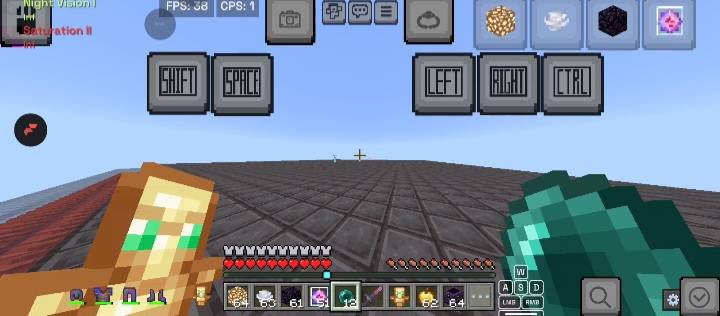
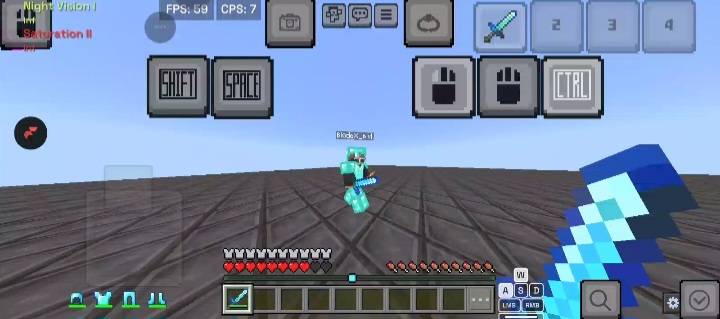
Tired of clunky touch controls clogging up your screen while playing Minecraft Bedrock/Pocket Edition? Control Overhaul v1 redesigns your mobile HUD into a streamlined, high-efficiency interface optimized for fast-paced PvP, End Crystal fighting, and overall smoother gameplay.
🔑 Key Features
1. Cleaner On-Screen Action Buttons
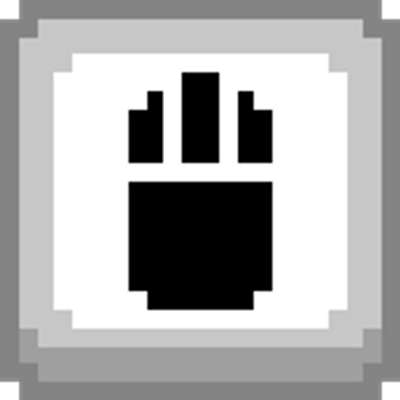
Hitting & Placing Refined: Replaces bulky action icons with transparent, minimalist, high-contrast buttons for hitting and block placing.
Unobstructed View: Maximizes screen visibility so you never lose sight of your target or crosshair in high-stakes fights.
2. Custom Subpack Configurations
Customize your HUD according to your preferred layout directly from the Resource Pack settings:
Default Resolution: Keeps intuitive, clean icon designs for quick touch targets.
Clean v2 Mode: Replaces standard button icons with crisp text labels (LEFT, RIGHT, CTRL, SHIFT, SPACE) for a distinct, minimal aesthetics layout.
3. Built for PvP Performance
Perfect for Crystal PvP, Anchor PvP, and fast-paced mobile combat.
Provides immediate visual clarity when swapping items, placing crystals, or pearling under pressure.
Lightweight resource size with zero impact on frame rates.
- Edition: Minecraft Bedrock
- File type: .mcpack
- Minecraft versions listed: 1.21.130, 1.21.131, 1.21.132
- How to install: Download the .mcpack. → Open it — Minecraft imports it under Resource Packs. → Activate it in Global Resources, or for one world under Resource Packs → Available.
- Where to get it: Opens on CurseForge — not every file is mirrored on our own servers.
Install steps are the general flow for this file type — How to install Minecraft Bedrock texture packs walks through it step by step.
- Pack type: .mcpack — a single pack
- Manifest requires Minecraft 1.20.0 or newer
- Complete pack — everything it depends on is inside the file
- Download size: 20 KB
- Download link checked 7 Sept 2026 — working
These come from our own check of the pack file, not from the source page.