Find the Button Plus Map gives you a fun challenge where you must search for hidden switches to unlock new rooms. This map tests your eyes with clever visual tricks and secret hiding spots across many themed areas. You can explore underwater reefs and sandy deserts to locate the single button needed to advance.
Features:
- Play through more than twenty unique levels.
- Search for a single hidden button in each room.
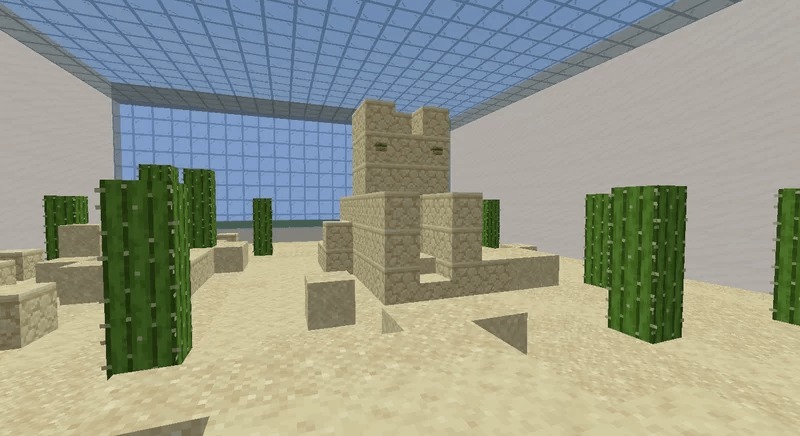
- Explore a desert room filled with sand cacti.
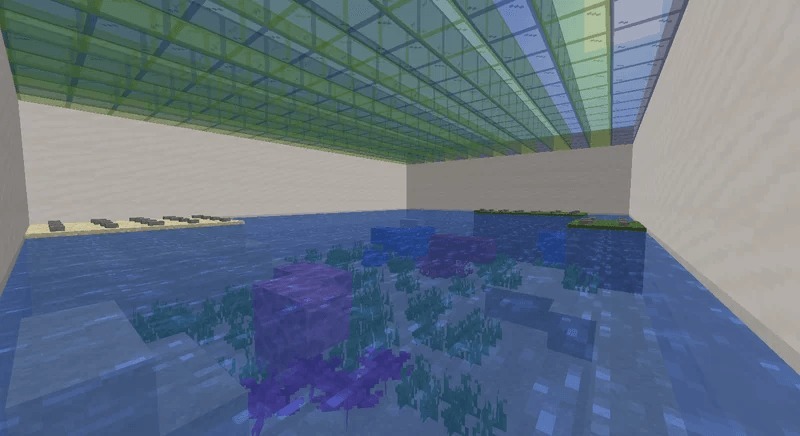
- Dive into an underwater area with bright coral reefs.
- Overcome visual tricks to spot secret hiding places.
Screenshots:
Find the Button Plus Map Download Links
Quick facts
- Edition: Minecraft Bedrock
- File type: .mcworld
- Minecraft version listed: 1.21
- How to install: Download the .mcworld file. → Open it — Minecraft imports it as a new world. → Find it in your Worlds list and play.
- Where to get it: Opens on the file's original source — not every file is mirrored on our own servers.
Install steps are the general flow for this file type — How to install Minecraft Bedrock maps walks through it step by step.
Find the Button Plus Map (26.x, 1.21) – Twenty Plus Secret Levels is a free Minecraft Bedrock map. Compatible with Minecraft 1.21. Download it and open it directly in the game.