Custom_Attack_Sounds
Bedrock texture pack listed for Minecraft 1.20–26.x. File opened and checked on 25 Sep 2026; installs from the MC Bedrock Mods app on Android.
Custom Attack Sounds is the ultimate audio overhaul pack built specifically for Minecraft Bedrock PvP enthusiasts. Say goodbye to dull, flat vanilla hit…
⬇ Download on CurseForge
Custom Attack Sounds — Bedrock Edition
Dominate the arena with ultra-satisfying, customizable PvP combat sound feedback!
Custom Attack Sounds is the ultimate audio overhaul pack built specifically for Minecraft Bedrock PvP enthusiasts. Say goodbye to dull, flat vanilla hit sounds and elevate your combat experience with sharp, punchy, and highly responsive audio triggers. Featuring multiple sound variations organized neatly inside an in-game subpack slider, you can select the perfect attack sound style that matches your rhythm during intense Bedwars, Skywars, Bridge, and PotPvP fights!
Delivers zero-delay audio feedback engineered for maximum performance across Pocket Edition (Android/iOS), Windows 10/11, and Consoles!
✨ Features
-
Multiple Subpack Audio Variants: Choose from a wide selection of sound styles—ranging from snappy clicks, heavy impact crits, smooth ASMR hits, to sharp pop feedback!
-
Instant PvP Feedback: Highly responsive audio triggers for normal attacks, critical hits, sword swings, bow dings, and shield blocks.
-
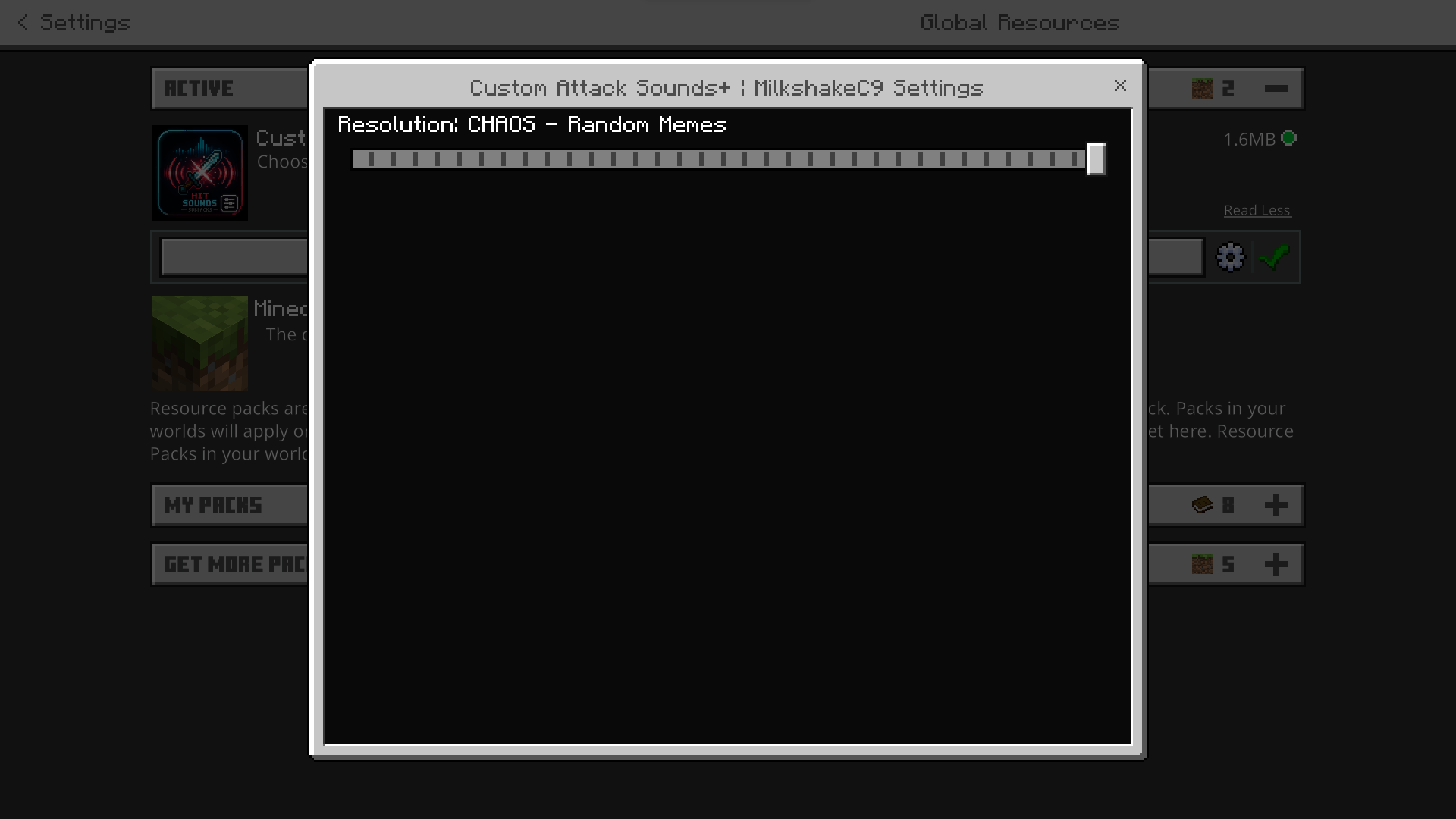
In-Game Subpack Slider: Easily swap your favorite attack sound profile directly in the game settings via the pack's Gear Icon (⚙️).
-
Enhanced Combo Rhythm: Crisp hit audio that gives clear audio cues to help you keep tracking and timing your CPS (Clicks Per Second) during combos.
-
100% Lag-Free & Delay-Free: Formatted natively for Bedrock (
.ogg/.fsb) to guarantee instant playback with zero memory overhead or audio stuttering. -
Server & Realm Safe: Fully compatible with Hive, Cubecraft, Lifeboat, local survival worlds, and Bedrock Realms.
🛠️ How to Use & Select Variants
-
Download & Import: Download the
.mcpackfile and open it to auto-import into Minecraft Bedrock. -
Activate: Go to
Settings>Global Resources> Find Custom Attack Sounds and click Activate. -
Choose Your Variant: Click on Custom Attack Sounds in your active list, click the Gear Icon (⚙️), slide the bar to pick your preferred sound profile, and confirm!
(Tip: Set your "Sound" slider in Minecraft's Audio Settings to 100% for the crispest combat feedback!)
📜 Credits & Usage Policy
-
Pack Creator: Created completely by me! Built specifically for Bedrock PvP players who love clean, customizable attack sound effects.
-
Feedback: Drop a comment or review on CurseForge if you have ideas for new sound variants in future updates!
- Edition: Minecraft Bedrock
- File type: .mcpack
- Minecraft versions listed: 1.21.130, 1.21.131, 1.21.132
- How to install: Download the .mcpack. → Open it — Minecraft imports it under Resource Packs. → Activate it in Global Resources, or for one world under Resource Packs → Available.
- Where to get it: Opens on CurseForge — not every file is mirrored on our own servers.
Install steps are the general flow for this file type — How to install Minecraft Bedrock texture packs walks through it step by step.
- Pack type: .mcpack — a single pack
- Manifest requires Minecraft 1.20.0 or newer
- Complete pack — everything it depends on is inside the file
- Download size: 1.5 MB
- Download link checked 19 Oct 2026 — working
These come from our own check of the pack file, not from the source page.