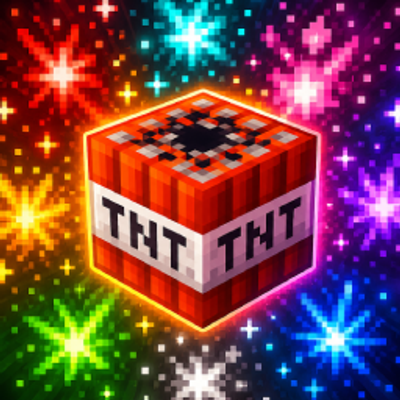
HomeBedrockTexture packsTNT Explosive+ | Myloveee
TNT Explosive+ | Myloveee
Texture packsBedrock

TNT Explosive+ | Myloveee

by Myloveee · on CurseForge

TNT Explosive+ | Myloveee is a custom particle and visual overhaul resource pack for Minecraft Bedrock Edition designed to replace flat, boring explosion…

⬇ Download on CurseForge
TNT Explosive+ | Myloveee — screenshot 1TNT Explosive+ | Myloveee — screenshot 2TNT Explosive+ | Myloveee — screenshot 3TNT Explosive+ | Myloveee — screenshot 4TNT Explosive+ | Myloveee — screenshot 5

TNT Explosive+ | Myloveee

Turn every explosion in Minecraft into a dramatic, high-energy spectacle with signature Myloveee style!

TNT Explosive+ | Myloveee is a custom particle and visual overhaul resource pack for Minecraft Bedrock Edition designed to replace flat, boring explosion effects with intense, fiery blast clouds, expanding shockwaves, and custom high-contrast particle effects. Whether you are clearing massive areas with TNT, fighting in faction wars, or popping End Crystals in PvP, this pack brings dynamic cinematic feedback to every single explosion!

Enjoy spectacular explosion visuals engineered to run smooth and lag-free on Pocket Edition (Android/iOS), Windows 10/11, and Consoles!

✨ Features

🛠️ How to Install

  1. Download: Grab the .mcpack file from the "Files" tab on this CurseForge page.

  2. Import to Minecraft:

    • Windows 10/11: Double-click the .mcpack file. Minecraft will launch automatically and import it.

    • Android / iOS: Open the file using your preferred File Manager app and select "Open with Minecraft".

  3. Activation: Go to Settings > Global Resources > Find TNT Explosive+ | Myloveee under "My Packs" and click Activate.

📜 Credits & Usage Policy

Quick facts

Install steps are the general flow for this file type — How to install Minecraft Bedrock texture packs walks through it step by step.

Verified by MCModsHub

These come from our own check of the pack file, not from the source page.

Explore more