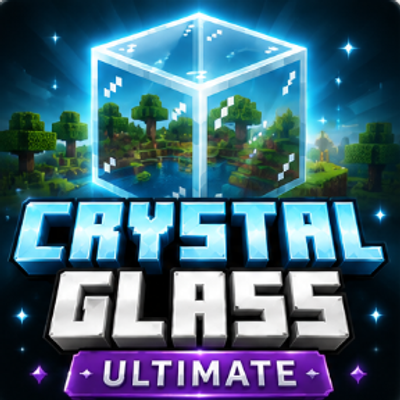
Crystal Glass Ultimate
Bedrock texture pack listed for Minecraft 1.20–26.x. File opened and checked on 5 Oct 2026; installs from the MC Bedrock Mods app on Android.
A complete glass and ice overhaul featuring every glass color, cleaner panes, improved ice, and three selectable visual styles.
⬇ Download on CurseForge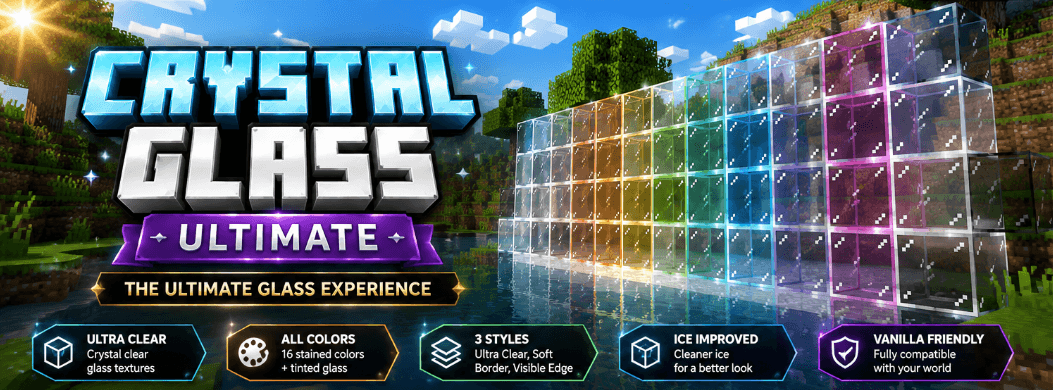
Crystal Glass Ultimate
Crystal Glass Ultimate delivers the complete clean-glass experience with normal glass, all stained colors, panes, tinted glass, improved ice, and three selectable visual styles.
Features
- Complete Glass Overhaul: Supports normal, stained, pane, and tinted glass.
- All 16 Colors: Cleaner textures for every stained-glass variant.
- Improved Ice: Includes normal ice, packed ice, blue ice, and frosted ice.
- Three Visual Styles: Choose Ultra Clear, Soft Border, or Visible Edge.
- Better Visibility: Cleaner windows without making blocks completely invisible.
- Builder Friendly: Suitable for houses, modern builds, colored windows, aquariums, and large glass structures.
- Client-Side: No scripts, experiments, commands, or custom items are required.
Available Styles
- Ultra Clear: Minimum borders and maximum visibility.
- Soft Border: Balanced clarity with subtle edges.
- Visible Edge: Stronger block boundaries for easier building.
Installation
- Download the
.mcpackfile. - Open it with Minecraft and wait for the import to complete.
- Open Settings → Global Resources → My Packs, or edit a world.
- Select Crystal Glass Ultimate and press Activate.
- Open the pack settings to choose your preferred visual style.
- Place the pack above other resource packs that modify glass or ice.
Do not activate Crystal Glass Lite, Plus, and Ultimate together. Use only one edition at a time.
Compatibility
Designed for Minecraft Bedrock on Windows, Android, and iOS. The pack remains achievement friendly because it only changes textures.
Socials


Terms of Use
You may use the pack in personal worlds, compatible multiplayer servers, videos, and livestreams with proper credit.
Re-uploading, redistributing, selling, publicly sharing edited versions, using monetized download links, or claiming the pack as your own is not allowed.
- Edition: Minecraft Bedrock
- File type: .mcpack
- Minecraft versions listed: 1.20.40, 1.21.30, 1.21.50
- How to install: Download the .mcpack. → Open it — Minecraft imports it under Resource Packs. → Activate it in Global Resources, or for one world under Resource Packs → Available.
- Where to get it: Opens on CurseForge — not every file is mirrored on our own servers.
Install steps are the general flow for this file type — How to install Minecraft Bedrock texture packs walks through it step by step.
- Pack type: .mcpack — a single pack
- Manifest requires Minecraft 1.26.0 or newer
- Complete pack — everything it depends on is inside the file
- Download size: 65 KB
- Download link checked 8 Oct 2026 — working
These come from our own check of the pack file, not from the source page.