
Legend skin by baku
Bedrock skin pack listed for Minecraft 26.x. File opened and checked on 1 Oct 2026; installs from the MC Skins app on Android.
Legend Skin Pack brings 5 iconic Minecraft-inspired skins together in one pack. Switch between unique styles anytime and stand out in your worlds…
⬇ Download on CurseForge
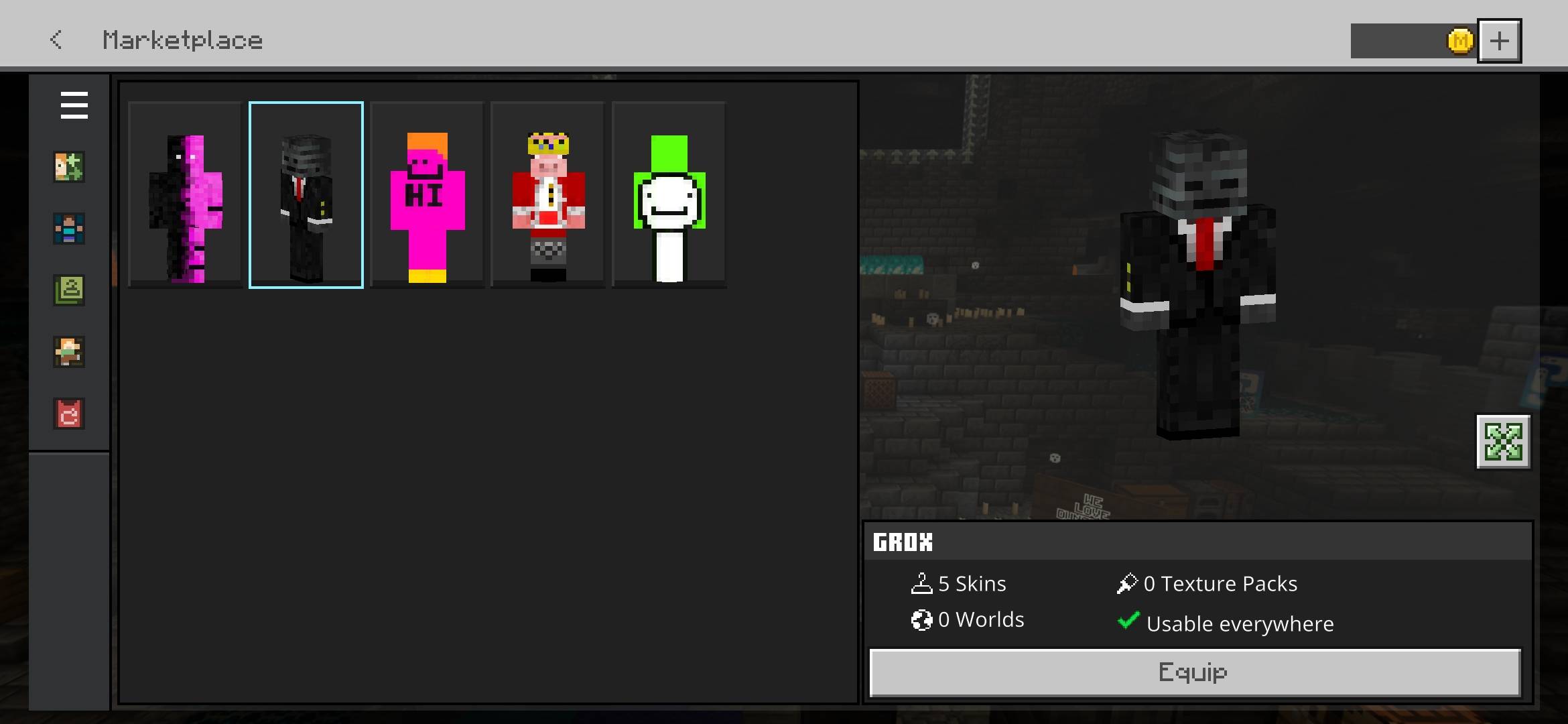
🧩 Legend Skin Pack
Bring a collection of memorable Minecraft-inspired skins into one clean and easy-to-use skin pack. Choose your favorite style and switch between characters directly from the Dressing Room.
✨ Pack Features
| ◆ 5 Unique Skins | ◆ Easy Skin Selection | ◆ Bedrock Compatible |
| ◆ Classic Skin Style | ◆ Clean Pack Setup | ◆ Multiplayer Friendly |
👤 Included Skins
▸ Daquavis | ▸ Grox | ▸ Camman18
▸ Technoblade | ▸ Dream
🎮 How To Use
Import the pack → Open Dressing Room → Edit Character → Classic Skins → Owned → Select Legend Skin Pack → Choose your skin.
📌 Information
✔ Contains 5 skins in one pack
✔ Designed for Minecraft Bedrock Edition
✔ No gameplay changes
✔ Simple and lightweight skin pack
🏷️ Credits
Pack Creator & Compilation: Baku
All pack-related credits belong to Baku.
⚠️ This is a cosmetic skin pack only. It does not modify gameplay, items, blocks, mobs, or worlds.
- Edition: Minecraft Bedrock
- File type: .mcpack
- Minecraft versions listed: 26.20, 26.30, 26.40
- How to install: Download the .mcpack skin pack. → Open it — Minecraft imports it. → Open the Dressing Room and select the skin.
- Where to get it: Opens on CurseForge — not every file is mirrored on our own servers.
Install steps are the general flow for this file type — How to apply a custom Minecraft skin walks through it step by step.
- Pack type: .mcpack — a single pack
- Complete pack — everything it depends on is inside the file
- Download size: 21 KB
- Download link checked 29 Oct 2026 — working
These come from our own check of the pack file, not from the source page.