✦ ABOUT
Clean GUI resource pack for Minecraft Bedrock Edition
Simple Button gives Minecraft's buttons a cleaner and more minimal appearance while keeping the original Minecraft style.
The pack features clean pixel-style text, subtle gray shading, and a simple design that makes the interface feel more polished without changing its overall vanilla look.
──────────────────────────────────────────────────────────────
✦ FEATURES
• Clean and minimal button design
• Minecraft-style pixel font
• Subtle gray text shading
• Simple and readable appearance
• Vanilla-inspired UI
• Lightweight and easy to use
──────────────────────────────────────────────────────────────
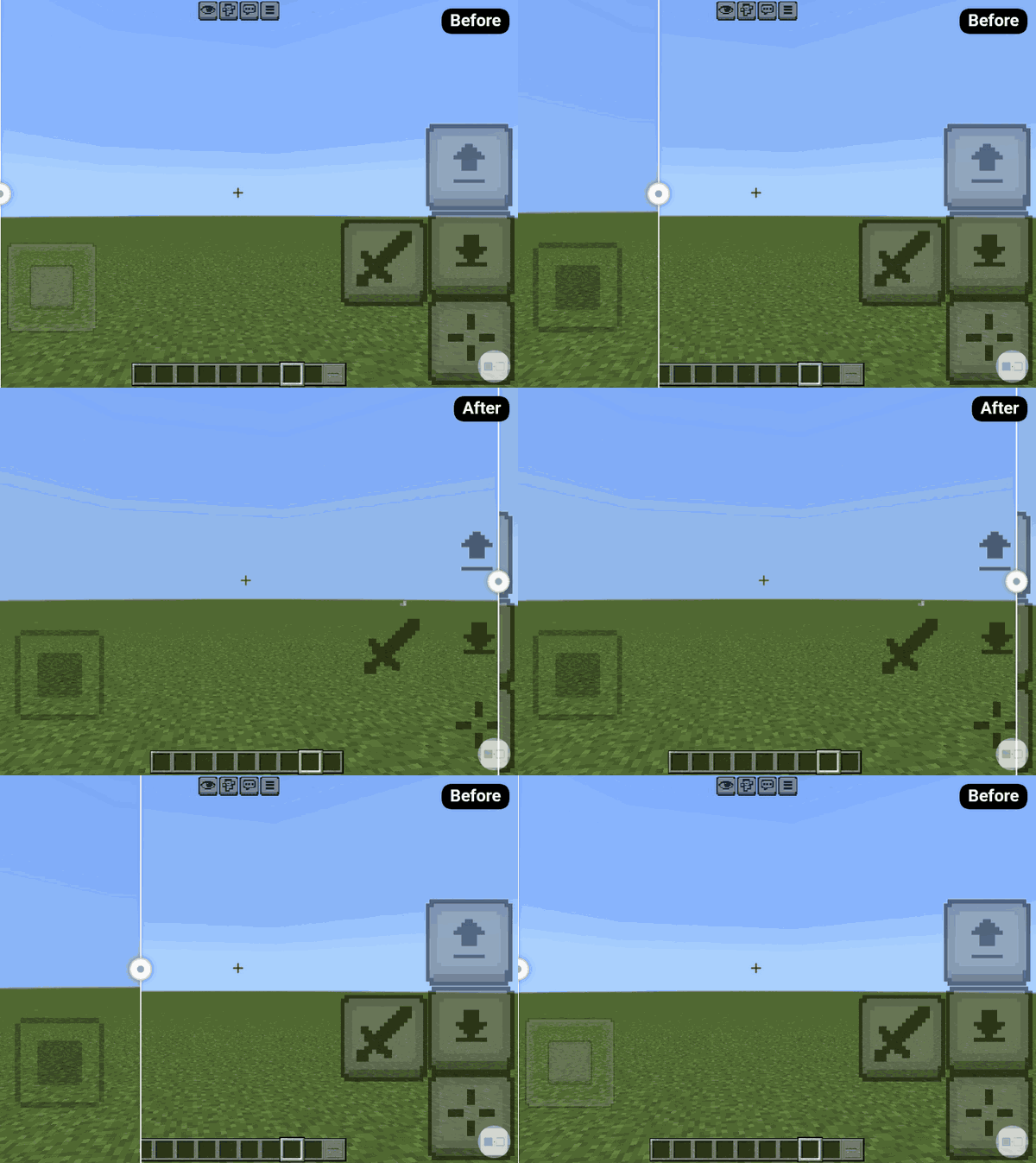
See the difference between the original Minecraft buttons and the new Simple buttons design.
BEFORE→AFTER
──────────────────────────────────────────────────────────────
✦ COMPATIBILITY
• Minecraft Bedrock Edition
• Supports versions 1.21.100 – 1.26+
• Compatible with all supported platforms
- Edition: Minecraft Bedrock
- File type: .mcpack
- Minecraft version listed: 26.30
- How to install: Download the .mcpack. → Open it — Minecraft imports it under Resource Packs. → Activate it in Global Resources, or for one world under Resource Packs → Available.
- Where to get it: Opens on CurseForge — not every file is mirrored on our own servers.
Install steps are the general flow for this file type — How to install Minecraft Bedrock texture packs walks through it step by step.
Simple buttons is a free Minecraft Bedrock texture pack. Compatible with Minecraft 26.30. Downloaded 278 times (via CurseForge). Download it and open it directly in the game.