My Minimap
Bedrock map listed for Minecraft 1.21–26.x. File opened and checked on 10 Oct 2026; installs from the MC Bedrock Mods app on Android.
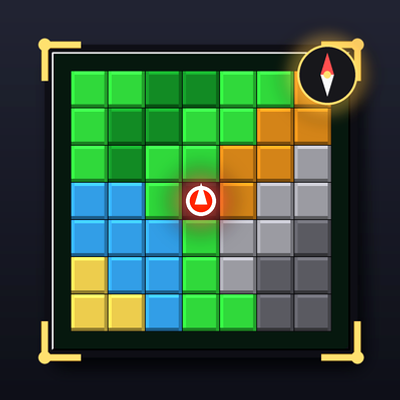
A lightweight top-right minimap that renders a live 7x7 terrain grid around the player using colored block indicators, updated every second — no extra HUD…
⬇ Download on CurseForge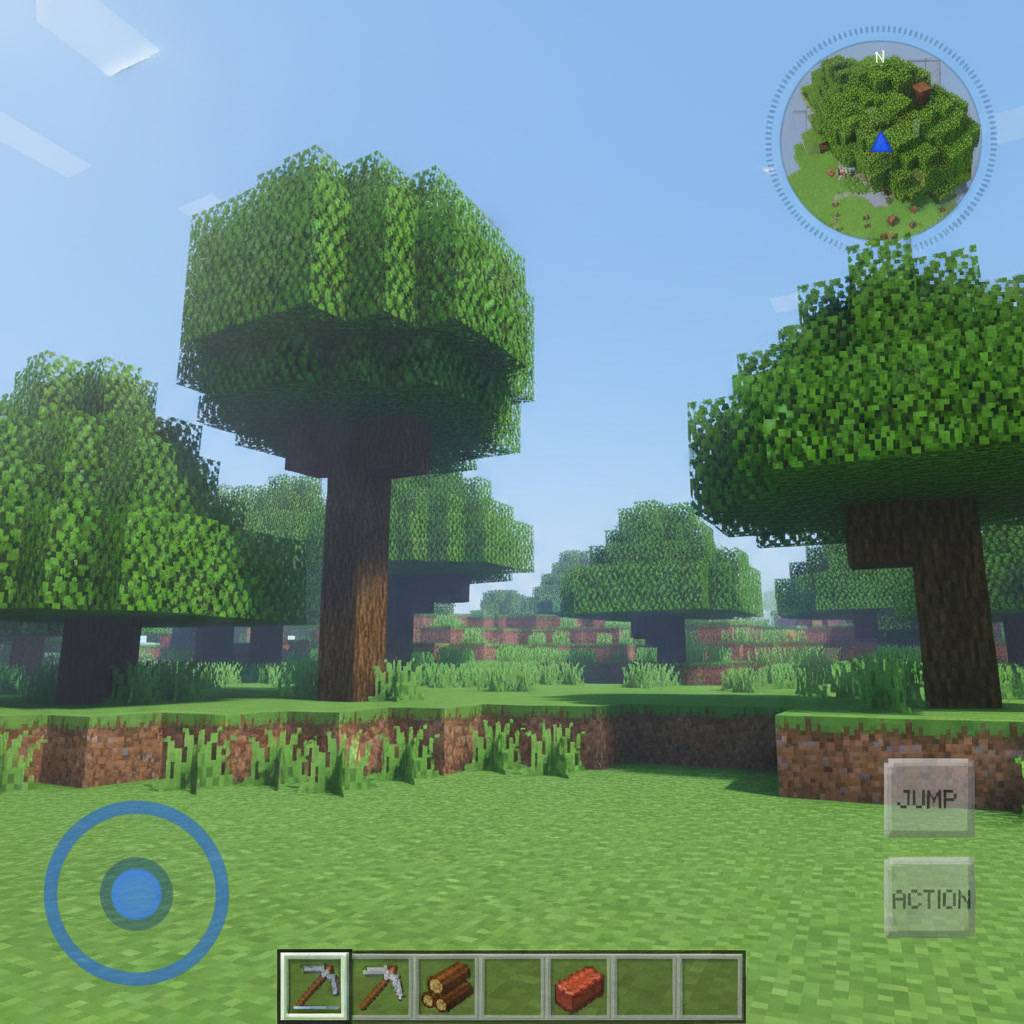
TopRight Minimap adds a simple, performance-friendly minimap to the top-right corner of your screen.
Scans a 7×7 grid centered on the player and shows a color-coded overview of nearby terrain (grass, stone, sand, water, snow, lava, etc.)
Your position is marked with a bold red dot in the center
Updates automatically once per second
Built using the actionbar UI (repositioned via resource pack) + a lightweight scripting API behind the scenes — no extra texture assets needed
Minimal performance impact: block scans are spread across ticks instead of running all at once
Requirements: Minecraft Bedrock 1.21.50+, Beta APIs (Scripting) enabled.
- Edition: Minecraft Bedrock
- File type: .mcworld
- Minecraft versions listed: 26.0.02, 26.0, 26.3
- How to install: Download the .mcworld file. → Open it — Minecraft imports it as a new world. → Find it in your Worlds list and play.
- Where to get it: Opens on CurseForge — not every file is mirrored on our own servers.
Install steps are the general flow for this file type — How to install Minecraft Bedrock maps walks through it step by step.
- Pack type: .mcaddon — behaviour and resource pack in one file
- Manifest requires Minecraft 1.21.50 or newer
- Complete pack — everything it depends on is inside the file
- Download size: 3 KB
- Download link checked 12 Oct 2026 — working
These come from our own check of the pack file, not from the source page.