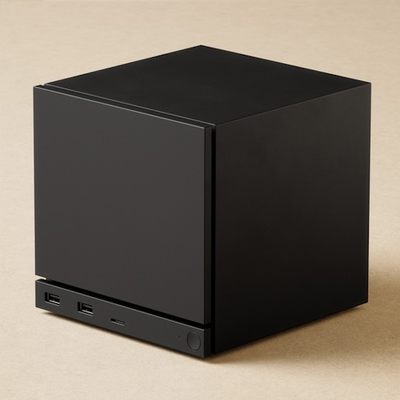
Steam Machine
Ever wanted a Steam Machine in Minecraft? No uh? well, this pack replaces the Heavy Core with a decorative Steam Machine!
⬇ Download on CurseForge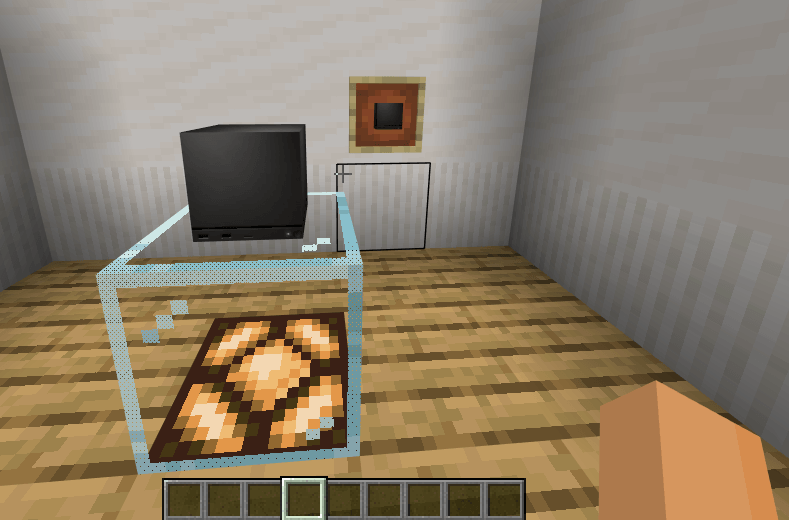
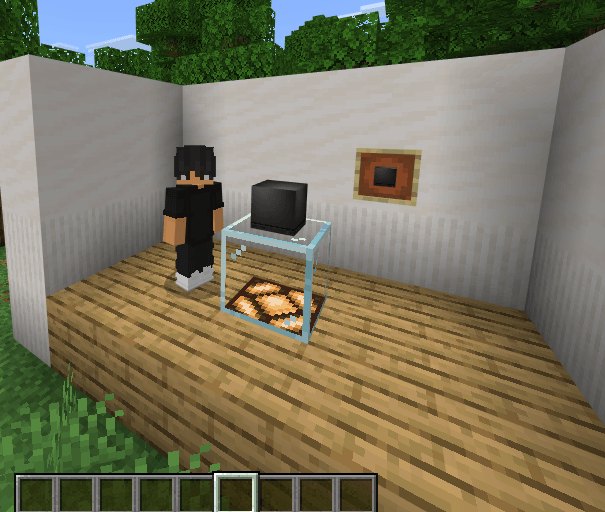
# Steam Machine Texture Pack
Ever wanted a Steam Machine in Minecraft? This custom resource pack brings a tribute to the iconic console into your Bedrock worlds!
### ✨ Features:
* **Custom Texture:** Replaces the **Heavy Core** texture with a detailed, decorative **Steam Machine**.
* Perfect for futuristic builds, tech rooms, gaming setups, or decorative interiors.
* Lightweight and fully optimized for Minecraft Bedrock Edition.
---
### 📦 Installation:
1. Download the `.mcpack` file.
2. Open/Execute the file to automatically import it into Minecraft.
3. Activate the pack in your Global Resources or directly in your World Settings.
---
*Created by Schnitteeeer.*
- Edition: Minecraft Bedrock
- File type: .mcpack
- Minecraft versions listed: 26.20, 26.30, 26.40
- How to install: Download the .mcpack. → Open it — Minecraft imports it under Resource Packs. → Activate it in Global Resources, or for one world under Resource Packs → Available.
- Where to get it: Opens on CurseForge — not every file is mirrored on our own servers.
Install steps are the general flow for this file type — How to install Minecraft Bedrock texture packs walks through it step by step.
- Save it as Steam Machine.mcaddon before opening — it downloads as .mcpack, but it is a .mcaddon pack
- Manifest requires Minecraft 1.20.0 or newer
- Complete pack — everything it depends on is inside the file
- Download size: 339 KB
- Download link checked 27 Sept 2026 — working
These come from our own check of the pack file, not from the source page.