
Texture packsBedrock
LagRemoval! | Removes LagSpikes, FPS Drops and More!.
Bedrock texture pack listed for Minecraft 26.x. Download on the author's site.
⬇ DownloadLagRemoval is a pack created to solve the lag problem by removing and rendering non-essential things!
* INTRODUCTION *
LagRemoval is a texture pack that is created to focus on solving lag/fps problem, the purpose of this pack is to remove things like FPS Drop, Lag Spike, Low FPS caused by renderer. LagRemoval is NOT A FPS BOOST PACK. I've seen many videos claiming it as a fps boost pack, but this pack is not dedicated to boost your fps at all.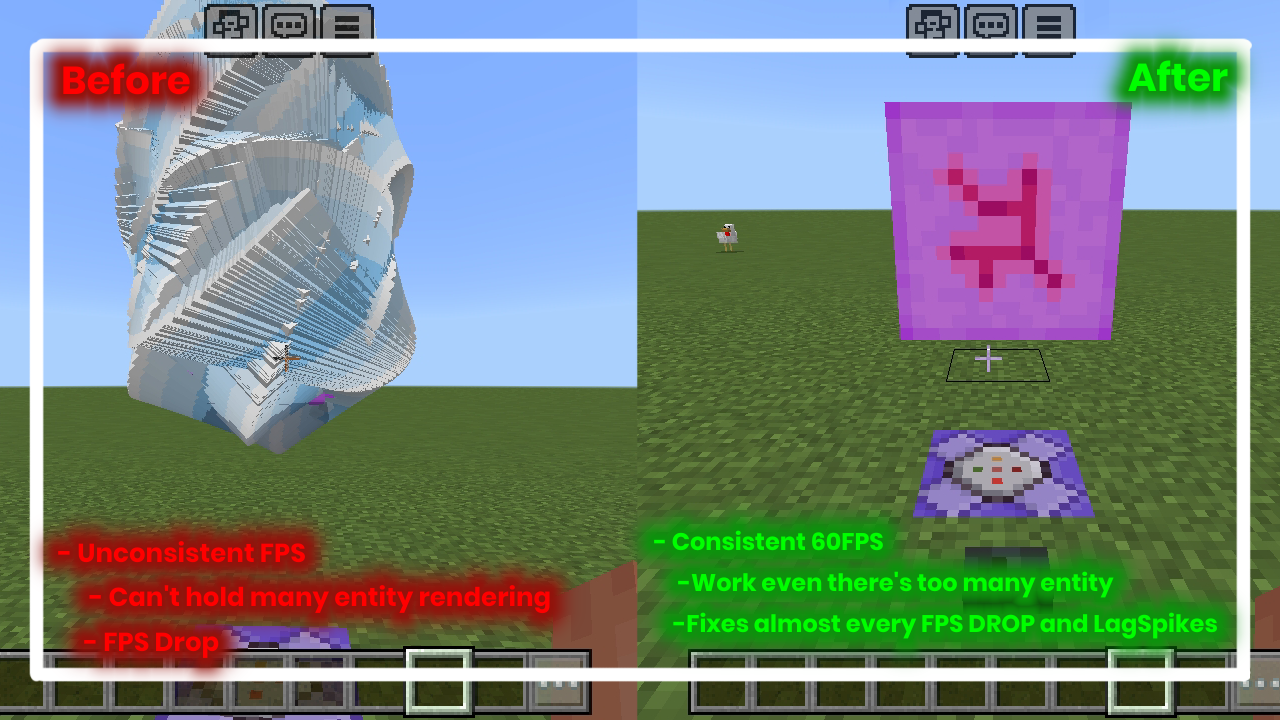
Features of LagRemoval
• Removes Particles
• Compresses unnecessary Minecraft textures
• Lightweight files
• 1 pixel texture on some block [PERFORMANCE MODE ONLY]
• Removes Mob Animation to reduce lag [PERFORMANCE MODE ONLY]
• Compatible to all texture pack [Using compatible mode]• Clearer water
• And more!...
~~~~~~~~~~~~~~~~~~~~~~~~~~~~~~~~~
!!REMEMBER!!This pack is only used to solve lag problems, not boost FPS when you already have stable performance, meaning it only works for low-end devices!
Notes for People who wants to review and upload it to YouTube:
• Please don't put your video title calling this an "Optifine" instead just write "FPS Boost" or "Lag Remover"• Use the official ModBay link, don't use a Mediafire link or a shortlink.
~~~~~~~~~~~~~~~~~~~~~~~~~~~~~~~~~
LAGREMOVAL NEED YOUR HELP
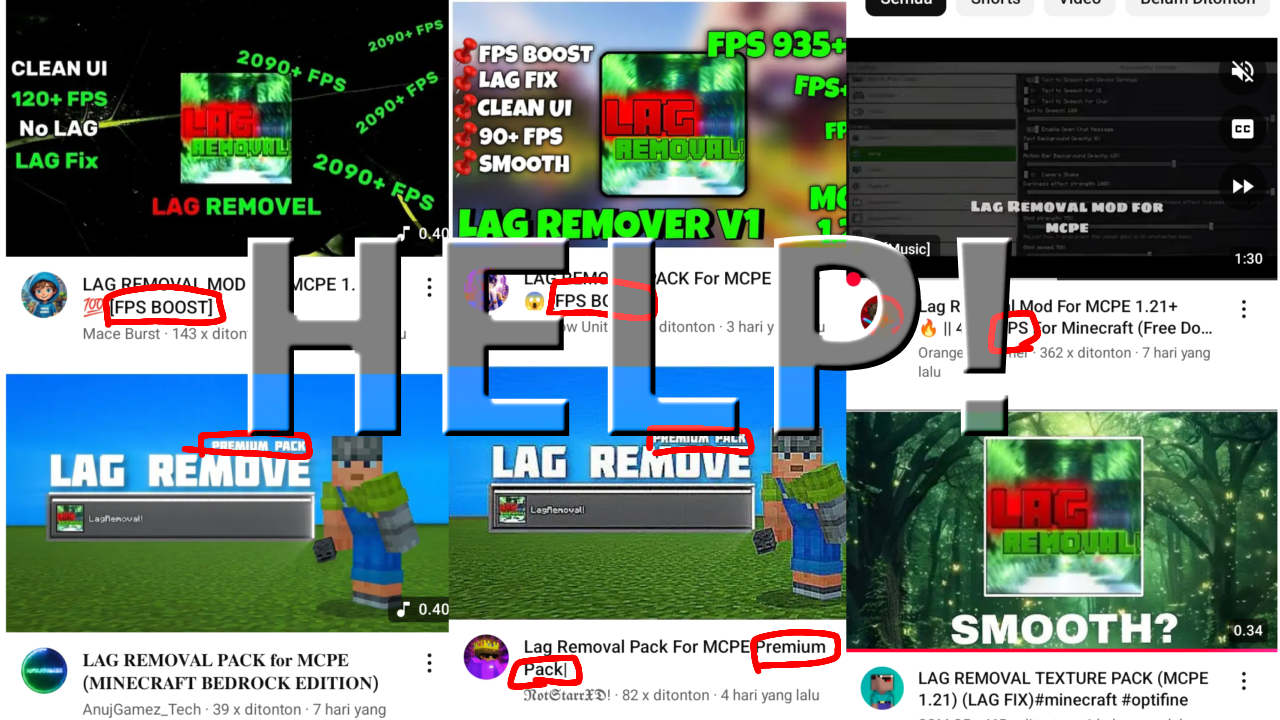
Some content creator farmer had spread a fake link and a old version, they also give misinformation by calling this pack a "FPS" pack, please if you find this type of videos, report them or tell the creator to use ModBay link.
~~~~~~~~~~~~~~~~~~~~~~~~~~~~~~~~~
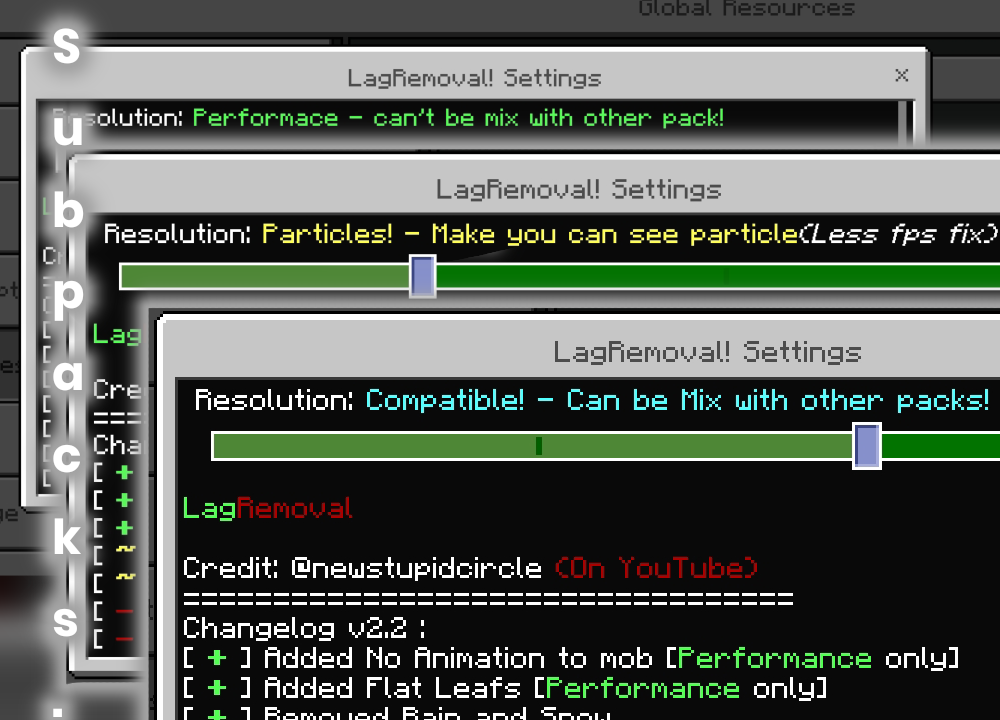
+ This pack has 5 Subpacks that you can use :
× Default Mode - The default mode no change.
× Potion Particles - Removes only potion particles.
× Particles Mode - Allows the player to see particles but still optimizing the game performance, I recommend this to be used on survival.
× Compatible Mode - this mode is used to mix with other packs examples of it are the PVP pack, the faithful pack, and the UI pack. This doesn't really remove the lag since it's for compatible mixing.
× Performance Mode - this mode is more focused on performance and makes more changes to the game, such as compressed textures, smaller file size and others. I recommend you use this instead!. [REMEMBER PERFORMANCE MODE IS NOT COMPATIBLE WITH ACTION AND STUFF!]
× Survival Mode - Coming soon...
YouTube: @newstupidcircle (on YouTube)
Join the discord to receives LagRemoval beta version and receive Updates faster!: Discord
* INTRODUCTION *
LagRemoval is a texture pack that is created to focus on solving lag/fps problem, the purpose of this pack is to remove things like FPS Drop, Lag Spike, Low FPS caused by renderer. LagRemoval is NOT A FPS BOOST PACK. I've seen many videos claiming it as a fps boost pack, but this pack is not dedicated to boost your fps at all.
Features of LagRemoval
• Removes Particles
• Compresses unnecessary Minecraft textures
• Lightweight files
• 1 pixel texture on some block [PERFORMANCE MODE ONLY]
• Removes Mob Animation to reduce lag [PERFORMANCE MODE ONLY]
• Compatible to all texture pack [Using compatible mode]• Clearer water
• And more!...
~~~~~~~~~~~~~~~~~~~~~~~~~~~~~~~~~
!!REMEMBER!!This pack is only used to solve lag problems, not boost FPS when you already have stable performance, meaning it only works for low-end devices!
Notes for People who wants to review and upload it to YouTube:
• Please don't put your video title calling this an "Optifine" instead just write "FPS Boost" or "Lag Remover"• Use the official ModBay link, don't use a Mediafire link or a shortlink.
~~~~~~~~~~~~~~~~~~~~~~~~~~~~~~~~~
LAGREMOVAL NEED YOUR HELP
Some content creator farmer had spread a fake link and a old version, they also give misinformation by calling this pack a "FPS" pack, please if you find this type of videos, report them or tell the creator to use ModBay link.
~~~~~~~~~~~~~~~~~~~~~~~~~~~~~~~~~
+ This pack has 5 Subpacks that you can use :
× Default Mode - The default mode no change.
× Potion Particles - Removes only potion particles.
× Particles Mode - Allows the player to see particles but still optimizing the game performance, I recommend this to be used on survival.
× Compatible Mode - this mode is used to mix with other packs examples of it are the PVP pack, the faithful pack, and the UI pack. This doesn't really remove the lag since it's for compatible mixing.
× Performance Mode - this mode is more focused on performance and makes more changes to the game, such as compressed textures, smaller file size and others. I recommend you use this instead!. [REMEMBER PERFORMANCE MODE IS NOT COMPATIBLE WITH ACTION AND STUFF!]
× Survival Mode - Coming soon...
YouTube: @newstupidcircle (on YouTube)
Join the discord to receives LagRemoval beta version and receive Updates faster!: Discord
Quick facts
- Edition: Minecraft Bedrock
- File type: .mcpack
- How to install: Download the .mcpack. → Open it — Minecraft imports it under Resource Packs. → Activate it in Global Resources, or for one world under Resource Packs → Available.
- Where to get it: Opens on the file's original source — not every file is mirrored on our own servers.
Install steps are the general flow for this file type — How to install Minecraft Bedrock texture packs walks through it step by step.
LagRemoval! | Removes LagSpikes, FPS Drops and More!. is a free Minecraft Bedrock texture pack. Downloaded 10,800 times. Download it and open it directly in the game.