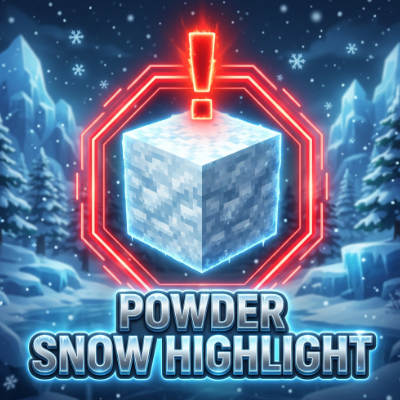
DHAKIDA'S "Highlighted Powdered Snow"
Bedrock texture pack listed for Minecraft 1.16–26.x. File opened and checked on 23 Aug 2026; installs from the MC Bedrock Mods app on Android.
Highlighted Powder Snow is a lightweight, clean, and high-visibility client-side resource pack for both Minecraft Bedrock Edition and Minecraft Java…
⬇ Download on CurseForge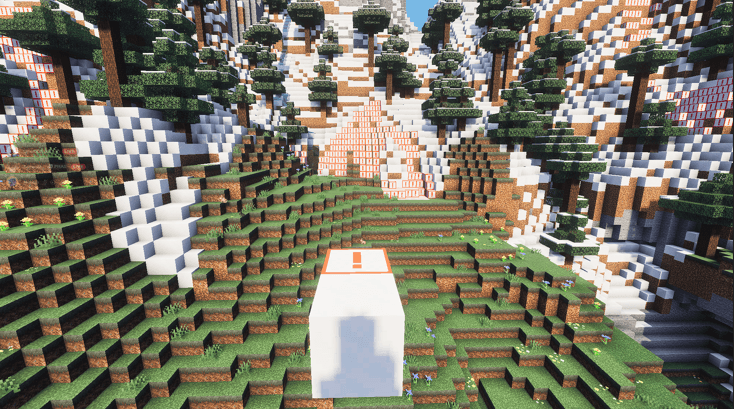
Highlighted Powder Snow (High-Visibility Resource Pack) Highlighted Powder Snow is a lightweight, clean, and high-visibility client-side resource pack for both Minecraft Bedrock Edition and Minecraft Java Edition. It makes the dangerous and frustrating Powder Snow block instantly recognizable, preventing you from accidentally falling in and freezing to death.
Best of all, because this pack only modifies textures, it is 16x16 / 128x128 achievement-friendly—meaning achievements will remain fully enabled on Bedrock Edition, and it is 100% safe to use on Java multiplayer servers (Realms, Hypixel, etc.) without triggering anti-cheat systems.
❄️ Why Do You Need This? In vanilla Minecraft, Powder Snow is textured to look identical to standard snow blocks. While this makes for a fun natural trap, it quickly becomes an annoying hazard during survival exploration, mountain building, or speedrunning.
This pack replaces the default texture with a high-visibility variant so you can see exactly where the danger lies, even in the middle of a blizzard.
✨ Features High-Visibility Warning Border: A bold, neon-red outline frames every side of the powder snow block. Central Warning Icon: A clear, red exclamation mark (!) is drawn in the center of the block so you can spot it from any angle. Keeps Vanilla Style: The background of the block uses standard, noisy snow colors so it still fits nicely into the game's snowy biomes. 100% Achievement & Trophy Safe: Bedrock Edition users can apply this as a Global Resource pack without disabling Xbox Live Achievements/PlayStation Trophies. Client-Side Only: No server-side installation required. Install it locally and it will work everywhere! 🛠️ Installation Guide Minecraft Bedrock Edition (Windows, Mobile, Consoles) Download the .mcpack file. Double-click or open the file to automatically import it into Minecraft. Open Minecraft, go to Settings > Global Resources > Active, and activate the Highlighted Powder Snow pack. Minecraft Java Edition Download the .zip pack file. Open Minecraft, go to Options > Resource Packs > Open Pack Folder. Move the downloaded .zip file into the folder. Activate the pack in your in-game Resource Packs menu by moving it to the Selected column.
SET THE HIGHEST PRIORITY TO THIS TEXTURE PACK
- Edition: Minecraft Bedrock
- File type: .mcpack
- Minecraft versions listed: 26.30, 26.40
- How to install: Download the .mcpack. → Open it — Minecraft imports it under Resource Packs. → Activate it in Global Resources, or for one world under Resource Packs → Available.
- Where to get it: Opens on CurseForge — not every file is mirrored on our own servers.
Install steps are the general flow for this file type — How to install Minecraft Bedrock texture packs walks through it step by step.
- Pack type: .mcpack — a single pack
- Manifest requires Minecraft 1.16.0 or newer
- Complete pack — everything it depends on is inside the file
- Download size: 193 KB
- Download link checked 4 Oct 2026 — working
These come from our own check of the pack file, not from the source page.