
Texture packsBedrock
Realistic Vibrant Visuals
Bedrock texture pack listed for Minecraft 26.x. File opened and checked on 25 Aug 2026; installs from the MC Bedrock Mods app on Android.
Realistic colored lighting, smoother illumination, and improved atmosphere while keeping Minecraft’s original textures and style. Different light sources…
⬇ Download on CurseForgeThe author built this one for Minecraft 26.40. On other versions it may install and then do nothing.
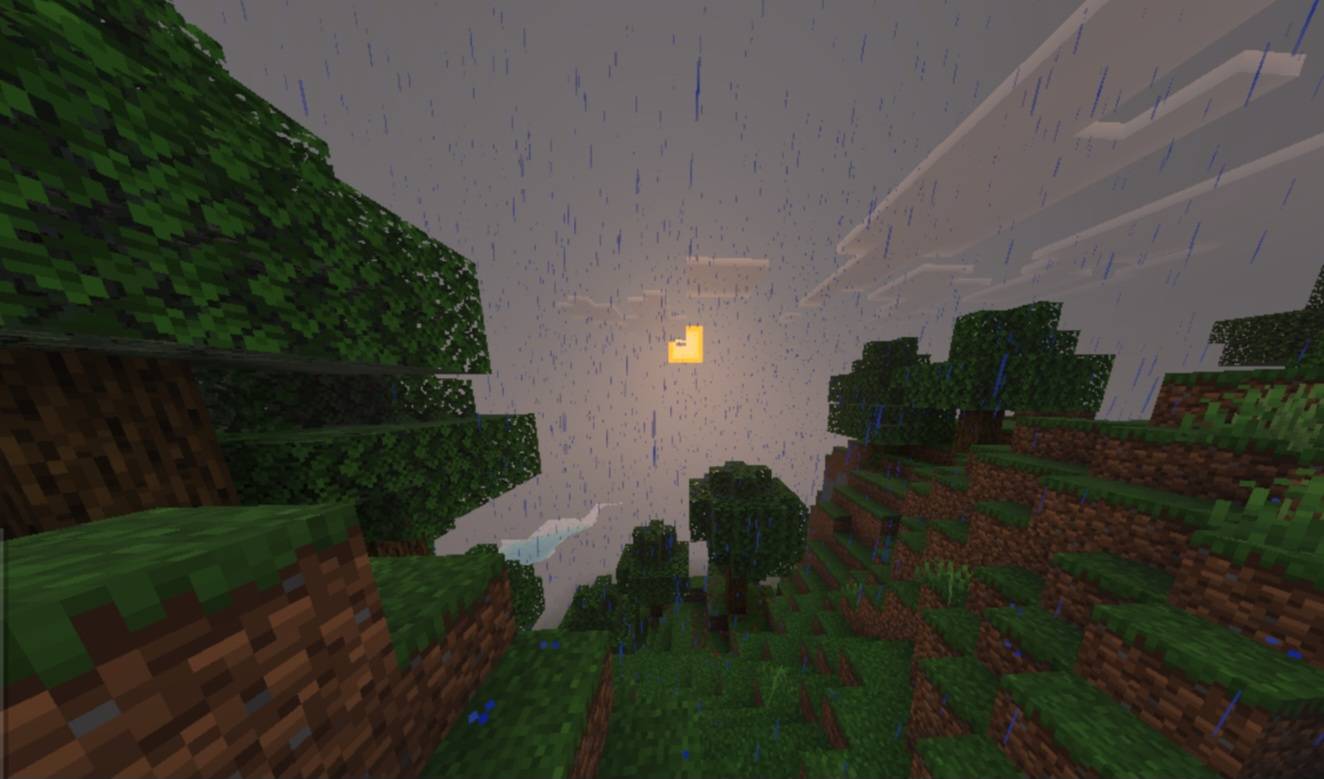
These shaders make Minecraft look more realistic while keeping the original Minecraft style. They focus mainly on better lighting, smoother shadows, and more natural colors.
Different light sources now have their own glow, like orange torches, red lava, redstone lighting, and blue sea lanterns. Light also spreads more smoothly, making caves, buildings, and nighttime areas feel more atmospheric.
The pack is made to improve the visuals without breaking the normal Minecraft textures, so blocks like stone, netherrack, ores, and wood stay visible and look normal.
Quick facts
- Edition: Minecraft Bedrock
- File type: .mcpack
- Minecraft version listed: 26.40
- How to install: Download the .mcpack. → Open it — Minecraft imports it under Resource Packs. → Activate it in Global Resources, or for one world under Resource Packs → Available.
- Where to get it: Opens on CurseForge — not every file is mirrored on our own servers.
Install steps are the general flow for this file type — How to install Minecraft Bedrock texture packs walks through it step by step.
File checked by MCModsHub
- Pack type: .mcpack — a single pack
- Manifest requires Minecraft 1.26.0 or newer
- Complete pack — everything it depends on is inside the file
- Download size: 69 KB
- Download link checked 5 Oct 2026 — working
These come from our own check of the pack file, not from the source page.