Texture packsBedrock
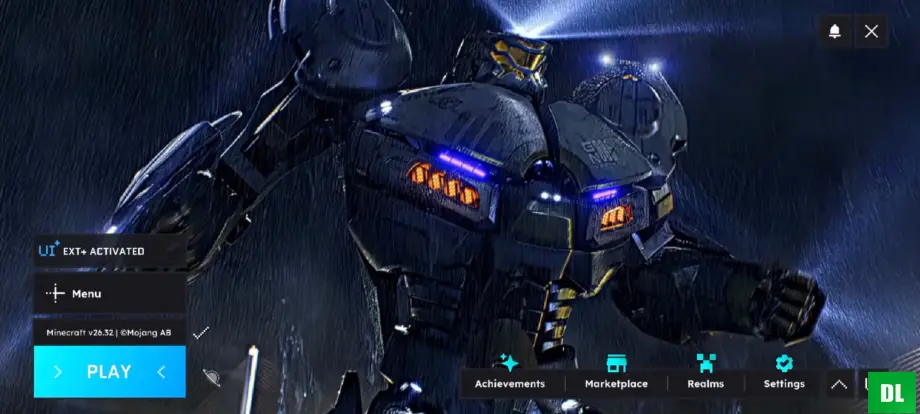
HorizonUI Pacific Rim Texture Pack for MCPE 26.40
Minecraft Bedrock texture pack. Download on the author's site.
⬇ Download on ModbayAnimated Pacific Rim-themed HorizonUI background: 960 frames at 30 FPS. Includes a tutorial video for installation and usage.
Details
- Total frames: 960
- Frames per second: 30
- Music used in this pack: Pacific Rim
Tutorial
Video tutorial: https://youtu.be/qmElQu_hyQU?si=Epay-6uCpcoTq0Bv
Feedback & Support
If you find any errors or have any suggestions, please leave them in the comments. Thank you for downloading!
Quick facts
- Edition: Minecraft Bedrock
- File type: .mcpack
- How to install: Download the .mcpack. → Open it — Minecraft imports it under Resource Packs. → Activate it in Global Resources, or for one world under Resource Packs → Available.
- Where to get it: Opens on Modbay — not every file is mirrored on our own servers.
Install steps are the general flow for this file type — How to install Minecraft Bedrock texture packs walks through it step by step.
HorizonUI Pacific Rim Texture Pack for MCPE 26.40 is a free Minecraft Bedrock texture pack. Available via Modbay. Download it and open it directly in the game.