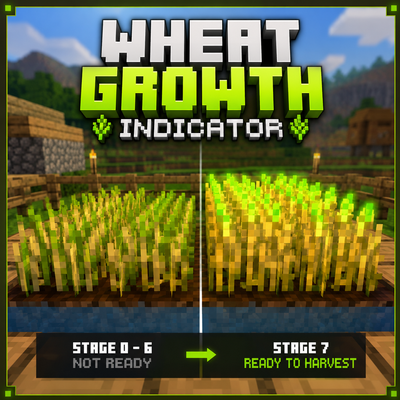
Wheat Growth Indicator
Bedrock texture pack listed for Minecraft 1.20–26.x. File opened and checked on 7 Oct 2026; installs from the MC Bedrock Mods app on Android.
⬇ Download on CurseForge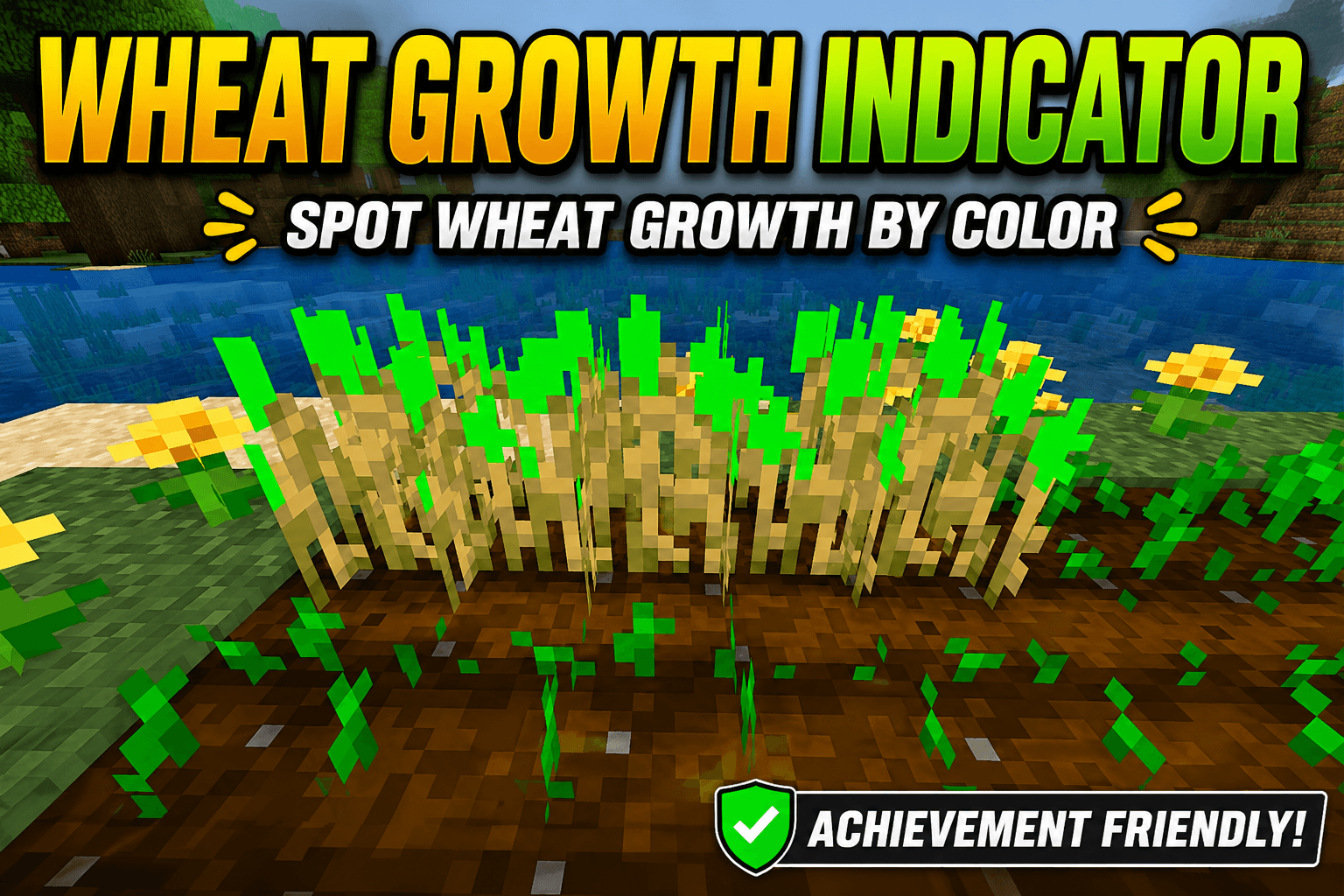
🌾 Wheat Growth Indicator
Make fully grown wheat easier to spot!
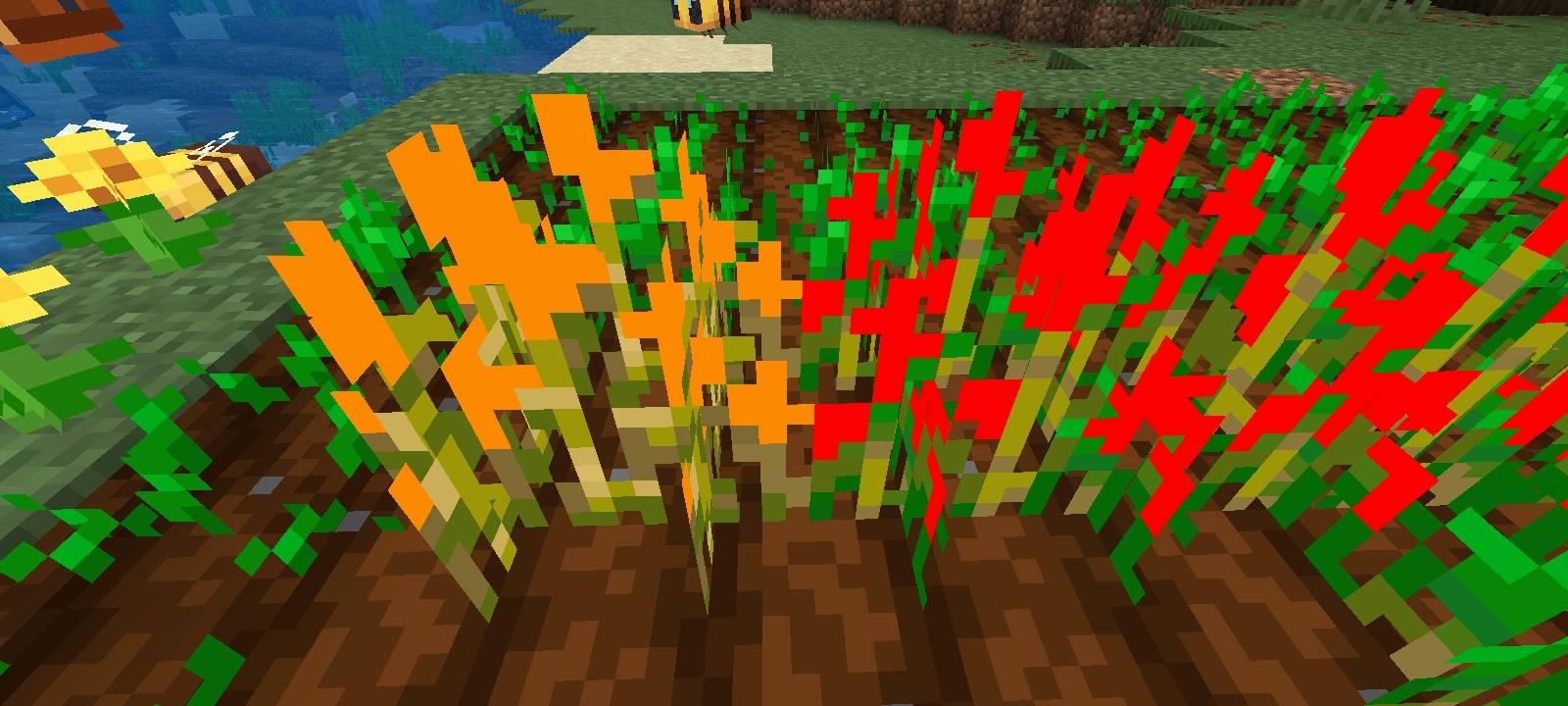
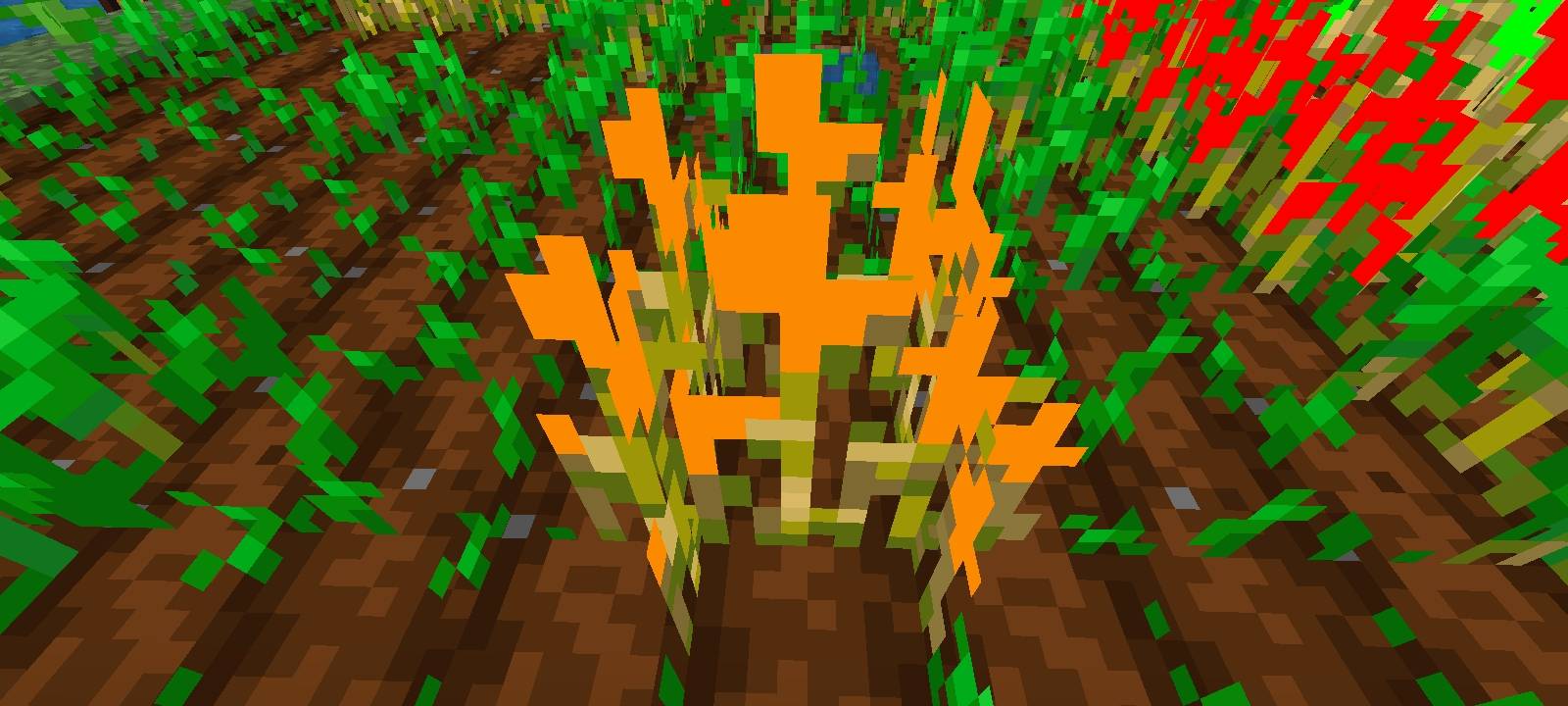
Wheat Growth Indicator is a lightweight Minecraft: Bedrock Edition resource pack that adds a bright visual indicator to stage 5, stage 6, and fully grown wheat (Stage 7).
Instead of adding a separate indicator above the crop, the indicator is integrated directly into the wheat texture. This keeps your farms looking clean while making mature wheat much easier to identify at a glance.
✨ Features
🟢 Stage 7 Indicator
Fully grown wheat receives a bright green accent so you can quickly identify crops ready for harvesting.
🌾 Simple & Clean
The indicator is integrated into the wheat texture instead of floating beside or above the crop.
👀 Easier Farming
Quickly scan your farm and find mature wheat without checking every crop individually.
📦 Resource Pack Only
No behavior pack, scripts, or gameplay modifications are required.
⚡ Lightweight
Only the wheat texture is modified, keeping the pack simple and lightweight.
🎯 How It Works
Minecraft wheat has several growth stages. Wheat Growth Indicator focuses specifically on Stage 7, the fully grown stage.
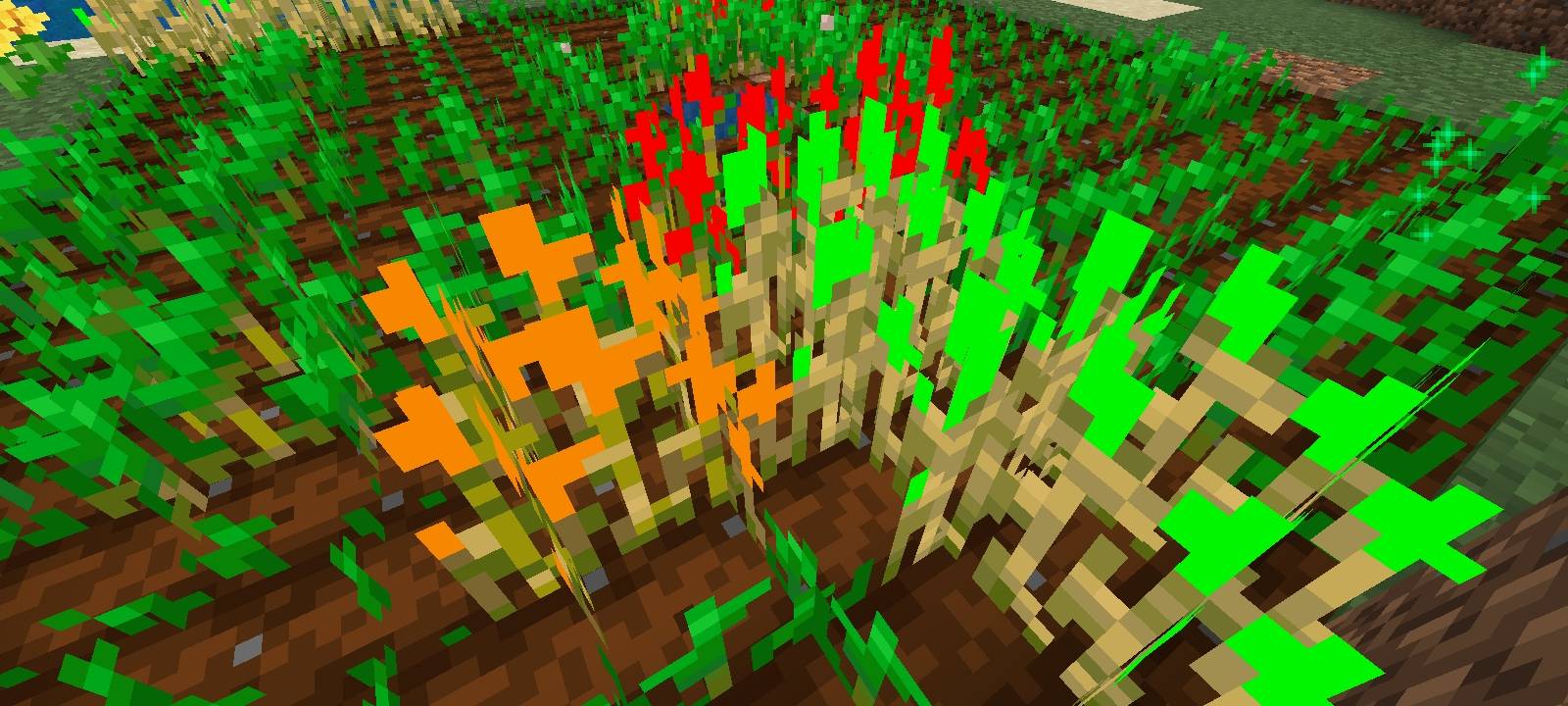
Stage 0–4: Normal wheat 🌱
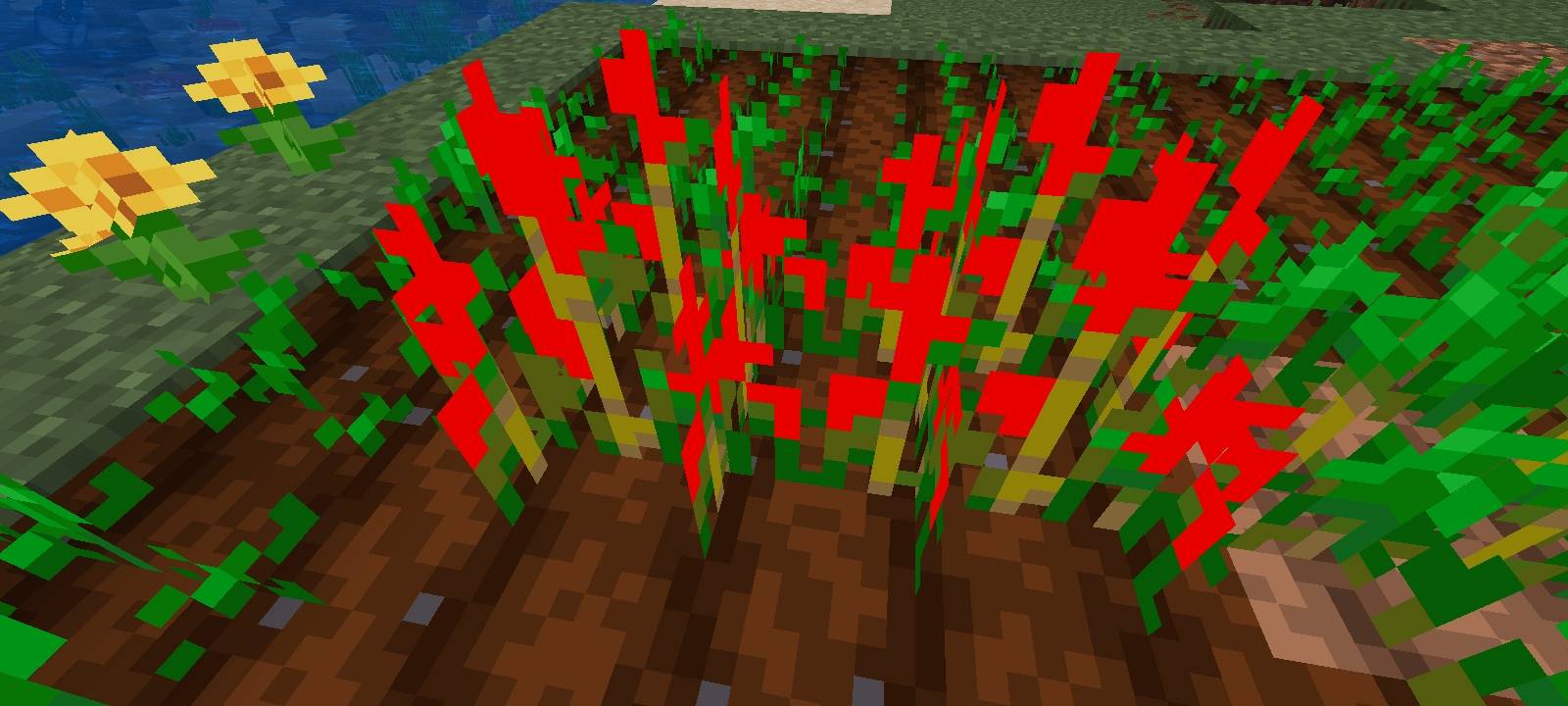
Stage 5: Bright Red 🔴
Stage 6: Orange 🟠
Stage 7: Bright green indicator 🟢🌾 → Ready to harvest!
The goal is simple:
See the green → harvest the wheat.
📥 Installation
Minecraft Bedrock Edition
Download the .mcpack file from the Files section.
Open the downloaded .mcpack file.
Minecraft should automatically launch and import the resource pack.
After the import finishes, go to Settings → Global Resources.
Find Wheat Growth Indicator under My Packs.
Select Activate.
You can also activate it for an individual world through World Settings → Resource Packs → My Packs. Minecraft's documentation confirms that .mcpack files can be opened to import resource packs, after which they can be activated from the Resource Pack section.
📱 Android
On Android, simply open the downloaded .mcpack file and choose Minecraft when prompted. The pack should be imported automatically.
If automatic importing doesn't work, the pack can also be manually placed in the Bedrock "resource_packs" directory and then activated from Minecraft's resource-pack menu.
📜 Copyright & Usage
Wheat Growth Indicator © 2026 SenzZ. All Rights Reserved.
This resource pack is an original work by SenzZ.
You may:
✅ Use this resource pack in your own Minecraft worlds.
✅ Use it in Minecraft gameplay videos or screenshots.
✅ Include the pack in gameplay content, provided proper credit is given.
You may not:
❌ Re-upload or redistribute this resource pack as your own.
❌ Claim the textures or artwork as your own.
❌ Modify and redistribute the pack without permission.
❌ Include the pack in another project for redistribution without permission.
❌ Sell or commercially redistribute the pack without permission.
Please give credit to SenzZ when showcasing or sharing this resource pack.
⚠️ Disclaimer
Minecraft is a trademark of Mojang Studios. This project is an independent community-made resource pack and is not affiliated with or endorsed by Mojang Studios or Microsoft.
- Edition: Minecraft Bedrock
- File type: .mcpack
- Minecraft versions listed: 26.0.02, 26.0, 26.3
- How to install: Download the .mcpack. → Open it — Minecraft imports it under Resource Packs. → Activate it in Global Resources, or for one world under Resource Packs → Available.
- Where to get it: Opens on CurseForge — not every file is mirrored on our own servers.
Install steps are the general flow for this file type — How to install Minecraft Bedrock texture packs walks through it step by step.
- Save it as WheGrInd.mcaddon before opening — it downloads as .mcpack, but it is a .mcaddon pack
- Manifest requires Minecraft 1.20.0 or newer
- Complete pack — everything it depends on is inside the file
- Download size: 110 KB
- Download link checked 8 Oct 2026 — working
These come from our own check of the pack file, not from the source page.