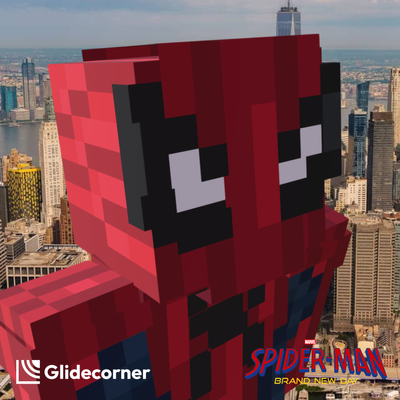
Spider-Man Brand New Day - Minecraft Skin Pack
Bedrock skin pack listed for Minecraft 26.x. File opened and checked on 3 Nov 2026; installs from the MC Skins app on Android.
Glidecorner presents a Spider-Man: Brand New Day themed Minecraft Add-on, inspired by the fresh comic era following Peter Parker as he navigates a new…
⬇ Download on CurseForge


Spider-Man (BND) Skin Pack — Crafted by GlideCorner
Bring your favorite superhero style into Minecraft! Spider-Man (BND) Skin Pack is an exclusive collection crafted by Glidecorner, featuring detailed, precise, and clean aesthetics. Ready for your adventures—from exploring biomes to standing out on multiplayer servers.
Features
- Clean Pixel Art: Well-structured textures that look clear at any distance.
- Broad Compatibility: Works seamlessly across different game versions, custom launchers, and shaders.
- Distinct Design: Standout visual style that avoids looking generic.
How to Install
-
Download the
.mcpackfile. -
Double-click or open the file. Minecraft Bedrock will launch automatically and import the skin pack.
-
Open Minecraft, go to Dressing Room (or Profile), select Edit Character, go to the Classic Skins tab (owned skins), and choose your Spider-Man skin.
- Edition: Minecraft Bedrock
- File type: .mcpack
- Minecraft versions listed: 26.12, 26.20, 26.13
- How to install: Download the .mcpack skin pack. → Open it — Minecraft imports it. → Open the Dressing Room and select the skin.
- Where to get it: Opens on CurseForge — not every file is mirrored on our own servers.
Install steps are the general flow for this file type — How to apply a custom Minecraft skin walks through it step by step.
- Save it as Spiderman Brand New Day by Glidecorner.mcaddon before opening — it downloads as .mcpack, but it is a .mcaddon pack
- Complete pack — everything it depends on is inside the file
- Download size: 16 KB
- Download link checked 4 Nov 2026 — working
These come from our own check of the pack file, not from the source page.