NoProblem - best fps texture pack
Bedrock texture pack listed for Minecraft 1.21–26.x. File opened and checked on 11 Sep 2026; installs from the MC Bedrock Mods app on Android.
⬇ Download on CurseForge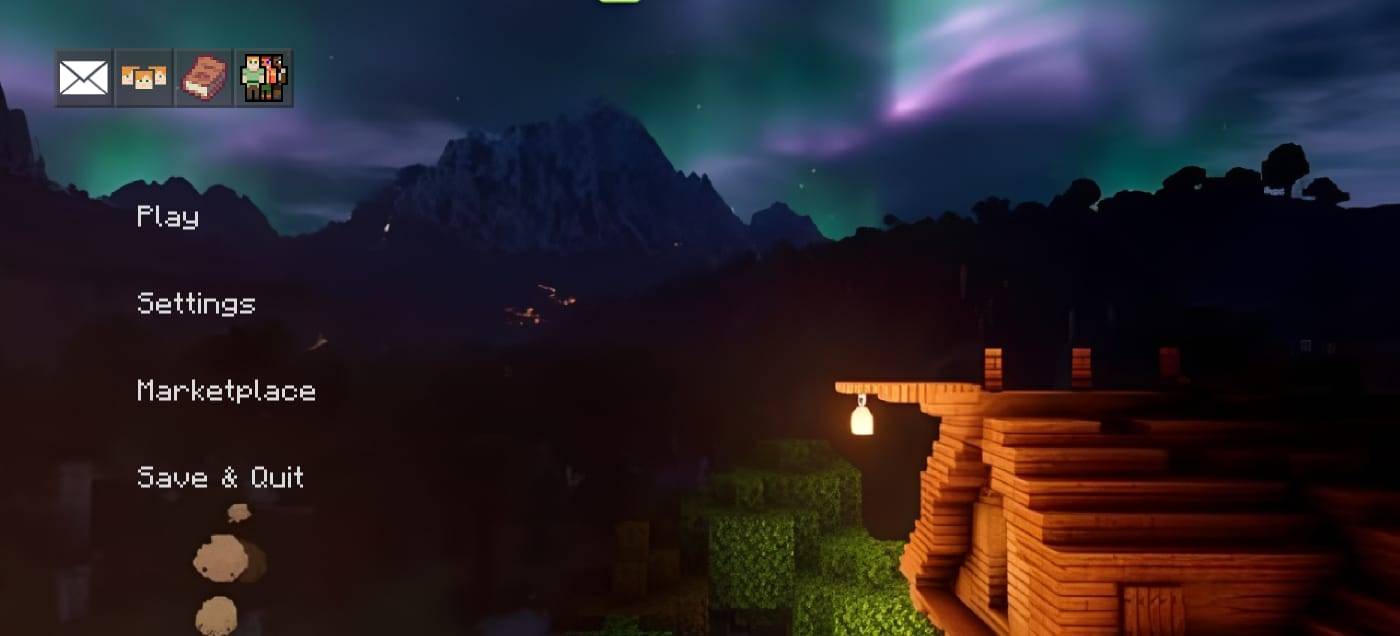
NoProblem Client is a high-performance, PvP-focused resource pack built for Minecraft Bedrock Edition. Its main goal is to boost FPS, deliver smoother gameplay, and give PvP visuals a clean, sharp look — without breaking the core feel of the game.
What's included:
- 170+ custom block textures — every block (stone, wood, ores, blackstone, bubble columns, cauldron, campfire, etc.) has been optimized and visually improved for better clarity and higher FPS during gameplay.
- 244+ custom item textures — tools, weapons (netherite/stone/wood series), potions, arrows, redstone items, and other misc items, all redesigned to be clean and easily recognizable for PvP.
- Custom environment textures — clouds, sun, moon phases, rain splash, weather, and the end sky have been retouched for a cleaner sky/background look.
- Custom particle textures — hit effects, block break effects, and other particles have also been optimized for PvP.
- Custom UI — a complete custom start screen, background frames, and an animated frame system for a unique branded menu look, plus 10 custom UI background images.
- Custom fog settings — default fog has been tweaked for better visibility and performance.
- 2 selectable subpacks:
- Animations — full mob/entity animations included (normal experience).
- No Animations — Better FPS — animations for 100+ entities (zombies, skeletons, endermen, ender dragon, horses, wolves, etc.) are disabled/simplified to squeeze out maximum FPS during competitive PvP.
- A custom pack icon and branded loading/start screen are also included.
The pack is on version 2.1.0 and is compatible with Minecraft 1.21.0+. It's built specifically for PvP players, competitive gamers, and content creators who want smooth, lag-free, and visually clean gameplay.
Usage Note:
You're welcome to feature this pack in your YouTube/online videos, but credit must be given. The download link will never be shared through any URL shortener (Linkvertise, AdFly, etc.) — only the direct link from the official site will be provided.
- Edition: Minecraft Bedrock
- File type: .mcpack
- Minecraft versions listed: 26.0.02, 26.0, 26.3
- How to install: Download the .mcpack. → Open it — Minecraft imports it under Resource Packs. → Activate it in Global Resources, or for one world under Resource Packs → Available.
- Where to get it: Opens on CurseForge — not every file is mirrored on our own servers.
Install steps are the general flow for this file type — How to install Minecraft Bedrock texture packs walks through it step by step.
- Pack type: .mcpack — a single pack
- Manifest requires Minecraft 1.21.0 or newer
- Complete pack — everything it depends on is inside the file
- Download size: 22.7 MB
- Download link checked 22 Oct 2026 — working
These come from our own check of the pack file, not from the source page.