Origin UI Bedrock
Bedrock texture pack listed for Minecraft 1.21–26.x. File opened and checked on 15 Sep 2026; installs from the MC Bedrock Mods app on Android.
inecraft Bedrock UI overhaul with custom loading screen, Dark Mode, Bordered Ores, Inventory Organizer, improved HUD, cleaner menus, and quality-of-life…
⬇ Download on CurseForge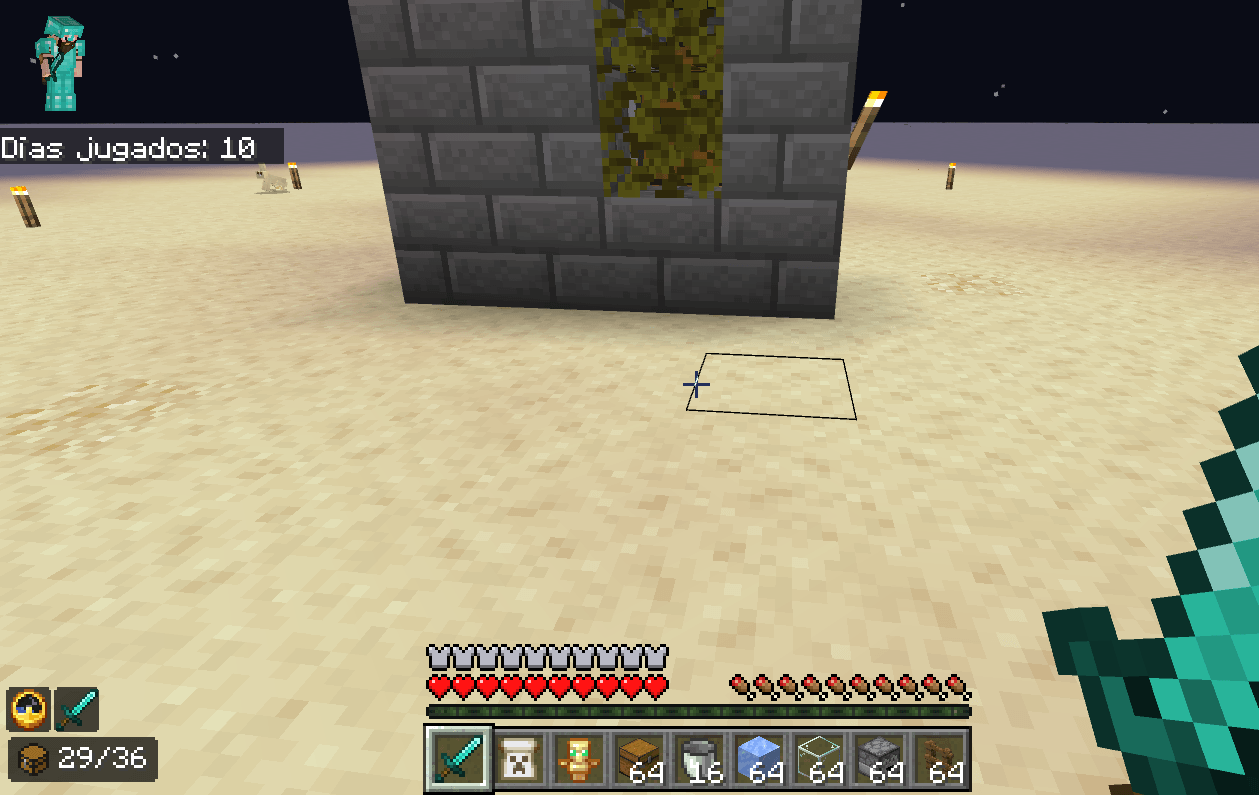
Origin UI
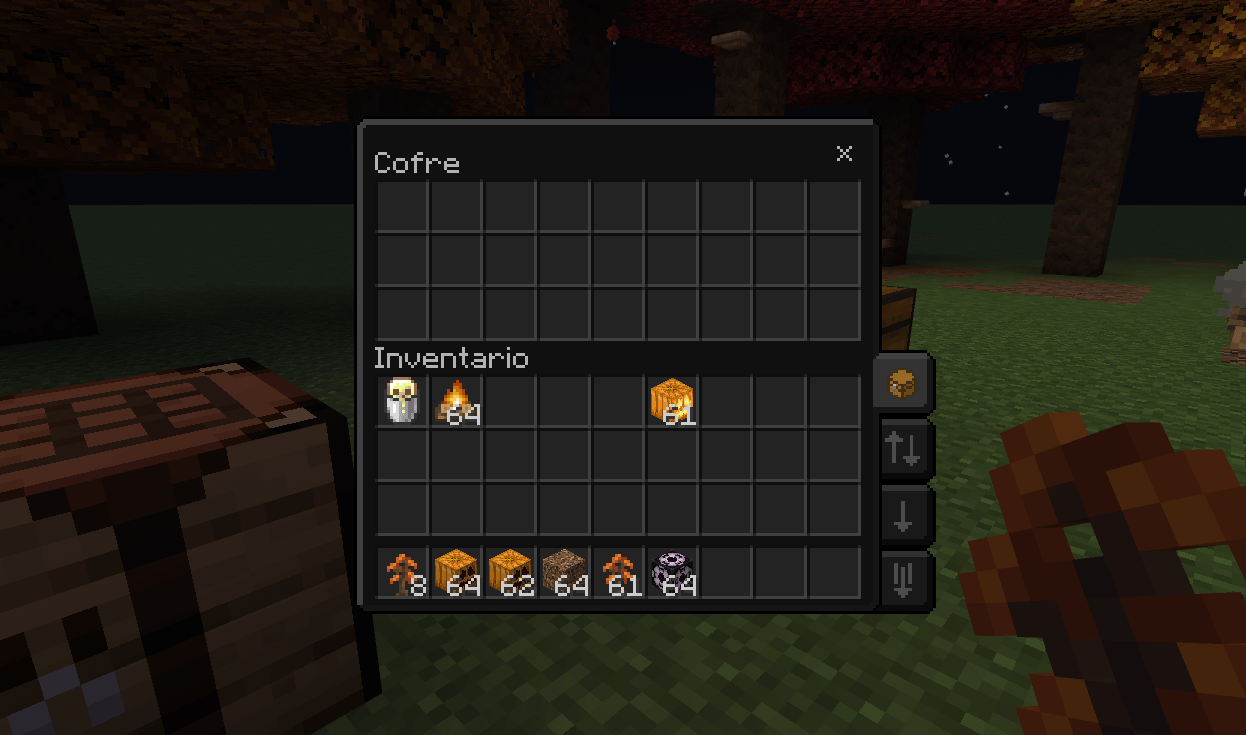
Origin UI es un pack de recursos de interfaz para Minecraft Bedrock Edition, diseñado para mejorar la experiencia visual del juego con un estilo más limpio, mejor usabilidad, temas personalizables, una gestión de inventario más eficiente, elementos de HUD optimizados y numerosas mejoras de calidad de vida.
Características
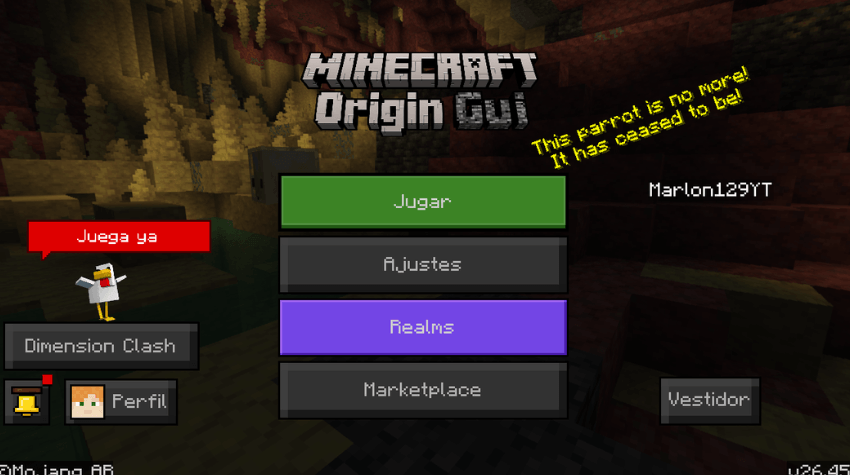
Pantalla de carga personalizada
Una pantalla de carga rediseñada con un estilo minimalista, que incluye un indicador de progreso de carga de chunks, porcentaje visible, barra de progreso inferior y un spinner de carga.
Compatible con el Overworld, el Nether, el End, Realms y las pantallas de guardado de mundo.
Modo oscuro y modo claro
Disponibles mediante subpacks.
- Modo claro: la interfaz estándar, mejorada con las optimizaciones de Origin UI.
- Modo oscuro: una interfaz completamente oscura que cubre botones, cuadros de diálogo, pestañas, inventario, contenedores, pantallas de pausa, elementos del HUD y mucho más.
Origin UI Be v1.0.3 — Changelog
Added
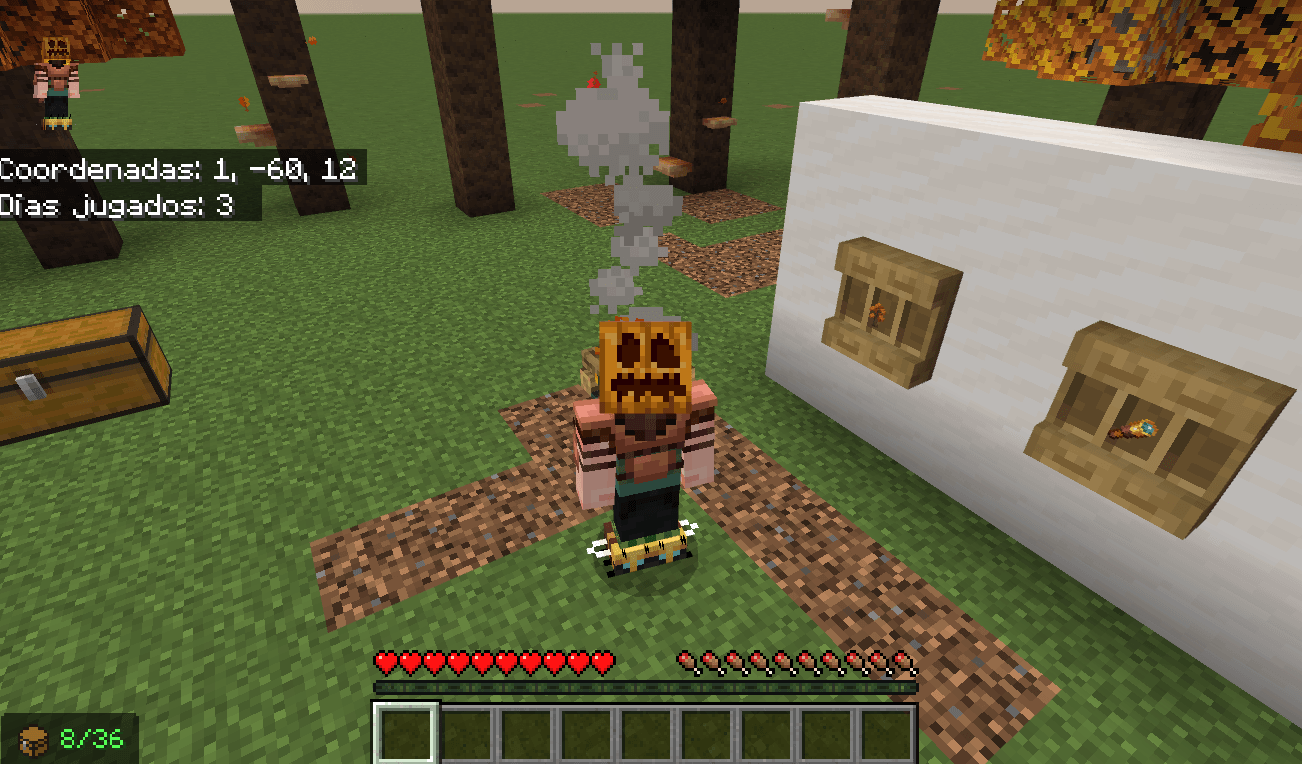
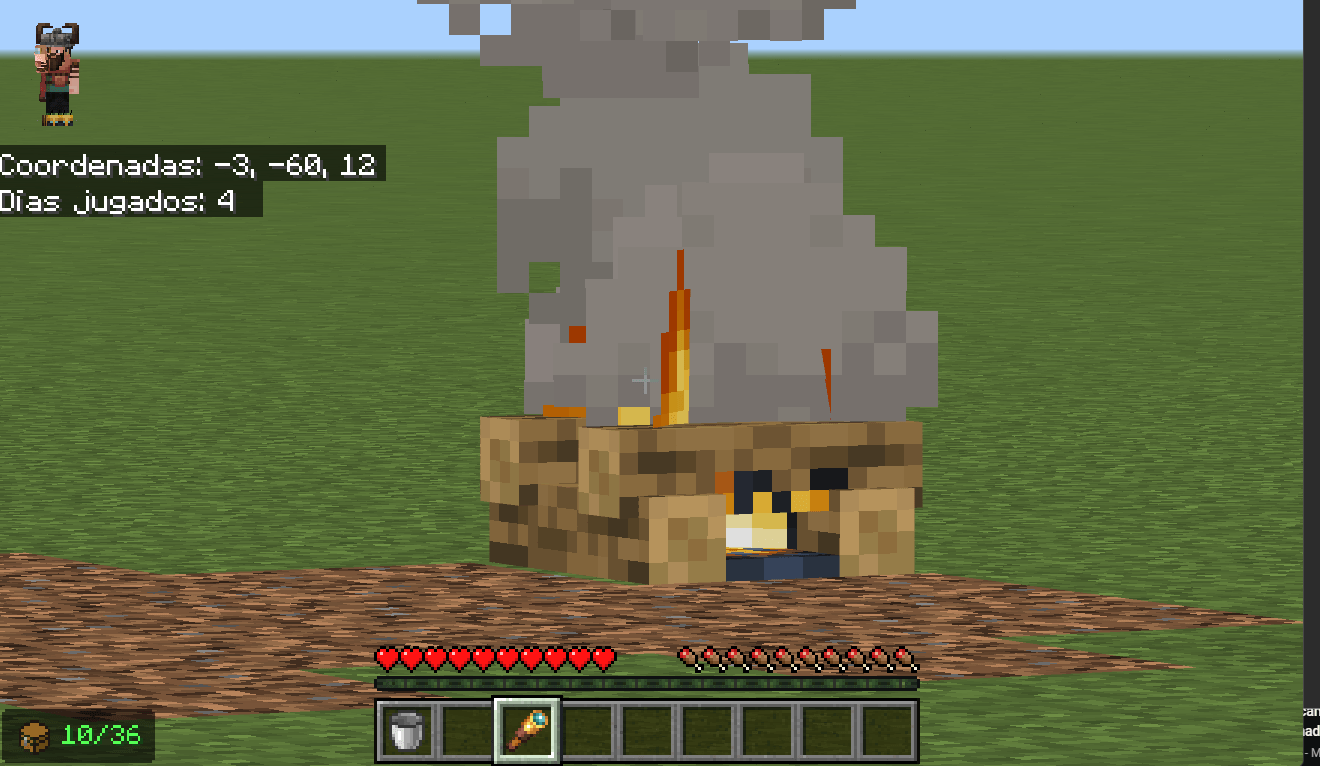
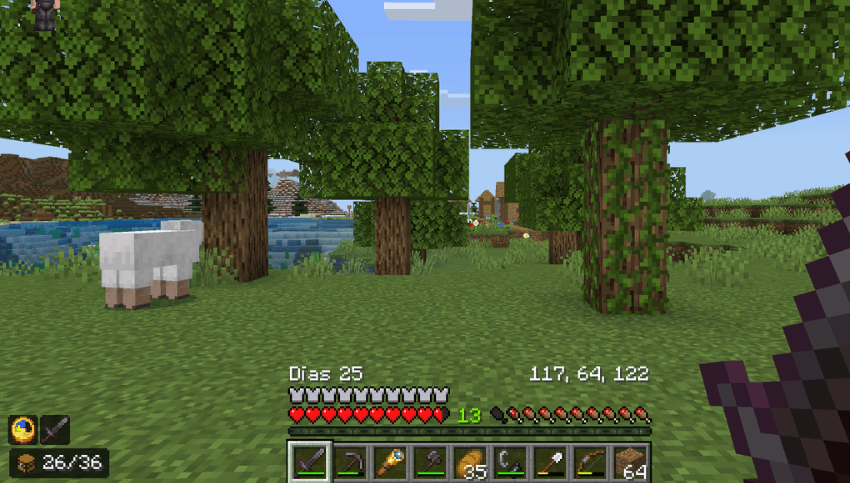
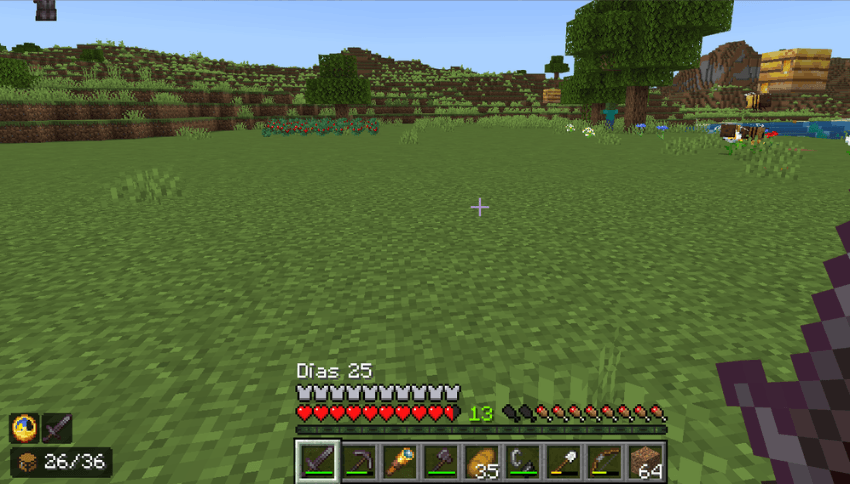
- Days Played HUD: ubicado en el lado izquierdo, en la parte inferior del HUD.
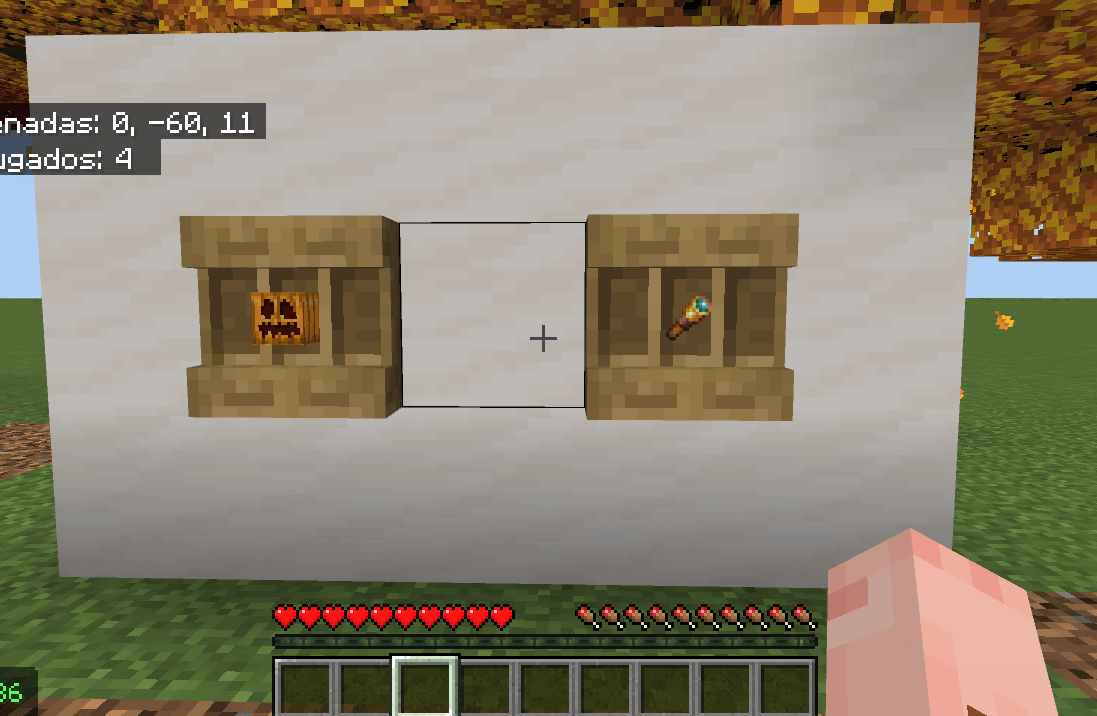
- Coordinates HUD: ubicado en el lado derecho, en la parte inferior del HUD.
Changed
- Eliminado el prefijo
Coord:.- Las coordenadas ahora muestran únicamente los valores X, Y, Z.
Fixed
- Corregida la posición de las coordenadas para evitar que se salgan de la zona de la hotbar.
Cómo activarlo
- Ve a Ajustes del mundo y activa Mostrar coordenadas.
- Ve a Ajustes > ¿Cómo se juega? y activa las opciones relacionadas con días jugados / posición, si están disponibles.
- Activa la textura Origin UI
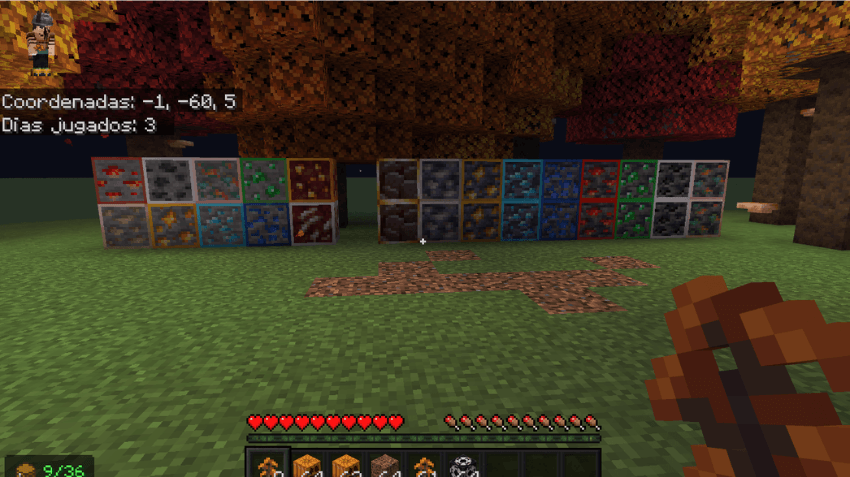
Menas con bordes
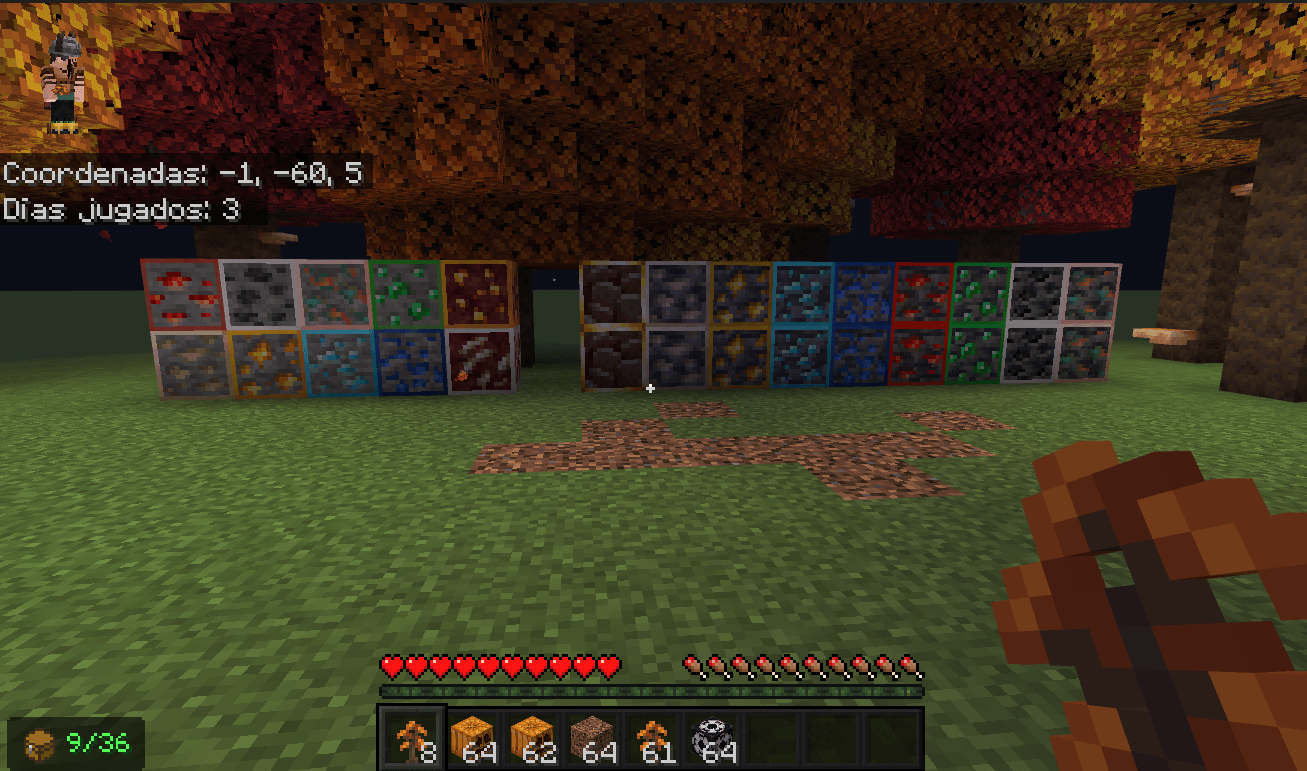
Las texturas de las menas ahora cuentan con bordes visibles, facilitando su reconocimiento mientras exploras y minas.
Incluye carbón, hierro, cobre, oro, diamante, esmeralda, lapislázuli, redstone, cuarzo del Nether, oro del Nether, escombros antiguos y todas las variantes de menas de deepslate.
Organizador de inventario
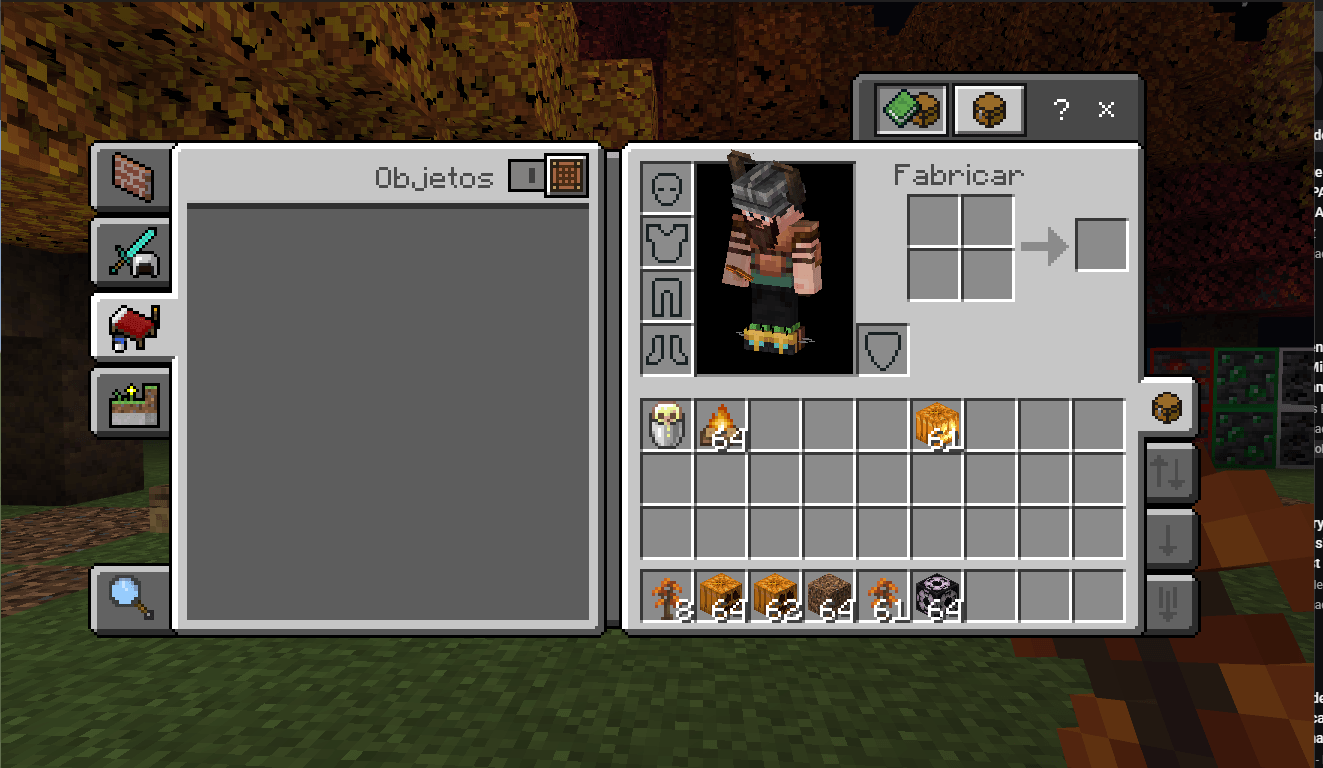
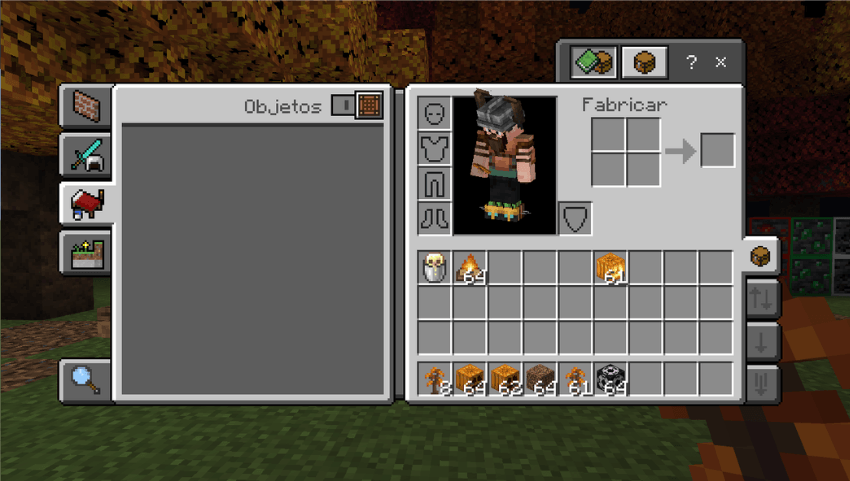
Origin UI incorpora un sistema integrado de gestión rápida de objetos, con modos Predeterminado, Mover / Saqueo rápido, Soltar uno y Soltar todo.
También incluye un contador de objetos en el inventario, contador de espacios en el HUD, botones de saqueo rápido, botones de descarte rápido, soporte para contenedores y otras mejoras de inventario.
Los modos rápidos pueden desactivarse mediante $disable_quick_modes.
Vista previa de objetos Hub
El objeto seleccionado se muestra directamente en el HUD, permitiéndote ver de un vistazo cuál tienes equipado sin necesidad de abrir el inventario.
Reloj en el HUD
Se ha añadido un reloj visible directamente en el HUD para consultar la hora del juego en todo momento.
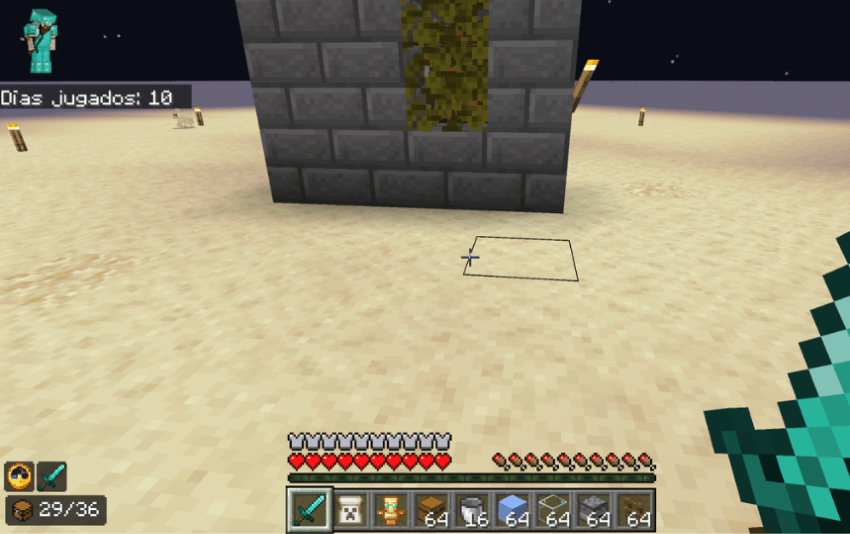
Mejoras de HUD e interfaz
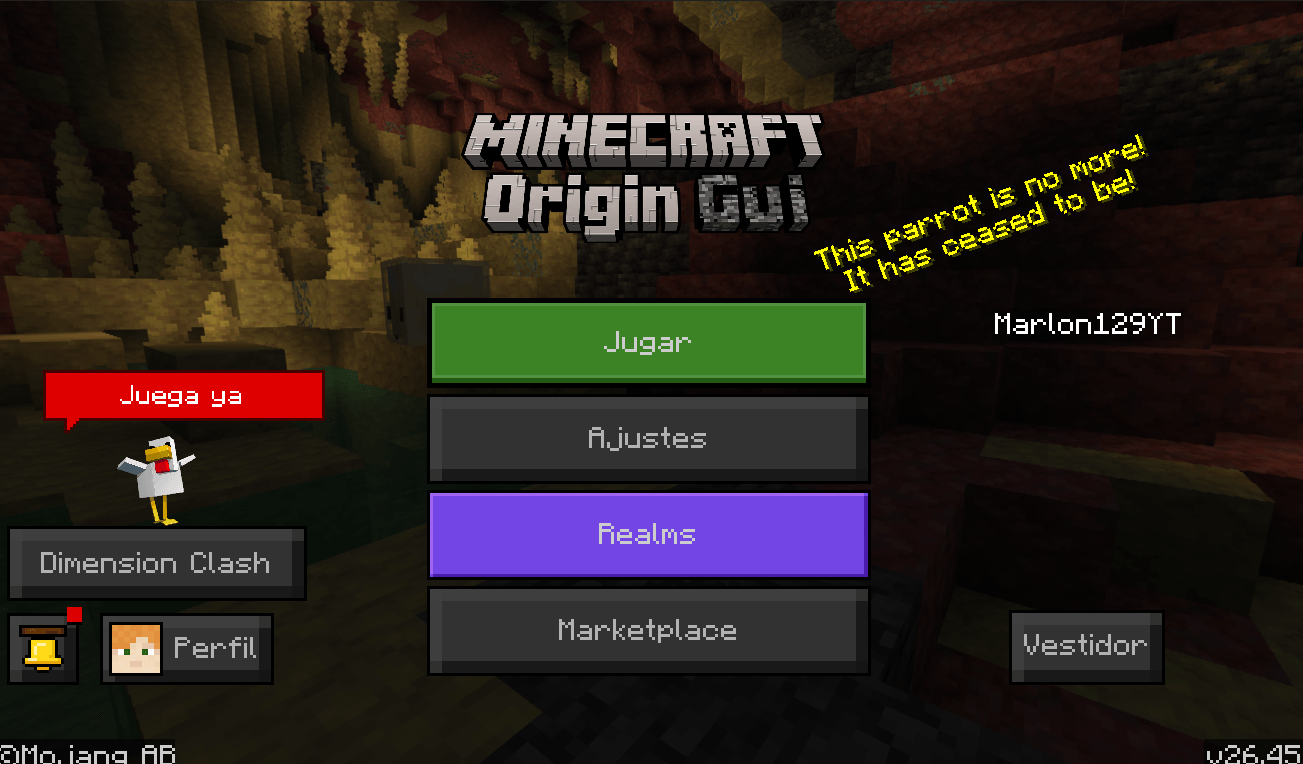
Barras de durabilidad más limpias, resaltado de espacios optimizado, tooltips mejorados, pantalla de pausa rediseñada, mejoras generales en la interfaz de juego y un logotipo de título personalizado.
- Se eliminó la superposición visual de la calabaza al llevarla puesta.
- Se eliminó la superposición visual del catalejo al utilizarlo.
Información
- Versión: 1.0.2
- Minecraft Bedrock: 1.21.100+ / 1.26.45+
- Plataformas: Windows, Android, iOS, Xbox, PlayStation
Créditos
Creado por Marlon129YT.
No se permite la redistribución ni republicación de este pack de recursos sin autorización.
English
Origin UI is a user interface resource pack for Minecraft Bedrock Edition, designed to enhance the visual experience with a cleaner style, improved usability, customizable themes, more efficient inventory management, optimized HUD elements, and numerous quality-of-life improvements.
Features
Custom loading screen
A redesigned, minimalist loading screen featuring a chunk-loading progress indicator, percentage display, bottom progress bar, and loading spinner.
Compatible with the Overworld, the Nether, the End, Realms, and world-saving screens.
Dark mode & light mode
Available through subpacks.
- Light Mode: the standard interface, enhanced with Origin UI's optimizations.
- Dark Mode: a fully dark interface covering buttons, dialogs, tabs, inventory, containers, pause screens, HUD elements, and much more.
Bordered ores
Ore textures now feature visible outlines, making them easier to spot while mining.
Includes Coal, Iron, Copper, Gold, Diamond, Emerald, Lapis Lazuli, Redstone, Nether Quartz, Nether Gold, Ancient Debris, and all Deepslate ore variants.
Inventory organizer
Origin UI includes a built-in quick item management system with Default, Move / Quick Loot, Drop One, and Drop All modes.
It also adds an inventory item counter, HUD slot counter, quick loot buttons, quick drop buttons, container support, and other inventory improvements.
Quick modes can be disabled using $disable_quick_modes.
Item preview
The currently selected item is displayed directly on the HUD, letting you see at a glance what you have equipped without opening your inventory.
HUD clock
A visible clock has been added directly to the HUD, so you can check the in-game time at any moment.
HUD & UI improvements
Cleaner durability bars, improved slot highlighting, optimized tooltips, a redesigned pause screen, general gameplay interface improvements, and a custom title logo.
- The pumpkin overlay has been removed when wearing a pumpkin.
- The spyglass overlay has been removed when using a spyglass.
Origin UI Be v1.0.3 — Changelog
Added
-
Days Played HUD: Located on the left side, at the bottom of the HUD.
-
Coordinates HUD: Located on the right side, at the bottom of the HUD.
Changed
-
Removed the
Coord:prefix. -
Coordinates now display only the X, Y, Z values.
Fixed
-
Fixed the coordinates position to prevent them from extending outside the hotbar area.
How to Enable
-
Go to World Settings and enable Show Coordinates.
-
Go to Settings > How to Play and enable the options related to days played / position, if available.
-
Activate the Origin UI texture.
Information
- Version: 1.0.2
- Minecraft Bedrock: 1.21.100+ / 1.26.45+
- Platforms: Windows, Android, iOS, Xbox, PlayStation
Credits
Created by Marlon129YT.
Redistribution or republication of this resource pack without authorization is not permitted.
- Edition: Minecraft Bedrock
- File type: .mcpack
- Minecraft versions listed: 26.20, 26.30, 26.40
- How to install: Download the .mcpack. → Open it — Minecraft imports it under Resource Packs. → Activate it in Global Resources, or for one world under Resource Packs → Available.
- Where to get it: Opens on CurseForge — not every file is mirrored on our own servers.
Install steps are the general flow for this file type — How to install Minecraft Bedrock texture packs walks through it step by step.
- Save it as Origin UI Be.mcaddon before opening — it downloads as .mcpack, but it is a .mcaddon pack
- Manifest requires Minecraft 1.21.100 or newer
- Complete pack — everything it depends on is inside the file
- Download size: 1.6 MB
- Download link checked 5 Oct 2026 — working
These come from our own check of the pack file, not from the source page.