OP Tool Villager
OP Tool Villager is a powerful Minecraft Bedrock behavior pack that adds an advanced NPC villager who trades extremely overpowered tools and armor with…
⬇ Download on CurseForge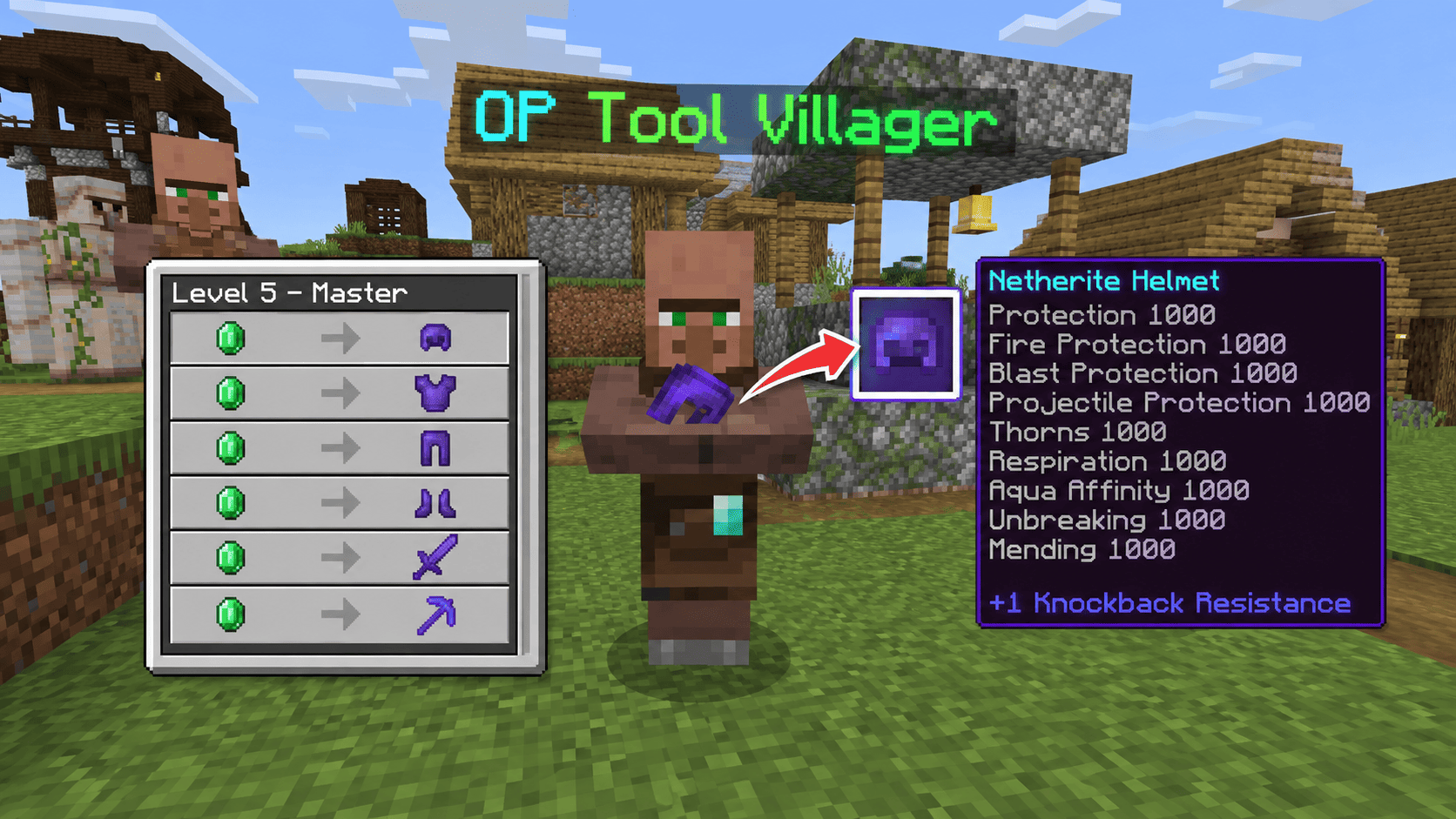
OP Tool Villager [1000] is an enhanced behavior pack for Minecraft Bedrock Edition and Pocket Edition that introduces a specialized NPC—the OP Tool Villager. This unique villager provides players with the most powerful tools and armor available in the game, enchanted to extraordinary levels.
What You Get:
This addon spawns a Tool Smith villager with exclusive trades featuring netherite equipment enchanted at level 1000. Unlike normal villagers, this NPC offers:
- Netherite Helmet with Protection I-VI, Aqua Affinity, Respiration, Mending, and Unbreaking 1000
- Netherite Chestplate with maximum protection enchantments at level 1000
- Netherite Leggings fully optimized for combat and survival
- Netherite Boots with special mobility enchantments (Depth Strider, Frost Walker)
- Netherite Sword with Sharpness 1000, Smite 1000, Fire Aspect, and Mending
- Netherite Pickaxe with Efficiency 1000, Unbreaking 1000, and Mending
- Diamond Axe and other enchanted starter tools
Safety Features:
Certain enchantments like Frost Walker (level 6), Soul Speed (level 6), Knockback (level 6), and Fortune (level 12) are intentionally capped to prevent game crashes on lower-end devices. These enchantments have exponential effects that can cause lag or crashes at extreme levels.
Compatibility:
Works perfectly on Minecraft Bedrock 1.26.40+ and Pocket Edition. Requires Beta APIs to be enabled in experimental settings. Completely safe and does not modify vanilla game mechanics—just adds a new NPC with specialized trades.
Perfect For:
- Creative building and testing
- Speedrun preparation
- Survival world starting boost
- PvP practice worlds
- Testing custom mods and features
Simply import the addon, enable Beta APIs, activate cheats, and summon the villager using the simple command provided.
🔧 INSTALLATION & SETUP
Step 1: Enable Required Settings
- Open Minecraft Bedrock Edition or Pocket Edition
- Create or open a world in Creative or Survival mode
- Go to World Settings → Cheats → ON ✓
- Go to Experiments → Enable Beta APIs → ON ✓
- Save and reload the world
Step 2: Import the Addon
- Download the file:
OP_Tool_Villager_1000.mcaddon - On PC/Windows: Double-click the file or right-click → Open with Minecraft Launcher
- On Mobile (Android/iOS): Download the file, find it in your file manager, tap it → Open with Minecraft
- On Console (Switch/Xbox): Cannot directly install; use a PC to import first
- Minecraft will automatically detect and import the behavior pack
Step 3: Apply the Pack to Your World
- Open your world
- Go to Settings → Behavior Packs
- Find OP Tool Villager [1000] in the available packs
- Click it and move to Active (right side)
- Confirm and let the world reload
👤 HOW TO SUMMON THE VILLAGER
Using Command (Easiest):
Open the chat (press T on PC, or chat button on mobile) and type:
.villagerPress Enter. The villager will spawn at your current location.
Alternative: Using Structure Spawn
The addon includes the villager as a .mcstructure file. You can load it manually:
/structure load "4f505f546f6f6c5f536d697468" ~~~This spawns the structure 3 blocks forward in the direction you're facing.
Summon as Entity (Advanced):
/summon villager_v2 ~~~ minecraft:toolsmith {"tag":{"CustomName":"OP Tool Villager"}}(Note: This creates a regular toolsmith. The addon's custom version is more powerful.)
💰 HOW TO USE & TRADE
Accessing Trades:
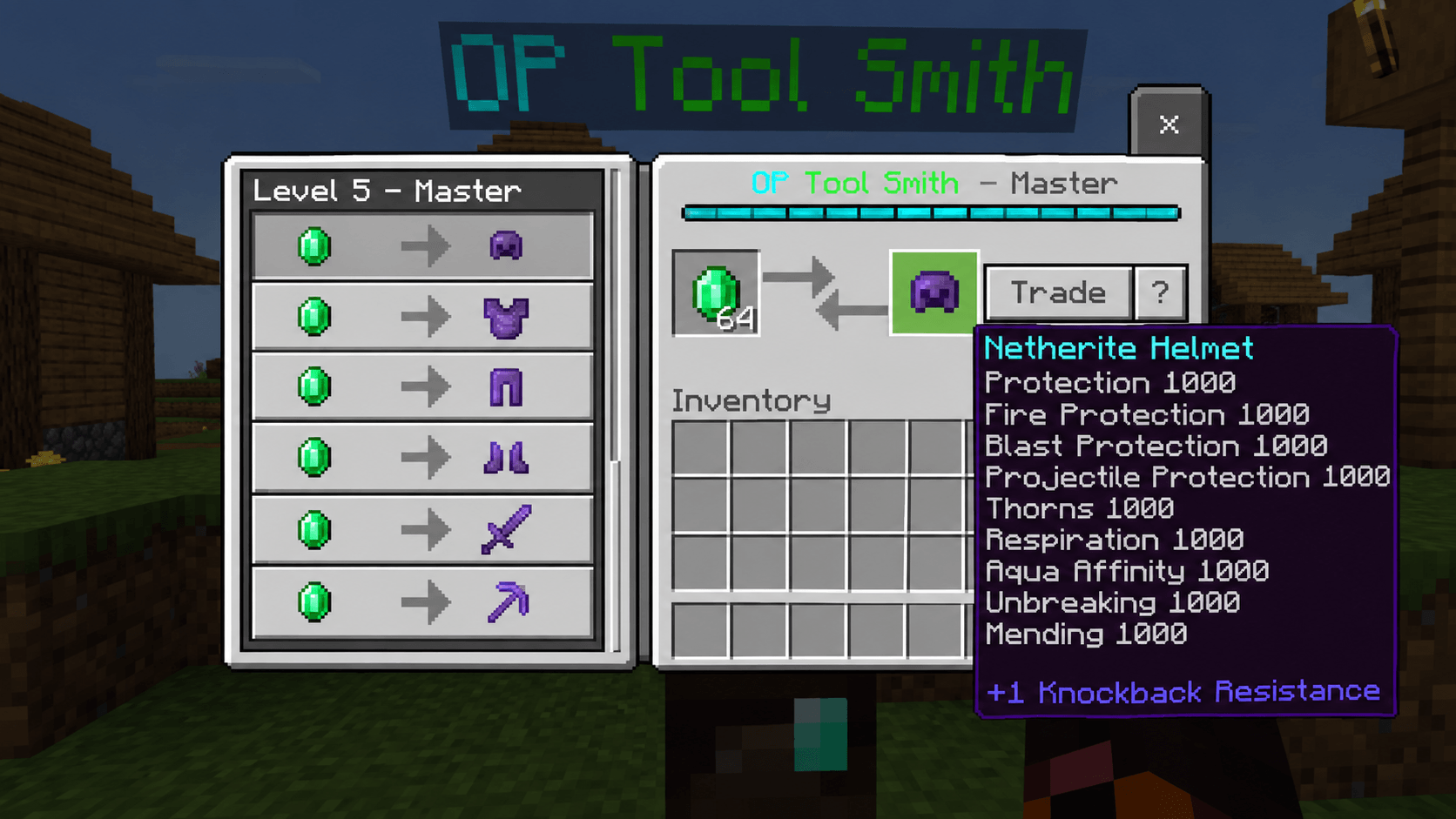
- Right-click (or tap) the OP Tool Villager
- A trade menu will appear showing all available items
Available Trades:
| Item | Enchantments | Cost |
|---|---|---|
| Netherite Helmet | Protection, Aqua Affinity, Respiration, Mending, Unbreaking (all level 1000) | 1 Emerald |
| Netherite Chestplate | Protection, Fire Protection, Thorns, Mending, Unbreaking (level 1000) | 1 Emerald |
| Netherite Leggings | All armor enchantments level 1000 | 1 Emerald |
| Netherite Boots | Protection, Depth Strider, Frost Walker, Unbreaking 1000 | 1 Emerald |
| Netherite Sword | Sharpness 1000, Smite 1000, Fire Aspect 1000, Knockback 6, Mending | 1 Emerald |
| Netherite Pickaxe | Efficiency 1000, Fortune 12, Unbreaking 1000, Mending | 1 Emerald |
| Diamond Axe | Sharpness level 3 | 29 Emeralds |
Getting Emeralds:
You can trade with the villager in reverse for regular items:
- Coal (15) → 1 Emerald
- Flint (24) → 1 Emerald
- Iron Ingot (4) → 1 Emerald
- Diamond (1) → 1 Emerald
Pro Tips:
✓ Emeralds are the only currency—collect them from mining, trading, or loot chests ✓ The villager restocks trades every few minutes ✓ You can unlock better trades by increasing the villager's "profession level" ✓ Use the full netherite set for ultimate protection in PvP worlds ✓ The sword with Sharpness 1000 one-shots most mobs ✓ The pickaxe mines instant stone/ore
🎨 CUSTOMIZATION
Change Villager Name:
Use a name tag and rename the villager to whatever you want:
/give @s name_tag 1 0 {"display":{"Name":"My Custom Villager"}}Then right-click the villager with the name tag.
Move the Villager:
The villager can be moved like any other entity:
/teleport @e[name="OP Tool Villager"] x y zReplace x y z with your coordinates.
Copy to Another World:
- Use the command
/structure save "mythis" ~~~ ~~~after positioning the villager - Copy the structure file to another world
- Load it there with
/structure load "mythis" ~~~
⚠️ IMPORTANT NOTES
Limitations & Warnings:
⚠ Enchantment Level 1000 is far beyond vanilla limits. While safe for the game, some tools may behave unexpectedly:
- Frost Walker won't freeze the entire ocean (capped at level 6 for balance)
- Fortune 12 is the cap to prevent item spam
- Knockback 6 ensures you don't fall off cliffs instantly
⚠ Performance: On low-end devices (older phones, weak tablets), loading the villager may cause temporary lag. This is normal.
⚠ Multiplayer Servers: Only works on Realm worlds or locally hosted servers where you enable Beta APIs. Official servers don't support this addon.
⚠ Backup Your World: Always backup your world before adding new behavior packs.
👨💻 CREDITS & ATTRIBUTION
Created By: Mod_Master
🐛 TROUBLESHOOTING
| Problem | Solution |
|---|---|
| Villager won't spawn | Make sure Beta APIs are enabled in Experiments → Reopen world |
| Command not working | Check that Cheats are ON in World Settings |
| Addon not showing up | Manually import the .mcaddon file through file manager |
| Game crashes when summoning | Lower-end device—close background apps and try again |
| Villager disappeared | Villagers can despawn if too far away; use a name tag to make it permanent |
| Trades locked | You may need to trade with the villager first to unlock higher-tier trades |
📱 PLATFORM COMPATIBILITY
✅ Minecraft Bedrock Edition (PC/Windows) ✅ Minecraft Pocket Edition (Android/iOS) ✅ Xbox One/Series X|S (with online realm import) ✅ Nintendo Switch (limited—requires PC import first) ✅ PlayStation 5 (limited—requires PC import first)
🚀 FAQ
Q: Can I use this on a multiplayer server? A: Only on Realm worlds or LAN worlds where you control the settings and enable Beta APIs.
Q: Will this work on older Minecraft versions? A: No. Requires Minecraft 1.26.40 or newer due to script API dependencies.
Q: Can I modify the enchantments myself? A: Yes, if you understand NBT editing. The enchantments are stored in the .mcstructure file.
Q: Is this safe to use? A: Completely safe. It's a behavior pack that doesn't modify game files—just adds an NPC.
Q: Can I use this in survival mode? A: Yes! But cheats must be ON. The villager won't despawn if you name-tag it.
📞 SUPPORT
For issues or questions:
- Check this guide first
- Ensure Cheats and Beta APIs are enabled
- Try reloading your world
- Backup and reinstall the addon if problems persist
Enjoy your ultimate OP Tool Villager! 🎮✨
Last Updated: 2026-09-16 Version: 1.0 (Level 1000)
- Edition: Minecraft Bedrock
- File type: .mcworld
- Minecraft versions listed: 1.21.80, 26.0
- How to install: Download the .mcworld file. → Open it — Minecraft imports it as a new world. → Find it in your Worlds list and play.
- Where to get it: Opens on CurseForge — not every file is mirrored on our own servers.
Install steps are the general flow for this file type — How to install Minecraft Bedrock maps walks through it step by step.
- Pack type: .mcaddon — behaviour and resource pack in one file
- Manifest requires Minecraft 1.26.40 or newer
- Needs Beta APIs switched on in the world settings
- Complete pack — everything it depends on is inside the file
- Download size: 641 KB
- Download link checked 17 Sept 2026 — working
These come from our own check of the pack file, not from the source page.