oSkullo's Armor Durability Hud
A first-person HUD that shows your equipped armor as hotbar-style icons with live durability bars and percentages, fully repositionable through pack…
⬇ Download on CurseForge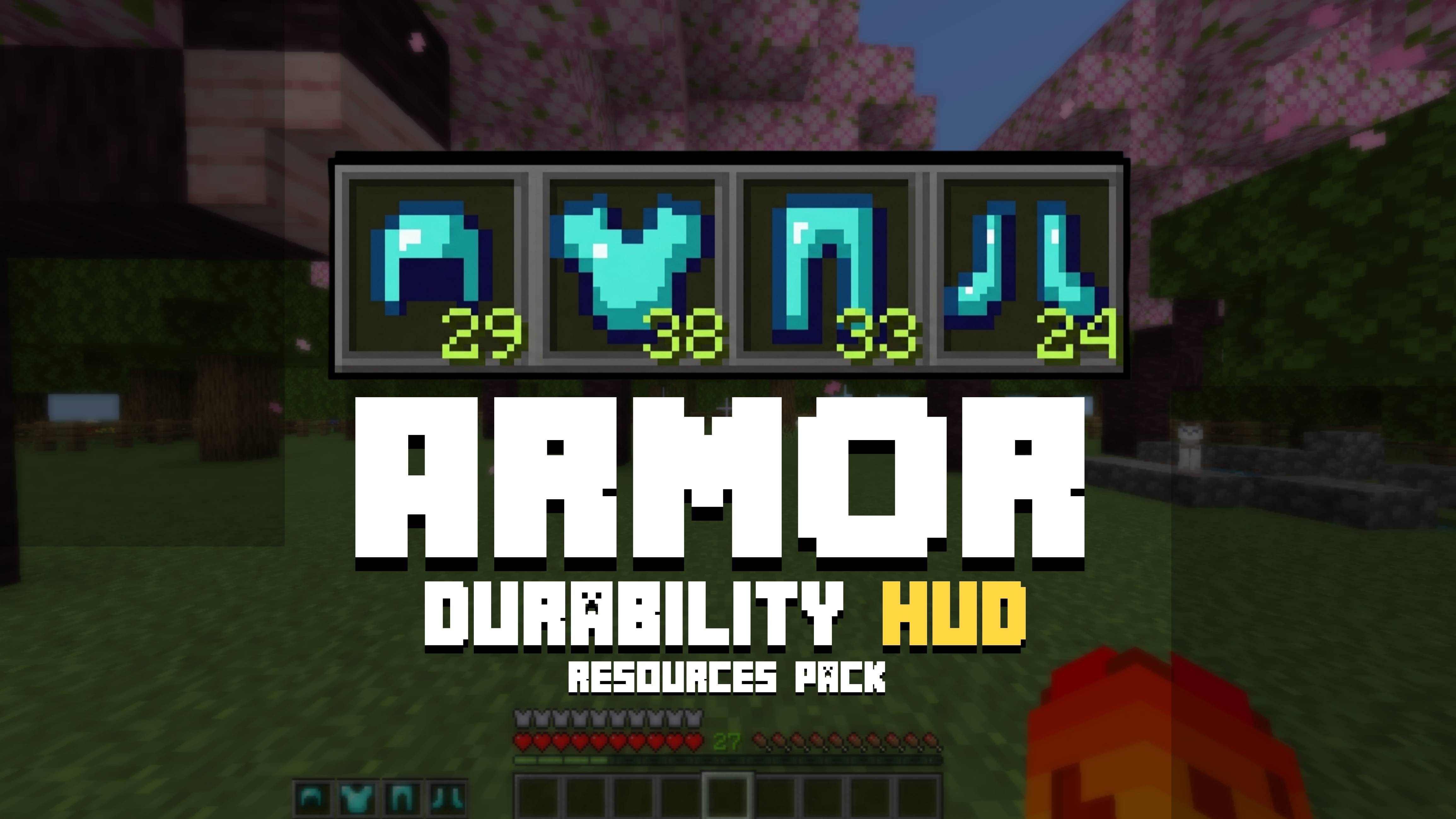
oSkullo's Armor HUD
Ever wanted to check your armor durability without opening your inventory mid-fight? oSkullo's Armor HUD puts your equipped armor right on your screen in first-person — helmet, chestplate, leggings, and boots — each shown as a clean hotbar-style icon with a live durability bar and percentage number underneath.
No commands, no behavior pack, no inventory-checking. Just glance at your screen and know exactly how close your gear is to breaking — perfect for PvP, survival, or any server where gear management matters.
✨ Features
Live armor display — automatically shows whichever pieces you have equipped, updates in real time
Durability bar — color-shifts red → yellow → green based on remaining durability
Durability numbers — exact percentage shown under each piece
Two layouts — vertical stack or horizontal row, your choice
Fully repositionable — move the whole group, the background cells, the bars, or the numbers independently
Resizable — separate size controls for icons, bar thickness, and numbers
Lightweight — resource-pack only, no behavior pack required, minimal texture footprint
⚙️ Customization
Every option is controlled through the pack's own settings menu (Settings → Global Resource Packs → oSkullo's Armor HUD → gear icon) — no file editing needed:
Toggle the hotbar background, durability bar, and numbers on/off individually
Switch between vertical/horizontal arrangement
Fine-tune X/Y position for the group, background, bar, and numbers
Adjust icon size, bar thickness, and number size
📦 Installation
Download the .mcpack file
Open it with Minecraft (or import via Settings → Global Resource Packs)
Apply it to your world
Open pack settings to customize to your liking
👤 Credits
Made by oSkullo
Discord: discord.gg/oSkullo
YouTube: oSkullo
- Edition: Minecraft Bedrock
- File type: .mcpack
- Minecraft versions listed: 1.20.40, 1.21.30, 0.16.2
- How to install: Download the .mcpack. → Open it — Minecraft imports it under Resource Packs. → Activate it in Global Resources, or for one world under Resource Packs → Available.
- Where to get it: Opens on CurseForge — not every file is mirrored on our own servers.
Install steps are the general flow for this file type — How to install Minecraft Bedrock texture packs walks through it step by step.
- Pack type: .mcpack — a single pack
- Manifest requires Minecraft 1.21.0 or newer
- Complete pack — everything it depends on is inside the file
- Download size: 795 KB
- Download link checked 18 Sept 2026 — working
These come from our own check of the pack file, not from the source page.