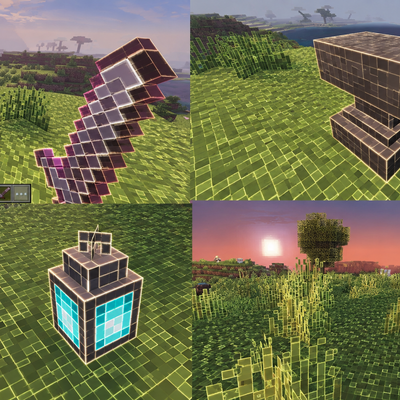
Glowing Outline
Every pixel of every block, item and mob gets its own thin, glowing white-yellow outline, while the block colours stay clear and true. Outlines fade with…
⬇ Download on CurseForge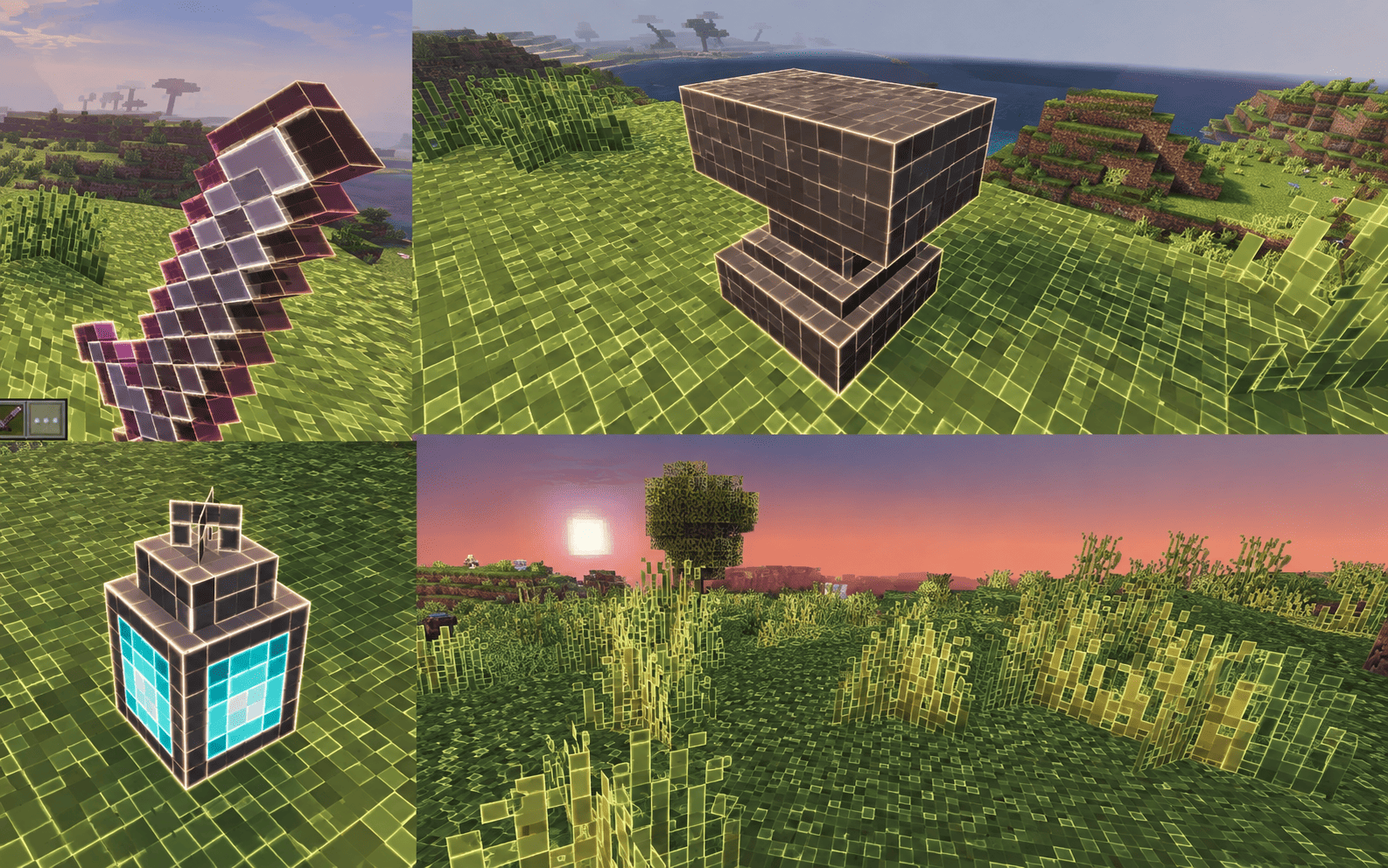
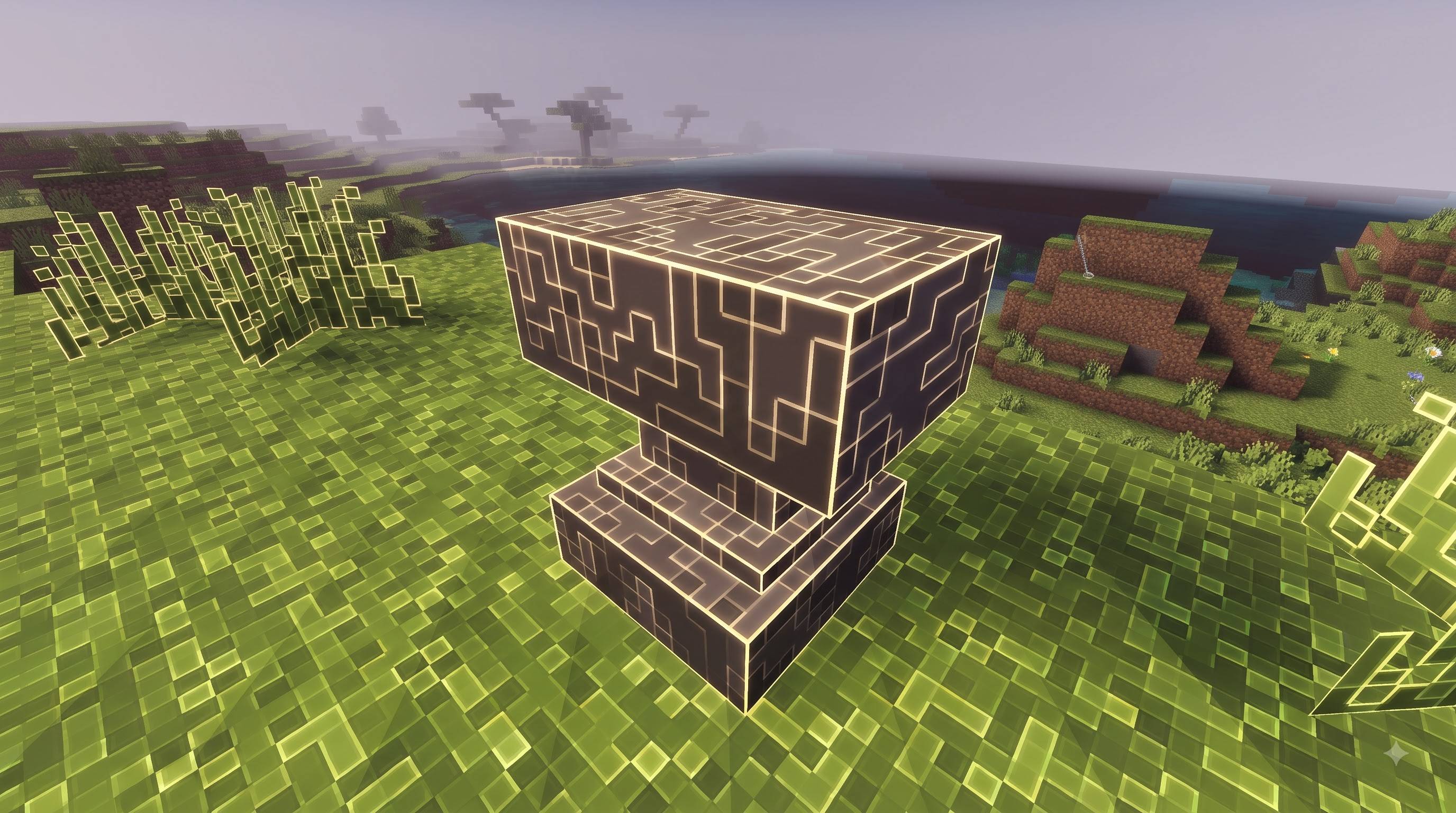
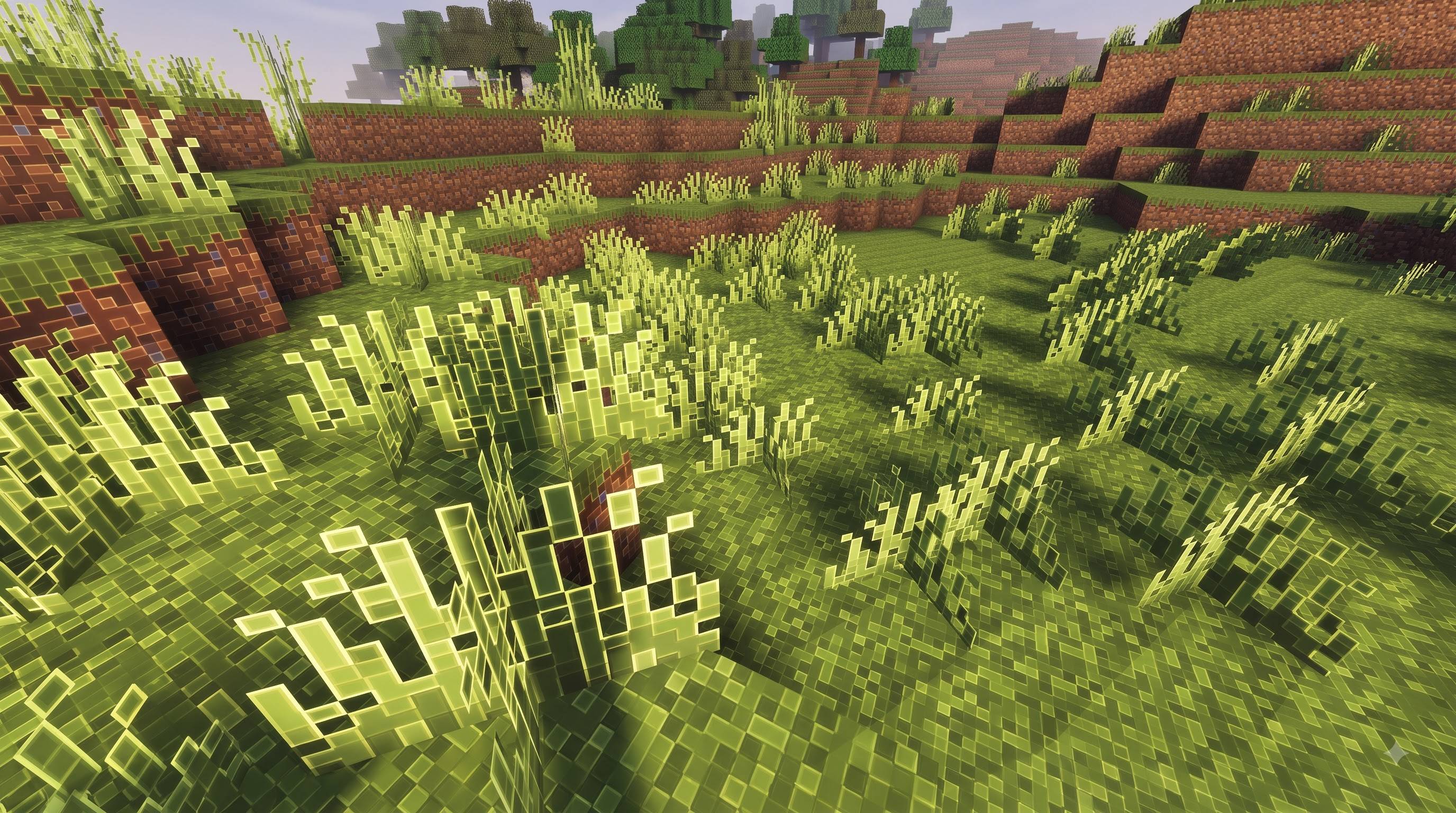
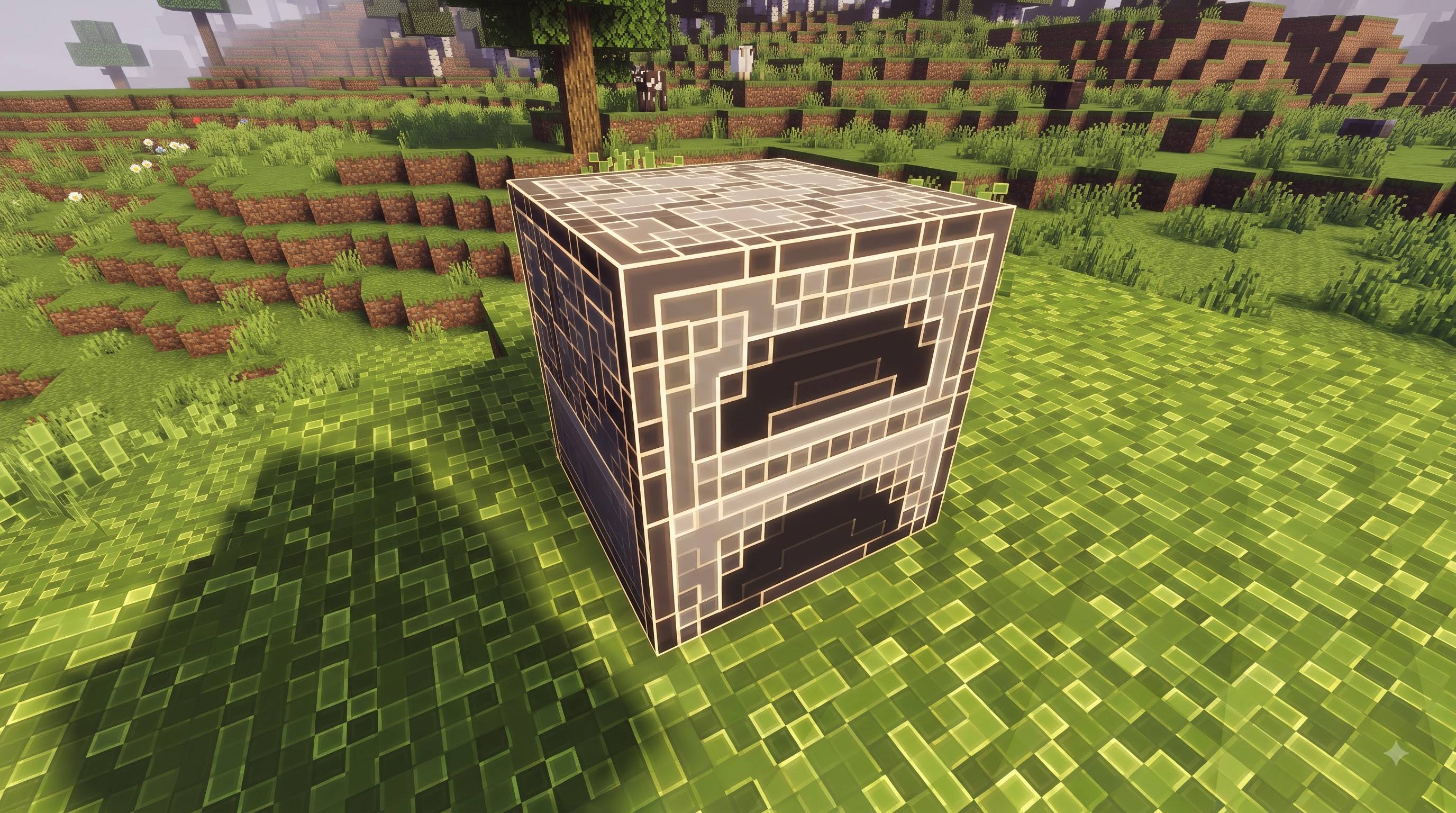
Glowing Outline Texture Pack gives Minecraft Bedrock Edition a completely new look. Every single pixel of every block, item and mob is framed by its own thin, glowing outline in warm white with just a hint of yellow. The result is a crisp, luminous pixel grid that feels handcrafted, futuristic and instantly recognisable.
WHAT MAKES IT DIFFERENT
Many outline packs only trace the edges of large shapes. Glowing Outline goes much further: each pixel becomes a tiny cell with its own hairline border. The line is brightest along the top and left edge of the cell and softer along the bottom and right, while a gentle glow bleeds inward. Surfaces look lit from within, giving depth and sparkle without ever hiding what the block really is.
COLOURS STAY TRUE
The number one design rule was simple: you must always know what you are looking at. The inside of every cell keeps its original colour, so stone is still stone, grass is still green and diamond ore still shows its cyan gems. The outline never floods or tints the texture. Dark blocks such as obsidian stay dark, with their pixels neatly traced in light.
OUTLINES THAT FADE WITH DISTANCE
Up close you get the full detailed look, with every pixel traced and softly glowing. As you move away, the outlines thin out and blend into the block colour, so far terrain, mountains and forests look clean and natural. This keeps the horizon free of visual noise and lets the glow shine exactly where you are looking.
EVERYTHING IS COVERED
More than 3,300 textures are included: over 1,400 blocks, around 980 items, plus mobs, armor and other entities. Cut-out blocks such as leaves, glass, flowers and saplings keep their original shapes, and only their solid pixels are outlined, so transparency still looks right. Light sources such as glowstone, lanterns and lava keep their brightness. Effect textures like the sky, clouds, particles, enchantment glint, armor trims and biome colour maps are deliberately left untouched, so nothing breaks or looks strange.
A CLOSER LOOK
Walk through a forest and every grass block becomes a tidy, glowing mosaic. Ores sparkle as their coloured pixels are picked out by fine lines of light. Planks, bricks and stone bricks show off every pixel of their pattern. In your inventory, tools, armor and food keep their familiar colours while gaining a clean glowing pixel border, so every item is easy to read at a glance. Mobs get the same treatment with a slightly finer grid and stay easy to recognise. Whether you are building a cosy village or a huge redstone base, the outlines help you see block edges, shapes and patterns more clearly.
BUILT FOR BEDROCK AND MOBILE
This is a pure resource pack. It needs no add-ons, no scripts, no experimental toggles and no shaders. Import the .mcpack file, activate it in Global Resources or in your world settings, and play. The pack uses 256x textures for razor-sharp lines, yet the download is only about 23 MB. If you notice lag on an older device, lowering your render distance will help.
WORKS WITH SHADERS
Because the glow is baked directly into the textures, the pack looks great on its own. It also pairs well with shader packs, which can add extra lighting on top of the outlines.
PERFECT FOR
Survival worlds, creative builds, adventure maps, screenshots, showcase videos and anyone who wants a world that stands out with a unique, eye-catching pixel-grid style you will notice from the very first second.
Thank you for downloading Glowing Outline Texture Pack. Enjoy exploring your world in a whole new light.
Pack Details Author / Creator: Baku_Studio Version: 1.0.0 Type: Resource pack (textures only, no add-ons or scripts) Resolution: 256x Platform: Minecraft Bedrock Edition (Pocket Edition), minimum engine version 1.18.0 File size: about 23 MB (.mcpack) Textures: 3,320 (blocks, items, mobs, armor, some paintings) Key Features Thin glowing white-yellow outline on every pixel Brighter top/left edges, softer bottom/right edges, soft inner glow True block and item colours stay clearly visible Outlines fade with distance, so far terrain stays clean Transparent blocks keep their shape (only solid pixels are outlined) Light sources keep their brightness Sky, clouds, particles, enchant glint and biome colours left untouched for stability Works alone or with shader packs How to Install Download the .mcpack file. Open it with Minecraft (tap the file and choose Minecraft). Wait for the "Import successful" message. Go to Settings → Storage/Global Resources and activate Glowing Outline Texture Pack. You can also open your world's settings, choose Resource Packs, and activate it there. Turn off other texture packs, or move this one to the top of the list. Enter your world and enjoy. Credits Created by: Baku_Studio Concept and art direction: Baku_Studio
Minecraft is a trademark of Mojang Studios / Microsoft. Disclaimer
This is NOT an official Minecraft product. It is not approved by or associated with Mojang or Microsoft.
- Edition: Minecraft Bedrock
- File type: .mcpack
- Minecraft versions listed: 1.21.100, 26.0
- How to install: Download the .mcpack. → Open it — Minecraft imports it under Resource Packs. → Activate it in Global Resources, or for one world under Resource Packs → Available.
- Where to get it: Opens on CurseForge — not every file is mirrored on our own servers.
Install steps are the general flow for this file type — How to install Minecraft Bedrock texture packs walks through it step by step.
- Pack type: .mcpack — a single pack
- Manifest requires Minecraft 1.18.0 or newer
- Complete pack — everything it depends on is inside the file
- Download size: 21.7 MB
- Download link checked 25 Sept 2026 — working
These come from our own check of the pack file, not from the source page.