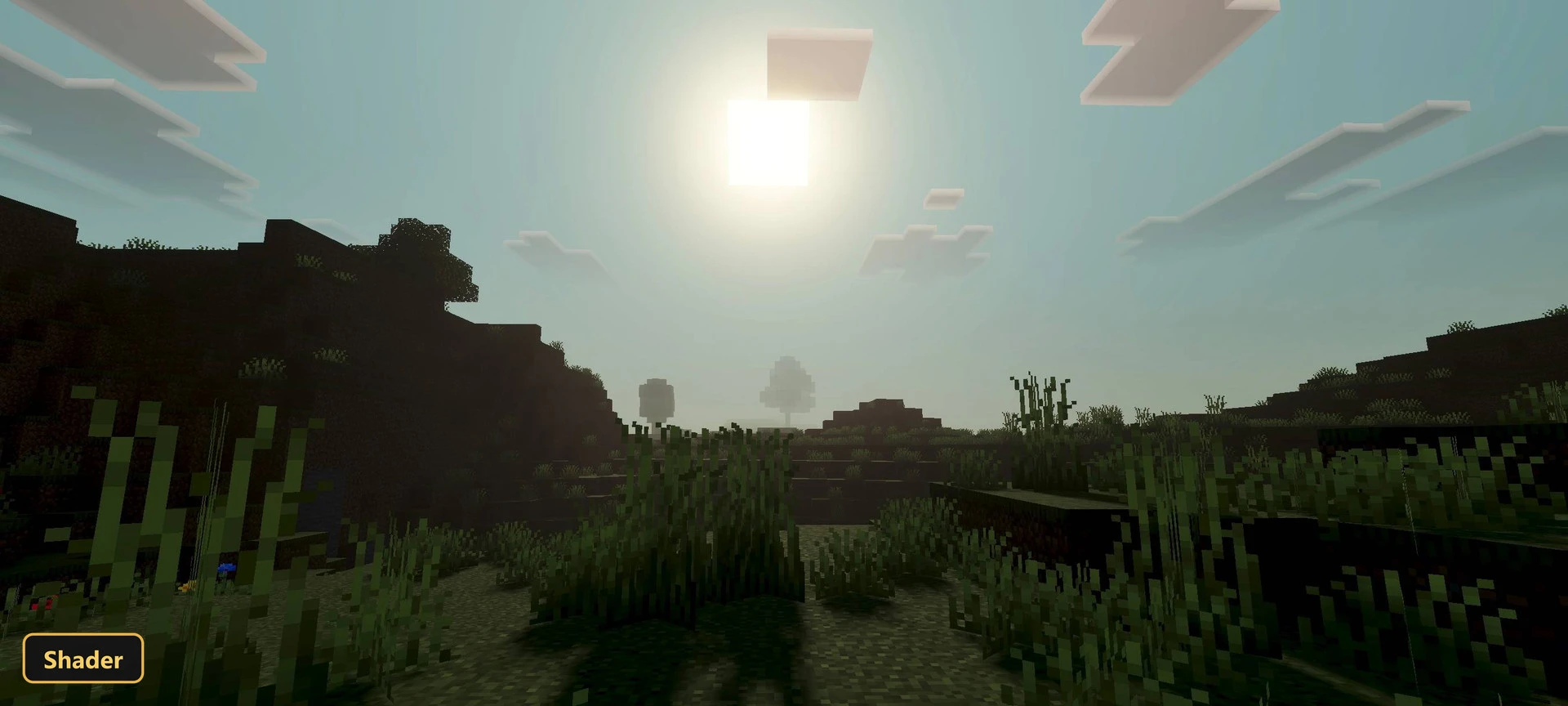


Brighter, more realistic worlds are the aim of BL SHADER, a shader designed for the Vibrant Visuals mode. Its effects only appear when Vibrant Visuals is switched on in the video settings.
It adds a custom atmosphere and fog, water with visible waves, and soft shadows. ACES tone mapping and a color-grading profile refine the overall palette and lighting, giving a cleaner picture. The shader also includes 2 fog profiles for biomes and dimensions and per-biome color and fog tuning for 84 biomes.
Requirements:
- MCPE/Bedrock 26.30 – 26.40
all 2 versions26.40, 26.30
- Built for Minecraft Bedrock's Vibrant Visuals mode — its effects only show with Vibrant Visuals enabled in the video settings
Features:
- Vibrant Visuals shader with custom atmosphere, fog, water, shadow, color-grading, lighting
- Soft shadows
- Water with waves
- 2 fog profiles covering biomes and dimensions
- ACES tone mapping with 1 color-grading profile
- Per-biome color and fog tuning for 84 biomes
Screenshots:
Quick facts
- Edition: Minecraft Bedrock
- File type: .mcpack
- How to install: Download the .mcpack. → Open it — Minecraft imports it under Resource Packs. → Activate it in Global Resources, or for one world under Resource Packs → Available.
- Where to get it: In MCModsHub, or directly above on this page.
Install steps are the general flow for this file type — How to install Minecraft Bedrock texture packs walks through it step by step.
Verified by MCModsHub
- Pack type: .mcaddon — behaviour and resource pack in one file
- Manifest requires Minecraft 1.20.30 or newer
- Complete pack — everything it depends on is inside the file
- Download link checked 27 Sept 2026 — working
- Mirrored on our own servers — the download does not depend on the original host
These come from our own check of the pack file, not from the source page.