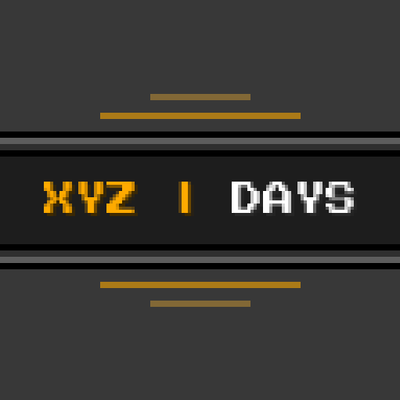
Coordinates & Days HUD Lite
Bedrock texture pack listed for Minecraft 1.21–26.x. Download on the author's site.
Minimalist Vanilla+ HUD for Minecraft Bedrock. Displays XYZ Coordinates and Days Played with 6 configurable positions via subpack slider. Pure Resource…
⬇ Download on CurseForge🧭 Coordinates & Days HUD Lite
Bedrock 1.20.80 – 1.26.x+ | Multi-Platform | Xbox Achievements Compatible
Coordinates & Days HUD Lite is a clean, native, and ultra-optimized Resource Pack for Minecraft Bedrock Edition that displays your XYZ Coordinates and Days Played Counter directly on your screen with an elegant Vanilla+ aesthetic.
It features an in-game slider with 6 customizable screen positions, allowing you to position the HUD exactly where you want without blocking your view, whether you play on mobile touch controls, console with a controller, or PC.

🌟 Key Features
- 🛡️ 100% Pure Resource Pack: No Behavior Packs, no commands, and no experimental toggles required.
- 🏆 Xbox Achievements Compatible: Achievements remain 100% unlocked in survival worlds, Realms, and servers.
- ⚙️ 6 Configurable Positions: Change screen placement on the fly using the subpack slider in pack settings.
- 🚫 No Overlapping Text Bug: Replaces broken community HUDs with clean, auto-sizing horizontal stack panels (
100%c). - 📱 Cross-Platform Friendly: Perfectly scaled for phones (touch D-pad/notches), tablets, Nintendo Switch, consoles (TV safe area), and PC.
- ⚡ Zero Lag: Extremely lightweight (under 10 KB) using only Bedrock's native JSON UI engine.
- 🌐 Multi-Language Support: English, Spanish (
es_ES/es_MX), Portuguese (pt_BR), and Russian (ru_RU).
📍 Available Positions (Subpack Slider)
Go to Settings > Global Resources (or World Resource Packs) > Coordinates & Days HUD Lite, click the gear/slider icon, and choose:
top_center(Default): Centered at the top of the screen (under status banners / mobile pause button).top_left: Upper left corner (under paperdoll/chat).top_right: Upper right corner.bottom_left: Lower left corner.bottom_right: Lower right corner.above_exp: Centered directly above the experience bar and hearts.
💡 Important Requirement: Make sure Show coordinates and Show days played are enabled in your Minecraft Game settings (
Settings > Game > Show coordinatesandShow days played).
📜 Terms of Use & Licensing
- ✅ Allowed: Using this pack in your singleplayer worlds, multiplayer servers, and Realms.
- ✅ Allowed: Including this pack in public modpacks with proper credit.
- ✅ Allowed: Featuring this pack in YouTube / Twitch videos and streams.
- ❌ Prohibited: Re-uploading this pack to other websites or monetized link shorteners.
Created with care by Ebone16 | Discord: Ebone_16
- Edition: Minecraft Bedrock
- File type: .mcpack
- Minecraft versions listed: 1.21, 26.50
- How to install: Download the .mcpack. → Open it — Minecraft imports it under Resource Packs. → Activate it in Global Resources, or for one world under Resource Packs → Available.
- Where to get it: Opens on CurseForge — not every file is mirrored on our own servers.
Install steps are the general flow for this file type — How to install Minecraft Bedrock texture packs walks through it step by step.
Coordinates & Days HUD Lite is a free Minecraft Bedrock texture pack. Compatible with Minecraft 1.21, 26.50. Downloaded 480 times (via CurseForge). Download it and open it directly in the game.