Radiant Realism
Radiant Realism reworks Minecraft's sky, sun, water and color grading with a cinematic, warm-highlight/cool-shadow look — built for Vibrant Visuals…
⬇ Download on CurseForge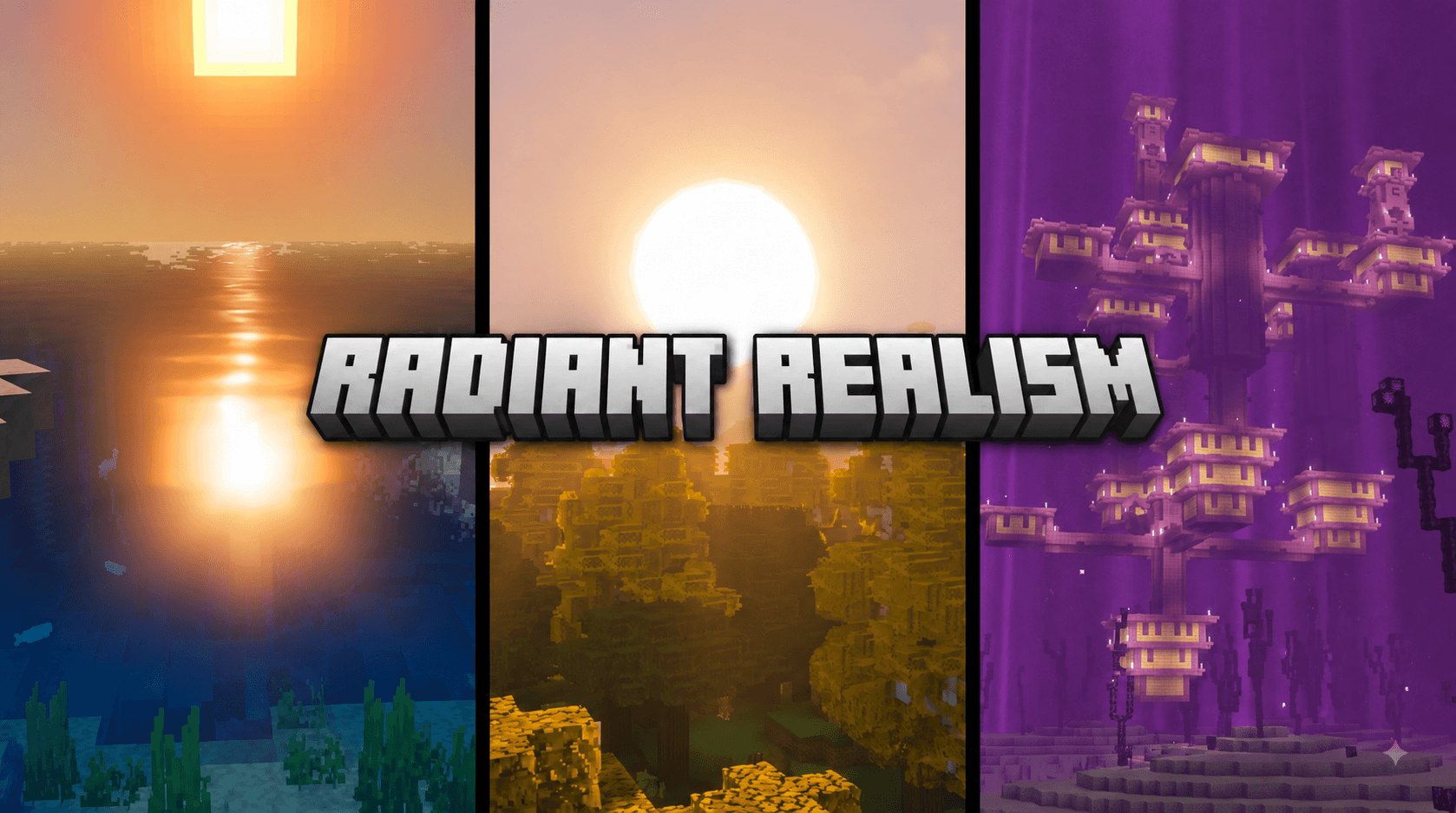
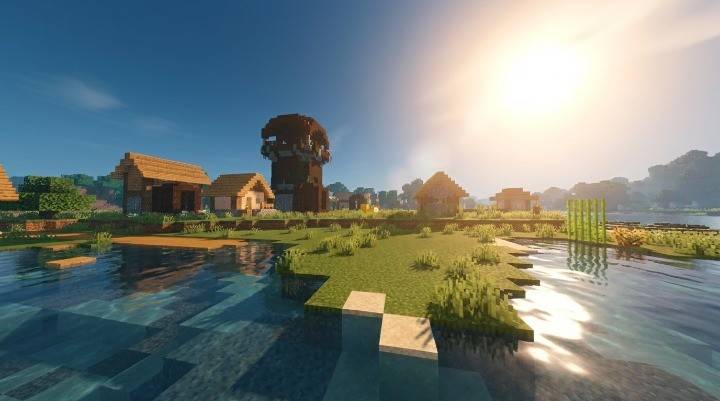
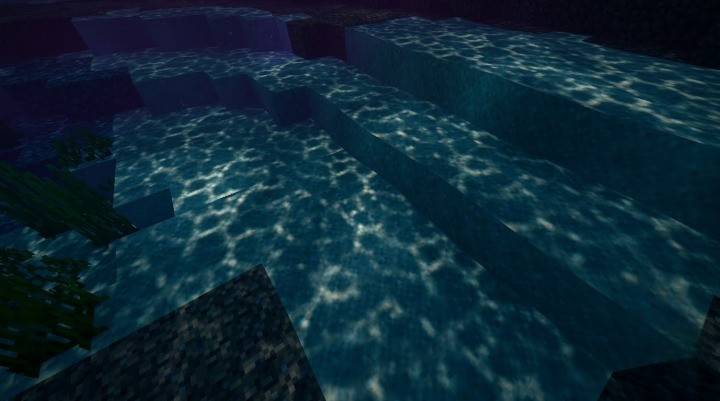
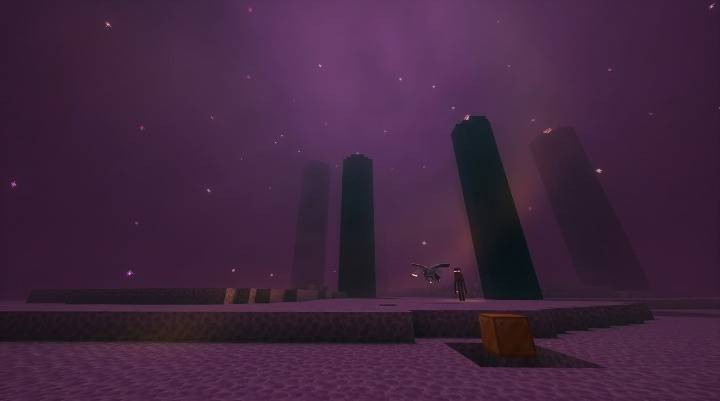
Minecraft's default lighting is clean and functional, but it isn't cinematic. Radiant Realism rebuilds the entire look of the world — sun and moon color, sky atmosphere, water behavior, shadow softness, and final color grading — using Minecraft's official Vibrant Visuals deferred rendering system, the same technology behind the game's most advanced graphical overhauls.
Dynamic Sun & Sky. Sunrise and sunset shift through warm gold and deep orange tones, midday brings a bright, near-white sun with a soft glowing bloom around it, and night settles into a cool, deep blue with a faint moonlit glow. The atmosphere itself has been tuned so the sun's glare spreads naturally across the sky near the horizon, giving that dramatic, glowing sun-disc look rather than Minecraft's flatter default.
Cinematic Color Grading. Built on ACES tone mapping, the pack pushes warmth into highlights and a subtle cool tint into shadows — the same "teal and orange" grading technique used in film and modern game cinematics — so scenes feel richer and more three-dimensional without looking oversaturated or artificial.
Living Water. Waves ripple with more natural motion, and animated caustics play across surfaces underwater and on lakebeds, replacing the static shimmer of vanilla water with something that feels alive.
Soft, Realistic Shadows. Shadow rendering has been switched to a soft-shadow style with a higher-resolution shadow map, softening harsh block edges into more natural, diffused shadow falloff.
Subtle PBR Response. A physically-based rendering fallback gives blocks, items, and mobs a small amount of realistic light response — enough to add depth and richness under the new lighting, without making surfaces look plastic or unnaturally shiny.
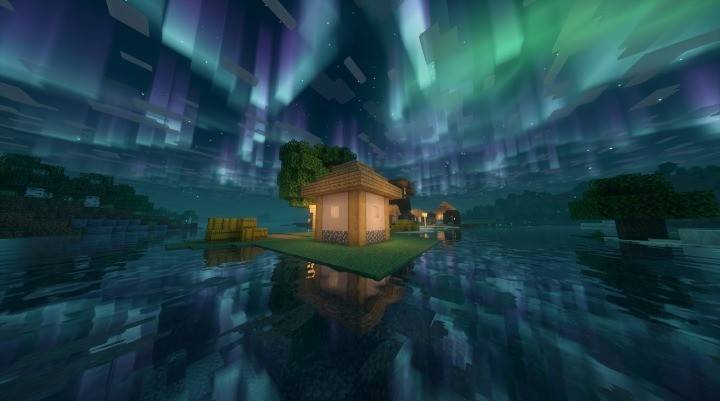
Mood-Specific Dimensions. The Nether glows with a warm, oppressive red-orange haze and matching color grading. The End is wrapped in a heavier violet-magenta atmosphere and fog, made moodier and more alien than vanilla's flat purple. Snowy biomes — ice plains, snowy slopes, frozen peaks, and frozen oceans — shift toward a cool teal-green ambient glow at night, evoking a magical, almost aurora-lit stillness across frozen landscapes.
Comprehensive Biome Coverage. Rather than relying on a single global setting (which modern Minecraft versions now override per biome), Radiant Realism explicitly configures all 88 vanilla biomes — every plains, forest, ocean, mountain, jungle, and cave variant — so the new lighting, atmosphere, water, and color grading apply consistently everywhere you explore, with smooth blending as you cross biome borders.
Installation. Import the .mcpack directly into Minecraft, then enable it in your world's resource pack settings. In Video settings, make sure Vibrant Visuals is turned on — this pack is built specifically for that rendering pipeline and will not produce its intended look without it.
Compatibility. Built and tested for Minecraft Bedrock 1.26.20 and above, using the Vibrant Visuals lighting, atmosphere, color grading, and water JSON schemas (format versions 1.21.40–1.21.120).
Radiant Realism doesn't touch a single texture — every visual change comes from lighting, sky, water, and color science, meaning it's lightweight, fast, and stacks cleanly with any texture pack of your choice.
🏷️ Credits Pack Name: Radiant Realism Creator / Author: Mod_Master Version: 1.0.1 Minecraft Version: 1.26.20+ (Vibrant Visuals required) Systems Used: Vibrant Visuals — Lighting, Atmospherics, Color Grading, Water, Shadows, PBR Fallback Biome Coverage: 88 vanilla biomes explicitly configured License: Feel free to showcase in videos/reviews with credit to Mod_Master. Please don't re-upload and re-claim authorship elsewhere.
- Edition: Minecraft Bedrock
- File type: .mcpack
- Minecraft versions listed: 1.21.100, 26.0
- How to install: Download the .mcpack. → Open it — Minecraft imports it under Resource Packs. → Activate it in Global Resources, or for one world under Resource Packs → Available.
- Where to get it: Opens on CurseForge — not every file is mirrored on our own servers.
Install steps are the general flow for this file type — How to install Minecraft Bedrock texture packs walks through it step by step.
- Pack type: .mcpack — a single pack
- Manifest requires Minecraft 1.26.20 or newer
- Complete pack — everything it depends on is inside the file
- Download size: 47 KB
- Download link checked 29 Sept 2026 — working
These come from our own check of the pack file, not from the source page.