LeanSky PvP Texture Pack for Minecraft
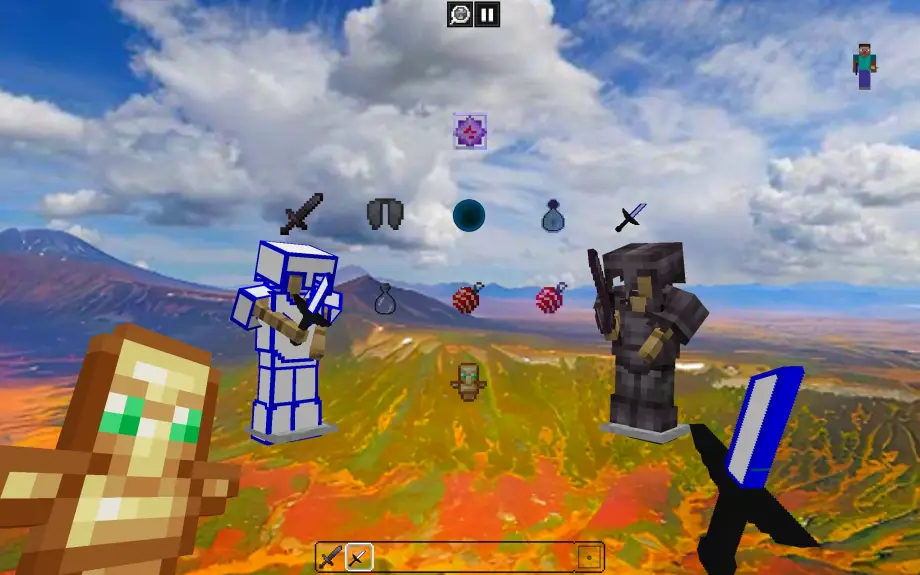
High-contrast PvP texture pack with redesigned items, HUD, and sky-themed UI for clearer visuals in competitive Minecraft Bedrock modes.
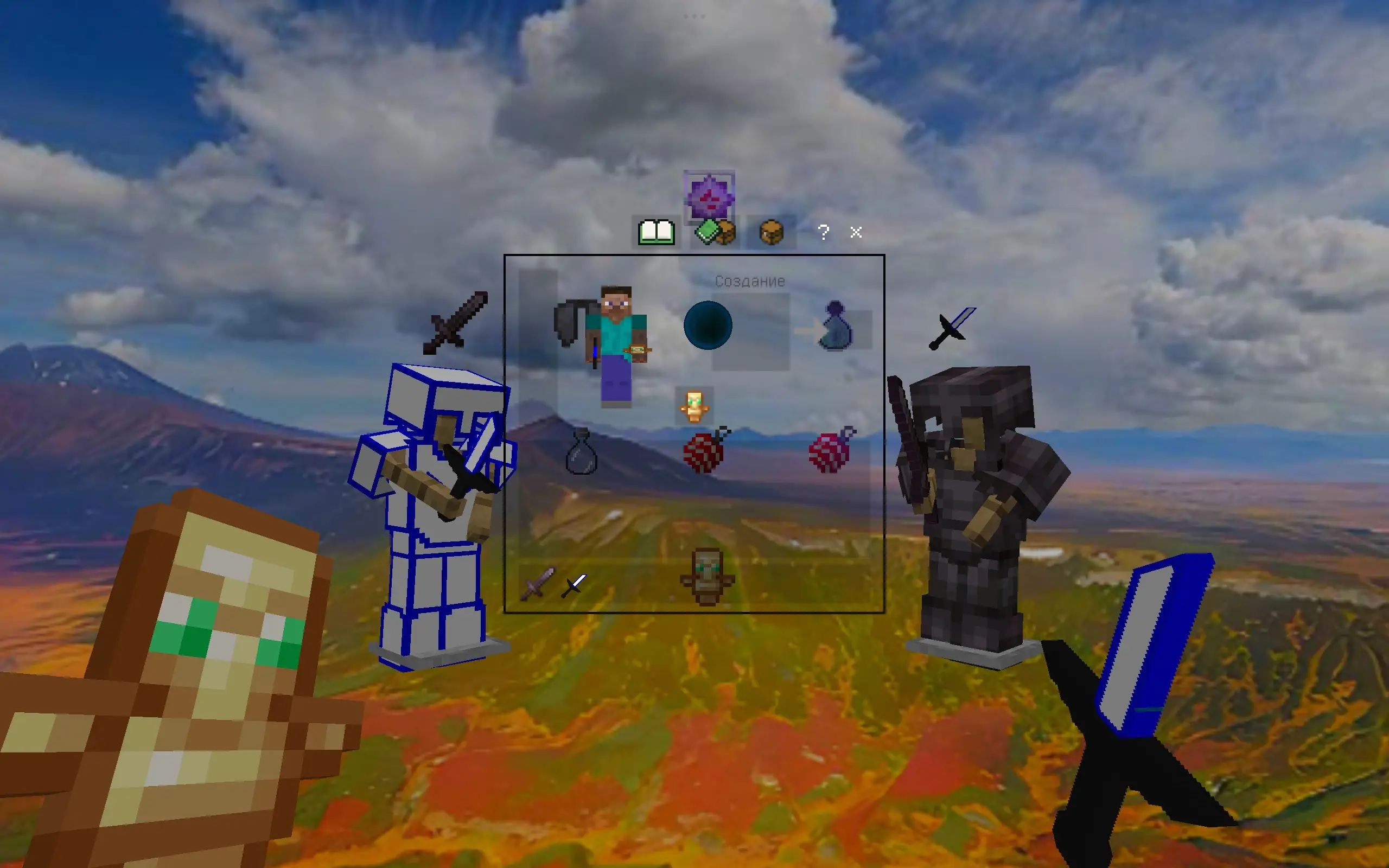
⬇ Download on ModbayLeanSky PvP V2 brings a fresh competitive look to Minecraft Bedrock with a clean and colorful PvP-focused design. The pack features redesigned swords, armor, potions, pearls, golden apples, totems, HUD elements, and inventory visuals, all built around a bright sky-and-mountain atmosphere. High-contrast item textures make important resources easier to recognize during intense fights, while the custom UI keeps everything feeling clean and modern. Whether you're playing SkyWars, BedWars, Survival Games, or classic PvP, LeanSky PvP V2 is designed to give your gameplay a sharper and more distinctive look. Lightweight visuals, recognizable items, and a unique aesthetic — made for players who want something different.
Features
- Redesigned swords, armor, potions, pearls, golden apples, and totems for better readability
- Custom HUD and inventory visuals with sky-themed UI elements
- High-contrast textures tailored for PvP clarity
- Lightweight art style for minimal visual noise during combat
- Distinct sky-and-mountain aesthetic to give a fresh look to matches
Recommended Game Modes
- SkyWars
- BedWars
- Survival Games
- Classic PvP servers
Installation (Minecraft Bedrock)
- Download the .mcpack or resource pack file from the provided link.
- Open the file on your device to import it into Minecraft Bedrock.
- In Settings → Global Resources, enable LeanSky PvP V2 and move it to the active resources.
- Restart the game if needed to apply UI changes.
Compatibility
Designed primarily for Minecraft Bedrock Edition. Visuals should be compatible with most Bedrock versions, but UI layouts may vary between updates or devices.
Changelog
- V2 — Refined item icons, updated UI polish, improved contrast and performance optimizations.
Credits
Created by the LeanSky team. If you use or modify this pack, please credit the original creator.
- Edition: Minecraft Bedrock
- File type: .mcpack
- How to install: Download the .mcpack. → Open it — Minecraft imports it under Resource Packs. → Activate it in Global Resources, or for one world under Resource Packs → Available.
- Where to get it: Opens on Modbay — not every file is mirrored on our own servers.
Install steps are the general flow for this file type — How to install Minecraft Bedrock texture packs walks through it step by step.
LeanSky PvP Texture Pack for Minecraft is a free Minecraft Bedrock texture pack. Available via Modbay. Download it and open it directly in the game.