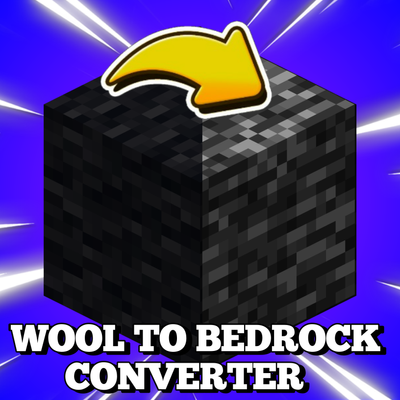
Black Wool to Bedrock Converter
Bedrock texture pack listed for Minecraft 1.20–26.x. File opened and checked on 2 Oct 2026; installs from the MC Bedrock Mods app on Android.
⬇ Download on CurseForge
🧱 Wool to Bedrock — Black Wool Bedrock Texture.
🔥 Turn Black Wool Into Bedrock!
Ever seen Minecraft YouTubers breaking Bedrock in Survival in their Shorts and videos? 👀
Now you can recreate that visual effect in Minecraft Bedrock Edition / MCPE!
Wool to Bedrock is a simple resource pack that replaces the Black Wool texture with a Bedrock-style texture, making Black Wool look like Bedrock while keeping the rest of your Minecraft textures unchanged.
Perfect for Minecraft Shorts, YouTube videos, survival challenges, trolling, memes and custom builds! 🎥🔥
✨ Features
🧱 Turns Black Wool into a Bedrock-style texture
🎬 Great for YouTube Shorts & Minecraft videos
⛏️ Perfect for Bedrock-breaking survival-style content
📱 Made for Minecraft Bedrock Edition / MCPE
🌍 Works in Worlds
🖥️ Works on Servers
⚡ Lightweight resource pack
🎨 Only changes the Black Wool texture
🌐 Can be activated through Global Resources
❌ No behavior pack required
⚙️ How to Use
1. Download and import Wool to Bedrock.
2. Open Minecraft Bedrock Edition.
3. Go to Settings → Global Resources.
4. Activate Wool to Bedrock.
5. Join your world or server.
6. Black Wool will now use the Bedrock-style texture! 🧱
> Note: This pack changes the appearance of Black Wool only. It does NOT turn Black Wool into actual Bedrock or give it Bedrock's properties.
🎥 Perfect For
✅ Minecraft YouTube Shorts
✅ Minecraft Survival Videos
✅ Bedrock Breaking Videos
✅ Minecraft Memes
✅ Trolling & Pranks
✅ Custom Builds
✅ Content Creators
🔎 SEO Keywords
Minecraft Bedrock Breaking, Wool to Bedrock, Black Wool to Bedrock, Bedrock Texture Pack, Minecraft Bedrock Texture, MCPE Texture Pack, Minecraft Bedrock Edition, Minecraft PE Resource Pack, Black Wool Texture, Bedrock Breaking Texture, Minecraft YouTube Shorts, Minecraft Survival, Bedrock in Survival, Minecraft Resource Pa
ck, MCPE Resource Pack, Minecraft YouTuber Pack
- Edition: Minecraft Bedrock
- File type: .mcpack
- Minecraft versions listed: 1.21.123, 1.21.124, 1.21.130
- How to install: Download the .mcpack. → Open it — Minecraft imports it under Resource Packs. → Activate it in Global Resources, or for one world under Resource Packs → Available.
- Where to get it: Opens on CurseForge — not every file is mirrored on our own servers.
Install steps are the general flow for this file type — How to install Minecraft Bedrock texture packs walks through it step by step.
- Pack type: .mcaddon — behaviour and resource pack in one file
- Manifest requires Minecraft 1.20.30 or newer
- Complete pack — everything it depends on is inside the file
- Download size: 17 KB
- Download link checked 3 Oct 2026 — working
These come from our own check of the pack file, not from the source page.